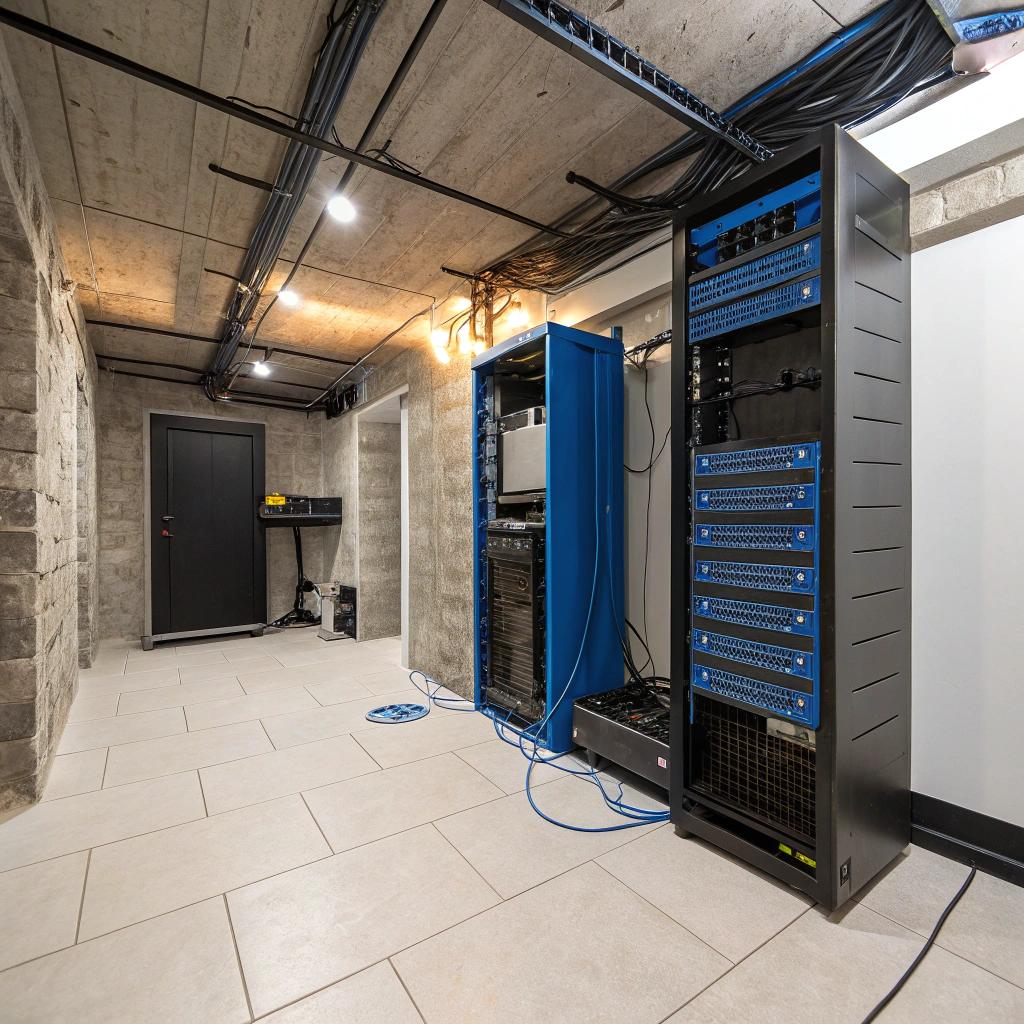

Most people think their home server is safe as long as the hardware is decent and the network is stable. I learned the hard way that in New Jersey, your real server risk often sits under your feet: a damp basement, a failed sump pump, and that quiet smell of moisture that you hope is nothing. It usually is not nothing.
Here is the blunt version. If you run a home lab or any kind of always-on server in a New Jersey basement, you need: a dry floor, controlled humidity, reliable power, and a clear plan for what happens when water does show up. Practically, that means sealing obvious cracks, grading water away from the house, using a sump pump with a battery backup, keeping servers off the floor, running at least one dehumidifier, placing sensors and cameras near the rack, and testing all of this on a rainy weekend, not during a Nor’easter. If your basement is already damp or has a history of leaks, bring in a local New Jersey basement waterproofing specialist early, before you scale your setup.
Why New Jersey basements and home servers clash so often
New Jersey is not friendly to basement hardware. There is a mix of older foundations, clay soil in many areas, and regular heavy rain. Snow melt is not rare either. The power grid is okay, but storms still cause spikes and outages.
Your server does not care why water or humidity is there. It only cares that:
– Metals corrode
– Dust turns into conductive sludge
– Fans clog
– Power strips short
– Concrete wicks moisture into anything sitting directly on it
If your UPS or NAS sits on bare concrete, you are relying on luck more than planning.
If you would not store your favorite laptop on the basement floor for a year, do not store your server there either.
How moisture actually kills your server, slowly
Some damage is instant, like a flood that reaches a power strip.
Most of the risk is quiet:
– Humidity sits above 60 percent
– Fans pull that moist air through your case all day
– Light condensation forms on metal and circuit boards
– Rust starts on screws, connectors, and the rack itself
– Short spikes of condensation happen when air temperature swings
You do not get a dramatic failure at first. You get:
– Intermittent shutdowns
– Random drive drops
– Corroded RJ45 ports that feel a bit sticky
– Screws that are hard to remove a year later
If you self host services, homelab clusters, game servers, or community tools for friends, you probably care more about uptime than the average user. That means the room your server sits in matters as much as your cooling profile in Proxmox or your RAID level.
Step one: get the water away from the house
Most people jump straight to sump pumps and dehumidifiers. Those help, but the first job is to move water away before it reaches the foundation.
Check your drainage outside
Here are the main things to check around a New Jersey home.
- Roof gutters: Are they clear, and do downspouts point at least a few feet away from the foundation?
- Downspout extensions: Simple plastic extensions can send water into the yard instead of right along your wall.
- Ground slope: Does the soil slope away from the house, or toward it? Even a slight tilt toward the wall can send a lot of water down next to your basement.
- Driveways and walkways: Along the edge of concrete, small gaps can funnel water straight down beside the foundation.
- Window wells: If you have basement windows below grade, do they have covers and drains, or do they just fill with water?
You do not need to become a contractor. Stand outside during a moderate rain and just watch where water goes. You will see the main problem spots in one storm.
Fixing drainage outside is usually cheaper than fixing water damage inside.
Table: Outside fixes vs. risk to your server
| Outside issue | What it causes inside | Server risk level |
|---|---|---|
| Clogged gutters | Water overflows near foundation wall | High, if your server is along that wall |
| No downspout extensions | Constant soak at base of wall | Medium to high |
| Poor grading toward house | Water pools next to foundation | High, often causes seepage |
| Open window wells | Leaks at windows and wall joints | Medium, spikes during storms |
| Cracked driveway along wall | Focused runoff straight down | Medium, depends on crack depth |
Step two: understand your basement’s water pattern
Not all basement moisture is equal. Before you throw money at gear, try to figure out what type of water you are dealing with.
Common basement moisture types in New Jersey
- Condensation: Warm humid air hits cooler basement walls and floor. You see small beads of water, especially in summer.
- Seepage: Water slowly comes through pores or tiny cracks in the concrete after heavy rain.
- Hydrostatic pressure leaks: Groundwater builds up against the wall and floor. Water pushes through joints or cracks with more force.
- Plumbing leaks: Old copper or PVC pipes, or HVAC condensate lines, drip over time.
If your server or rack is even in the same room, you need to know which problem you have. For example:
– Condensation usually means you need better air movement and dehumidification.
– Seepage and hydrostatic leaks point to foundation or drainage work.
– Plumbing leaks might be local but still dangerous if they happen above your rack.
Quick tests you can do yourself
You can run a few simple checks over a weekend.
- Plastic sheet test: Tape a clear plastic sheet (garbage bag works) flat to the concrete wall or floor. Wait 24 to 48 hours. If moisture appears under the plastic, water is coming through the concrete. If it shows on top, you have condensation from the air.
- Rain timing: Keep a small log. After each heavy rain, check the same spots (wall corners, floor joints). Do you see damp patches 12 to 24 hours later?
- Humidity readings: Use a cheap digital hygrometer near your rack and another elsewhere in the basement. Compare readings morning, afternoon, and late at night.
- Salt or efflorescence: Look for white powder on walls or floor. That is dissolved minerals left behind as water evaporates. It points to ongoing seepage.
If you see fresh moisture after most storms, treat it as a repeatable event, not a one time “oh the storm was bad” problem.
Step three: pick a server location that has a chance of surviving
Sometimes you have no choice and the only free space is a New Jersey basement. That is fine, but do not put the server in the worst corner.
Where to place a rack or server shelf
There is a rough order of safety:
- Interior wall away from foundation edges
- Near the basement stairs, at least a few feet from the outer walls
- Along a wall that has never shown water marks, pipes, or stains
- Far from a sump pit, water heater, and main plumbing runs
Try to avoid:
– Corners, since water tends to collect there
– Directly under bathrooms or kitchens
– Below old skylights or roof valleys where leaks show up
If you already see stains on a wall, believe the stains, not your optimism.
Keep hardware off the floor
Many people agree with this in theory, then leave a UPS sitting on bare concrete “just for now.” One year later, the bottom is rusty.
Reasonable height targets:
– Bottom of the lowest rack shelf at least 6 inches off the floor
– Power strips and PDUs at least 12 inches above floor level
– Any cable junctions or power supplies away from floor puddle range
You can use:
– Proper 4 post racks
– Metal or plastic shelves on concrete blocks
– Heavy wire shelving with adjustable feet
If you want a buffer for real flooding, consider 12 to 18 inches. New Jersey basements can surprise you during snow melt or a stalled storm.
Managing humidity and airflow for stable performance
Water on the floor is bad. Moist air is not harmless either, especially long term. For servers, you want humidity in a middle range, often around 40 to 55 percent. Lower can cause static. Higher encourages corrosion and mold.
Dehumidifiers and placement
If your basement smells damp, a dehumidifier is not optional. It is part of your infrastructure, just like your switch.
Things to think about:
- Capacity: Look at the rated square footage and how damp your basement is. A small unit might run nonstop and still struggle.
- Drainage: Do not rely on a bucket for a server room. Run a drain hose to a floor drain or condensate pump.
- Placement: Put it where air can circulate, not behind the rack. You can use a fan to move dry air toward the server area.
- Noise: Dehumidifiers hum. If you work in that room, you may need a quieter model or move your main work desk.
Check and clean the filters on the dehumidifier at least every couple of months. Dirty filters reduce capacity and some units ice up.
Ventilation and temperature
Basements often stay cooler, which is nice for server temps, but air can be stagnant.
A few simple steps help:
– Add a basic oscillating fan to keep air moving around the rack
– Keep doors to the stairway partly open unless there is a clear reason to close them
– If you have HVAC vents in the basement, make sure they are not blasting directly at the rack
– Avoid enclosing the server in a closet without ventilation just to hide cables
Some people in New Jersey run mini split units for cooling the room in the summer. That can work well, but check where condensate drains. A badly routed condensate line can leak near your gear and cause the very problem you tried to prevent.
Sump pumps, backups, and real redundancy
In much of New Jersey, a sump pump is simply part of owning a house. If your server is in the basement and your sump pump fails during a storm, your data has a bigger problem than a slow disk.
Basics of a sump pump setup for server owners
Here are the main parts:
- Sump pit where water collects
- Primary pump that handles most of the flow
- Discharge line that moves water away from the house
- Check valve that stops water from flowing back into the pit
- Backup power or backup pump for outages
If any of these fail, you can get water creeping across the floor, reaching your server area.
Testing and monitoring the sump system
You can treat your sump pump a bit like you treat your UPS.
At least once or twice a year:
- Pour a few buckets of water into the pit and watch the pump turn on, move water, and turn off
- Listen for grinding or irregular noises
- Check that the discharge line is clear and not frozen or clogged
- Inspect the check valve for leaks or reverse flow
For power, a battery backup pump or a UPS that can handle the sump for some time is useful, but in heavy storms outages can last longer than a UPS can handle. Some homeowners consider a small standby generator. That is more of a whole house decision, but it lines up neatly with servers and network gear.
If your home lab is more than a toy, it is a bit strange to invest in redundant drives, multiple nodes, and then trust one aging sump pump without any alarm or monitoring. A simple smart outlet or a water level sensor in the pit can alert you early.
Waterproofing basics that matter for server owners
There is a long list of basement waterproofing methods. You probably do not need to become an expert, but knowing the main groups helps you talk to contractors or decide what to DIY.
Interior fixes
These handle water that has already reached the inside.
- Sealant on walls and floors: Concrete coatings or paints that resist moisture. Works best for light seepage and condensation, not heavy water pressure.
- Interior French drains: Channels cut around the inside perimeter of the basement that collect water and feed it to the sump.
- Crack injections: Epoxy or polyurethane injected into visible cracks from the inside.
Good for:
– Reducing general dampness
– Handling small leaks without major excavation
– Older New Jersey homes where digging outside is hard
Exterior fixes
These aim to stop water before it reaches the wall.
- Excavation and exterior waterproof membranes: Digging down along the foundation and applying waterproof material.
- Exterior French drains: Drains along the outside footer that move water away.
- Better grading and soil: Bringing in fill and reshaping the ground.
These jobs can be costly and disruptive, but they can drastically reduce long term moisture. If you plan to keep a proper rack down there for years, with shared hosting for friends or personal projects, long term stability matters.
Table: Which fixes match which problem
| Problem type | Common fix type | Notes for server owners |
|---|---|---|
| Light wall dampness | Interior sealant, dehumidifier, better airflow | Often enough if you keep gear off floor |
| Floor seam seepage after storms | Interior French drain to sump pump | Protects entire perimeter, good for racks |
| Recurring leaks in one crack | Crack injection, exterior patch in that area | Cheaper, but watch for new cracks |
| High groundwater, frequent flooding | Exterior drainage, upgraded sump system | More involved, good for serious home labs |
Electrical and network planning with water in mind
People in hosting and network spaces already think about redundancy and clean power. The basement setting just adds a few local constraints.
Raised power and cable paths
Try to design the power layout like the floor might get wet one bad day.
Ideas that help:
- Mount power strips and PDUs on the rack or on the wall at least 12 inches up
- Route cables along walls or ceiling where possible, not across the floor
- Use cable trays or hooks under shelves instead of letting bundles lie on concrete
- Label power feeds clearly so you can shut the right one off fast if there is a leak
Think about where water would flow. If your sump pit is on one side and the main drain on the other, water may cross the room, not stay in one neat puddle.
Grounding and surge protection
Storms that push water into basements also cause power fluctuations. Combine wet floors with spikes and you have a rough mix.
Practical steps:
– Use a decent UPS with surge protection for each main server stack
– Consider a whole house surge suppressor if local grid glitches are frequent
– Confirm that electrical outlets near the basement floor are up to code
– Avoid daisy chaining cheap power strips
Many home lab owners run a small core switch and router near the ISP handoff upstairs, and a separate switch near the basement rack. That way, if the basement goes dark, internet for the rest of the house and maybe a backup machine elsewhere can still run.
Monitoring the environment like you monitor uptime
You probably already watch CPU, RAM, and disk health. Treat the basement itself as another “node” to monitor.
Simple sensors that pay off
Here are things that often save people from surprises.
- Water leak sensors: Battery powered pucks that chirp, or smart ones that send alerts, placed near the sump, near wall corners, and under the rack.
- Humidity and temperature sensors: WiFi or Zigbee units that log daily values. Put at least one near your server, one elsewhere.
- Cameras: A cheap IP camera pointed at the rack and at the sump pit. When someone tells you “the server is down,” you can at least see whether the room is under water or just dark.
- Smart plugs: For dehumidifiers and fans, so you can see if they draw power and switch them remotely.
Many hobbyists tie these into Home Assistant, Prometheus, or simple scripts. If you host for a digital community, this is consistent with your normal practice of observability.
Testing your own disaster scenario
You can do a “basement game day.”
– Turn off the breaker that feeds the sump pump and pretend it failed. How long until you notice?
– Unplug the dehumidifier and see how many hours or days pass before humidity crosses 60 percent.
– Shut the main server down and see whether you can still reach backups, offsite storage, or a secondary machine elsewhere.
If your first real test of your basement plan is a record storm, that is too late.
When to involve a New Jersey waterproofing specialist
DIY efforts handle minor moisture and basic improvements. There are times when calling a local contractor actually saves money and time, especially in New Jersey where basements are common and most issues have been seen before.
Signs you should get help:
- Visible water on the floor after more than one storm
- Strong musty smell even with a dehumidifier running
- Cracks in walls that are widening or leaking
- Sump pump that runs nonstop for long periods
- Plans to invest a lot in your home lab, like full racks, storage arrays, or long term community services
If you expect your server to be part of your online work, maybe even for hosting part of a small business or a tight knit community, it is reasonable to treat the physical room like infrastructure, not like an afterthought.
Hardening your home lab for New Jersey basement reality
At this point, you might think it feels excessive to plan around rare storms and leaks. Some years are quiet. Then there is a season with several back to back rain events and basements that stayed dry for years suddenly get wet.
Treat the basement like a slightly hostile data center environment. Not terrible, just unforgiving if you ignore it.
You can think in layers:
Layer 1: Keep water out
– Fix outside drainage
– Seal small cracks
– Use dehumidifiers
– Manage airflow
Layer 2: Limit damage if water appears
– Keep hardware raised
– Raise power and cable paths
– Install sump pumps with backups
– Place leak sensors
Layer 3: Survive a complete basement failure
– Offsite or cloud backups of everything that matters
– Option to quickly spin critical services on a VPS or dedicated box elsewhere
– Clear network diagrams so you can rebuild if gear is lost
– Documentation stored outside the basement, not only on a local wiki there
You do not need enterprise style redundancy, but something is better than nothing. A single small VPS that can host your DNS, main website, and a tiny status page is often enough.
Common questions from home server owners in New Jersey
Q: Is it safe to run a 24/7 server in a New Jersey basement at all?
A: Safe is a strong word, but it is workable if you accept that the basement needs as much planning as your network. If the floor stays dry, humidity is controlled, and you have a reasonable waterproofing plan, many people run stable setups for years. The risk never drops to zero though, so you still need backups outside the building.
Q: Can I just rely on a good UPS and ignore waterproofing?
A: No. A UPS protects you from short power loss and spikes. It does nothing against a slow leak reaching your power strips or rust on your switch. You would be confusing electrical resilience with environmental resilience. You need both.
Q: What is the minimum I should do before moving my server downstairs?
A: Basic version: verify no active leaks after heavy rain, raise all gear at least 6 inches off the floor, add one dehumidifier with a proper drain, put at least one leak sensor near likely water entry points, and test the sump pump. If any of those steps show problems, fix those first, then think about nicer hardware.
Are you willing to treat your basement as seriously as you treat your favorite piece of server gear?