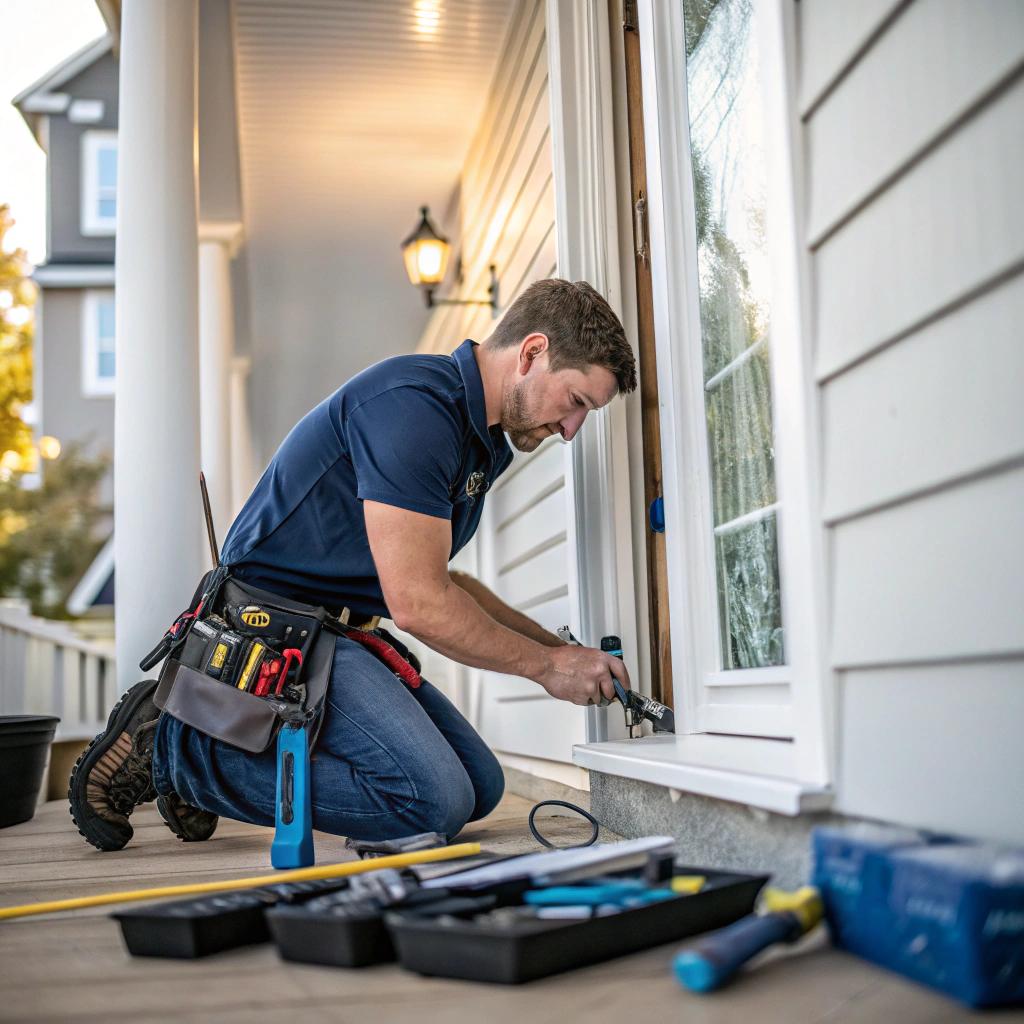

Most people think a handyman just needs a truck, a toolbelt, and some free time on weekends. I learned the hard way that in a house full of smart devices, a basic handyman is not always enough. If your doorbell talks to your phone, your lights hook into Wi‑Fi, and your garage is tied to an app, you need someone who understands both the physical work and the tech stack in your home.
If you want the short answer: hire a tech savvy handyman in Lexington by doing three things. First, look for someone local with real references and photos, then check that they list smart home or low‑voltage work in their services. Second, ask direct questions about brands, apps, and how they handle routers, hubs, and security, the same way you would quiz a web host about uptime and support. Third, start with a small test project, pay attention to their communication and documentation, and only then trust them with bigger jobs. A company like a handyman Lexington KY provider that clearly explains both hardware and tech is usually a safer bet than the cheapest name in a local ad.
That is really the basic idea. The rest is about how you actually check those points without spending your entire weekend on interviews or getting lost in buzzwords.
Why “tech savvy” matters more than it sounds
A lot of handymen can hang a TV or swap a light fixture. That is not really “tech savvy”. If your home has:
– Wi‑Fi locks
– Smart thermostats
– Cameras that sync to the cloud
– Voice assistants
– App controlled lighting
then any work on walls, wiring, or even doors can break something you set up months ago.
Think about how much time you have spent setting up your home network. SSIDs, passwords, guest networks, maybe a mesh system so the signal reaches the back deck. Now imagine a handyman unplugging a hub, moving a router, cutting power, and leaving. Everything “works” from their view because the light turns on. You log in later and half your devices are offline.
If a handyman does not ask about your routers, hubs, or smart devices before starting work, they are not tech savvy, no matter what they claim.
For readers who care about hosting, domains, or online communities, the idea is familiar. You would never hire a “server guy” who does not understand DNS or SSL. In the same way, hiring someone for your house without a basic grasp of your home tech stack is risky.
Signs a handyman actually understands tech
Here is where most people get stuck. You are not hiring a software engineer. You just want someone who can fix physical things without breaking the digital ones.
You can think in simple signs instead of complicated tests.
1. How they talk about smart home gear
When you mention smart devices, watch their reaction. Not every good handyman needs to be an expert in every brand, but they should be able to talk through common situations without sounding lost.
Look for answers that sound like:
- “If I shut power to this circuit, your router will go down, so I will label everything and warn you before I flip the breaker.”
- “Are these lights on a smart switch or just regular dimmers? I will check the wiring diagram before I swap anything.”
- “Do you use a hub like SmartThings or is everything running directly through Wi‑Fi and apps?”
If the answer is something like: “I just pull the old switch and wire the new one, they are all the same,” that is not a great sign.
2. Their relationship with instructions, apps, and updates
A lot of tech in homes now comes with apps and QR codes. Cameras, locks, thermostats, garage openers. Someone who is comfortable with tech will:
– Scan QR codes when needed, instead of guessing
– Read the pairing steps before resetting a device
– Ask you who owns the app account and who has admin access
– Know that sometimes a factory reset is the nuclear option, not the first step
I had a handyman once who fully reset a smart lock just to change batteries. It took an hour to reconnect, and I had to re‑invite every user. He was good at the physical side but had no sense that software matters.
A tech savvy handyman respects your logins, your accounts, and your data as much as your drywall and paint.
3. Comfort with basic networking concepts
You do not need them to design your VLANs. But they should know:
– What a router does
– What a mesh system is, at least generally
– That turning off power to a closet of gear might kill phones, Wi‑Fi, cameras, and alarms
Ask simple questions like:
– “If we move this router to another room, what would you check first?”
– “If we run Ethernet to the office, how do you label it so we know what is what later?”
If they start talking about random stuff that has nothing to do with the question, that is not a great sign. If they give a plain, practical answer, that is what you want.
Where to find a tech savvy handyman in Lexington
Most people start with Google or a local Facebook group, which is fine, but not enough. Since this is Lexington, you also have some regional quirks. Older homes, mixed construction, college rentals, and newer smart homes all on the same street.
You want someone who has worked on:
– Pre‑internet houses with older wiring
– New builds with pre‑run Ethernet and low‑voltage panels
– Rentals where owners care about repairs, but tenants care about Wi‑Fi and smart locks
Online search that goes beyond the basics
When you search, do not just type “handyman near me” and pick the top ad.
Try phrases like:
– “smart home handyman Lexington”
– “handyman Nest Ring Wi‑Fi Lexington”
– “low voltage handyman Lexington”
Then look at:
- Photos: Do they show smart devices, TVs, cable management, or just basic carpentry?
- Service list: Do they mention smart home setup, low voltage, or Wi‑Fi troubleshooting?
- Reviews: Are there comments about smart thermostats, cameras, or tech help?
Sometimes smaller companies with shorter pages still understand tech better than big ones with generic marketing. Do not assume size equals skill.
Ask the right questions on the phone
When you call, you can move past small talk pretty quickly. Use your hosting brain. When you compare web hosts, you ask about uptime, support channels, backups. With a handyman, you can have your own shortlist.
Here are some questions that actually reveal skill, not just confidence:
- “I have a smart thermostat and app controlled lights. Have you done work around those before? What brands?”
- “If you need to shut off power to the closet with my router and modem, how do you handle that so my devices do not end up lost?”
- “When you install something like a smart lock, do you help with app setup, or do you stop at physical install?”
- “Do you label any cables you run or changes you make, so I know what you did later?”
You do not need perfect answers, but you want to hear something concrete. If the answer is “We can figure it out when we get there,” I would be careful.
How to test their tech skills on a small job
You would not put a brand new sysadmin in charge of your production servers on day one. So do not hire a new handyman for a full smart home overhaul.
Start small.
Pick a project that touches both physical and digital
Look for a job that:
– Needs tools and basic construction skills
– Also touches your network or smart system
Examples:
- Mount a TV on a wall and route cables cleanly, with the goal of keeping streaming boxes hidden but accessible.
- Move or add an outlet and keep your router and modem online with minimal downtime.
- Install a video doorbell that ties into your existing Wi‑Fi and phone app.
You can watch how they handle each step:
– Do they ask where your router is before starting?
– Do they ask for Wi‑Fi details in a secure way, or do they shout the password across the room?
– Do they explain what they are doing as they affect your devices?
A small test project is like a staging server for your house. If they break small things or leave a mess, you have your answer before giving them bigger access.
Judge them by communication, not just results
Sometimes the end result might look fine, but the process gives you warning signs.
Pay attention to:
- How they schedule and confirm appointments. Text, email, calls. Is it clear?
- Whether they warn you before disconnecting anything connected to the internet.
- How they handle unknown issues. Do they guess, or do they say “Let me look that up”?
- If they label wires, patch panels, or anything they changed.
You already know this from tech. A system that “works” but is undocumented will haunt you later. Same with your house.
What to ask about smart home platforms and brands
Since many readers here think in platforms and stacks, it may help to treat your home like another tech project.
Map your home stack before you call anyone
You do not need diagrams, but you should at least have a list.
Here is a simple way to write it out:
| Area | Brand / Model | Connected To | Who Has Access |
|---|---|---|---|
| Thermostat | Nest / Ecobee / Other | Wi‑Fi + phone app | You + partner |
| Locks | August / Schlage / Yale | Wi‑Fi, Z‑Wave, or hub | Owners + specific users |
| Cameras | Ring / Arlo / Eufy / Other | Wi‑Fi + cloud account | You only |
| Lighting | Hue / Kasa / Smart switches | Bridge or direct Wi‑Fi | You + maybe family |
| Network | Router / Mesh brand | ISP modem | You (admin) |
You can share a simple version of this with a handyman so they know what they may affect.
Questions to match their skills to your stack
When you talk to them, refer to your list.
Examples:
– “I have a Nest thermostat and a Ring doorbell. Have you installed or worked around those before?”
– “We have smart switches tied to a Hue bridge. If you replace any switches, how do you keep scenes and automations working?”
– “Our locks use a hub in the closet. Are you comfortable working around hubs and not unplugging things randomly?”
You are trying to learn two things:
1. Have they seen this before?
2. Are they honest if they have not?
Honesty matters more than perfect knowledge. If they say “I have not worked with Hue, but I can follow the manual and take photos as I go,” that can be fine.
Security and privacy with a handyman who handles tech
Security is where home projects and hosting overlap a lot. Handymen who deal with smart locks, cameras, or routers can, if careless, leave you exposed.
You do not need fear, just some basic rules.
Passwords, accounts, and devices
Try to keep account control in your hands. Some simple tips:
- Use your own phone or tablet to log into apps while they watch, instead of giving them your login.
- If they need access to an account, change the password afterward.
- Do not let anyone leave with screenshots of your passwords or full network diagrams.
- If they connect a new device, ask them to show you how to remove or reset it.
If they suggest using their account for your devices “to make it easier,” that is a red flag.
Physical security with smart locks and cameras
Here is where things get touchy. Someone installing your front door lock or cameras has a lot of power, even if they are honest.
Reasonable practices look like:
– They let you set the main code on a keypad while they stand aside.
– If they need a code to test, you create a temporary one and delete it later.
– They clearly hand over any backup keys and do not keep a copy.
If they roll their eyes at any of this, that is a sign they are not used to thinking in security terms.
How to talk about costs without getting lost in buzzwords
Money talks can get weird fast. Some tech savvy handymen charge more because they know they are solving both physical and digital problems. That does not mean you should pay any number without questions.
Understand what you are paying for
Break their quote into parts in your own notes:
| Item | Physical Work | Tech / Setup Work | Estimated Cost Range |
|---|---|---|---|
| Mount TV + cable hide | Bracket install, anchors | Hook up devices, test apps | $100 – $250 |
| Smart doorbell | Power, mounting, drill | Wi‑Fi setup, app, tests | $120 – $300 |
| Smart lock | Remove old, install new | Pair to hub/app, user codes | $150 – $350 |
| Ethernet run | Drill, route, wall plates | Label, test, basic config | $150 – $400 |
These ranges are rough and vary by city, but the pattern matters. There is always:
– Physical work
– Tech work
Ask them what each part costs. If the quote is one lump number with no breakdown, you can ask for a bit more detail. If they refuse, that says something.
Watch out for tech jargon as a cover
Some people hide weak skills behind phrases that sound smart. You already know this from web hosting sales pages.
If a handyman starts talking about your “IoT ecosystem” instead of answering a clear question like “Can you label the cables you install,” something feels off.
Ask for plain answers:
– “How long will my network be down?”
– “Will my automations still work?”
– “If something breaks, how do we handle that?”
If they cannot answer those in a simple way, it does not matter how many buzzwords they know.
How a tech savvy handyman helps with longer projects
Small jobs are one thing. Larger work, like a basement build, office conversion, or backyard setup, benefits a lot from a handy person who speaks tech.
Planning a home office or creator room
Readers of a hosting and communities site often work from home or stream. A handyman who “gets it” can help you avoid annoying issues.
Look for someone who:
- Understands you need stable Ethernet to your main desk, not just Wi‑Fi.
- Can place outlets and cable paths where monitors, cameras, and mics actually go.
- Thinks about noise from fans, racks, or gear when placing them.
- Leaves room in walls or conduits for future cables.
You can say something direct like: “I host online events and I stream. My internet cannot drop in the middle of a call. How would you treat that when moving walls or outlets?”
Their answer will tell you if they see your gear as “just some stuff in a room” or as core to your work.
Home lab or small server corner
If you are the person with a rack in the basement, a NAS, or a low power server cluster, you need to be very clear.
Explain:
– Which outlets feed your equipment
– Where your patch panels and switches are
– What never should be unplugged without checking with you
Ask them to:
- Label any new outlets or circuits that touch your gear.
- Avoid stacking paint cans or tools in front of racks or panels.
- Tell you before they move or re‑mount any boards or brackets your gear sits on.
Not every handyman has seen a home lab. Some treat it as clutter. A good one asks questions and treads carefully.
Red flags while hiring in Lexington
So far this all sounds practical, but what should make you pause right away?
Things that should worry you
Here are some warning signs that suggest this person should not touch your smart home or network:
- They brag they “never need instructions” for devices that change every year.
- They say all routers are “basically the same” and unplug things at random.
- They offer to keep a copy of your house keys or smart lock codes “just in case.”
- They refuse to itemize any tech tasks or wire labeling in their quote.
- They mock smart devices in general and say things like “I just like simple houses.”
Liking simple houses is fine. Being openly dismissive of your setup is different.
Signs you probably found the right person
On the positive side, here are small clues that this is someone you can trust for the long term:
- They ask “What breaks your workday if it goes offline?” and respect that.
- They take photos of wiring and device setups before they change anything.
- They label cables or leave a tiny diagram of what they changed.
- They admit when they do not know something and look it up.
- They suggest simple, local backups, like a printed list of what runs on which circuit.
Every one of those is simple, but very few people actually do them.
Balancing DIY and hiring help
If you are the type of person who can set up a website, register domains, manage DNS, and run a small community, you might think you should also fix every smart home problem yourself.
Sometimes that is true. Sometimes it is a mistake.
Jobs where a tech savvy handyman earns their pay
Here are common cases where hiring someone is smarter than struggling for days:
- Anything that touches mains electrical circuits and breakers, unless you are fully qualified.
- Running Ethernet through walls, especially across floors or behind finished surfaces.
- Mounting heavy gear on tricky materials like brick or plaster over lath.
- Combining multiple tasks at once, like new lighting plus new outlets plus new data lines.
You can still control the tech side while they handle the physical side. That is often the best mix.
Jobs where you might not need a handyman
On the other hand, it may be better to keep some tasks on your own list:
- Renaming Wi‑Fi networks, changing passwords, or configuring guest networks.
- Arranging icons or scenes in your smart home app.
- Connecting devices to cloud accounts or choosing privacy settings.
- Moving streaming boxes or consoles around your own media setup.
A good handyman will not push to “own” everything. They will be happy if you take on the pure software tasks while they fix the physical problems.
Common questions people in Lexington have
Q: How do I explain my technical setup without confusing a handyman?
You do not need jargon. Walk them through like this:
– “Here is my router and modem. These boxes give internet to everything.”
– “These are my smart devices: thermostat, locks, cameras.”
– “If this closet loses power, my work and streaming stop, so please warn me first.”
Then show them where each item is. Simple, visual, and clear.
Q: Should I choose a tech savvy handyman over a regular one if it costs more?
If your house has smart locks, cameras, mesh Wi‑Fi, or a home office that pays your bills, then yes, paying more for someone who respects that is usually worth it. If your home is fairly basic, you may not need that extra skill. But be honest about how much your connection and devices matter to you.
Q: What if a handyman breaks my network or smart devices?
Things go wrong. What matters is how they respond. A good handyman will:
– Admit the mistake
– Help you reset or fix what they changed
– Cover the cost if they damaged hardware through clear neglect
If they blame you for everything or vanish, that is a sign they were the wrong hire from the start.
How careful do you want the next person who works on your home to be with the systems that run your life, both physical and digital?