
Most people assume a smart kitchen just means buying a fancy fridge with a screen on it. I learned the hard way that if you do that without planning power, networking, and workflows first, you just end up with expensive clutter and a lot of apps you never open.
The short answer if you are thinking about kitchen remodeling Bellevue and you love tech: treat your kitchen like a small data center. Plan power circuits as carefully as you plan server capacity, put Ethernet and strong Wi‑Fi where it matters, centralize your smart devices around a stable hub, and design storage, lighting, and appliances so they support how you actually cook, not how a catalog photo looks. Think less about buying gadgets and more about building infrastructure that will still make sense in ten years.
Start with how you live, not the gadgets you want
Tech people like to start with hardware. It is tempting. You see a smart faucet, a voice‑controlled oven, smart blinds, and your brain goes straight to a shopping list.
The better approach is boring: map your daily flow.
Ask yourself a few blunt questions:
- Where do you stand most when you cook or prep?
- When do you reach for your phone, tablet, or laptop in the kitchen?
- What annoys you more: bad lighting, lack of outlets, or clutter?
- Do you cook alone or with someone else most nights?
- How many kitchen appliances do you actually use in a typical week?
Take one or two days and pay attention. You will probably find patterns that matter more than any smart feature. For example, you might realize that every time you cook you place your phone on the corner of the counter and lean over it to read recipes. That points to a need for:
- A safe, eye‑level screen area or wall mount
- Outlets with USB‑C or a wireless charger near that zone
- Good task lighting where you read, not just over the sink
Design your smart kitchen around the three or four tasks you repeat every day, not the rare recipes you wish you cooked.
This sounds almost too simple, but in a lot of remodels I have seen, people skip this. Then they end up with a fancy built‑in screen they ignore, and still juggle their tablet near the stove.
For tech‑oriented readers, this is similar to building an online community around actual user behavior instead of what you hope they will do. You track usage, not wishful thinking.
Zones first, devices second
You can think of your kitchen as a set of zones:
- Prep zone
- Cooking zone
- Cleaning zone
- Coffee / drink zone
- Snack / microwave / quick‑grab zone
For each zone, list:
- What you do there
- What tech would help
- What you do not want there (noise, screens, spills near ports, etc.)
This simple exercise keeps you from putting a tablet dock right next to the sink or a voice speaker too close to a noisy range hood.
Plan your power and networking like you plan a server rack
This is where kitchen planning overlaps a lot with web hosting and home labs. People obsess over their NAS and UPS setup, then charge their mixer and espresso machine from one outlet with a cheap splitter.
If you love tech, the smartest upgrade you can make in a kitchen remodel is invisible: dedicated circuits, cleaner wiring, and solid network coverage.
Power: more circuits, better outlets
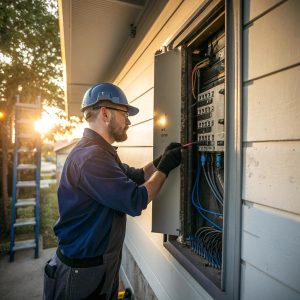
Old kitchens often have a couple of circuits for the whole counter. Once you add induction, multiple smart appliances, and charging, that is just asking for tripped breakers.
Here is a plain comparison:
| Item | Old kitchen setup | Better smart kitchen setup |
|---|---|---|
| Countertop outlets | 2 outlets on one circuit | Multiple circuits, outlets every 2–4 feet, GFCI where needed |
| Major appliances | Shared circuits, extension cords | Dedicated circuits sized to appliance load |
| Charging | Random power strips | Recessed outlets, USB‑C outlets, under‑cabinet strips |
| Backup | No surge protection | Whole‑home surge or at least a few quality surge protectors |
Do you need dedicated power planning for a toaster? Maybe not. For a combination of induction cooktop, built‑in microwave, wall oven, wine fridge, and coffee station being used at the same time, yes.
Networking: Wi‑Fi is not an afterthought
Smart appliances and assistants are chatty. They want constant connections, firmware updates, and sometimes local integrations. If your router is stuck in a closet on the other side of the house, your brand new smart oven may struggle.
Some simple steps:
- Plan for a Wi‑Fi access point located near or in the kitchen
- Run Ethernet to that AP if you can, or at least to a nearby switch
- Create a separate VLAN or SSID for IoT if you are comfortable with that
- Place hubs (Zigbee, Thread, etc.) in a cabinet with power and ventilation
Think of it like hosting a media server. You would not stack everything on one cheap router with no thought for signal or throughput. Your kitchen gear, even if it is just a few devices, deserves the same basic planning.
Choose smart devices that do not fight each other
Here is where the tech lover in all of us wants to go wild. Different brands, different apps, lots of logos. That can get old pretty fast.
Pick one or two main platforms and try to keep most of your smart kitchen devices inside that small family, even if the brands are different.
Think in terms of ecosystems, not logos
Ask yourself which assistant or platform you already use most:
- Apple Home / Siri
- Google Home
- Alexa
- Matter / Thread focus with a local hub
For each new device, ask:
- Does it work locally, or only through a cloud account?
- Can I control it with my existing assistant without weird workarounds?
- Will it still work if the internet drops for an hour?
- Is there a basic manual control if the smart side fails?
You do not need perfection. Just avoid the situation where your lights, blinds, oven, and fridge each rely on a different cloud account and app.
Good smart kitchen candidates
Some tech makes daily life smoother. Some just looks flashy and then gathers dust.
Reasonable smart upgrades:
- Smart lighting (overhead, under‑cabinet, toe‑kick)
- Smart plugs for smaller appliances that do not need full smart features
- Smart switches that keep manual control available
- Voice assistant speaker with a screen for recipes and timers
- Sensor‑based under‑cabinet lights for night trips
- Water leak sensors under the sink and near the dishwasher
More advanced, but useful if you cook often:
- Smart oven with remote pre‑heat and food probes
- Induction cooktop with precise temp controls and safety features
- Smart hood that matches its speed to cooktop use
- In‑drawer or in‑cabinet power strips for charging devices out of sight
I am more cautious about very gimmicky items like touchscreens on every panel. They can age faster than the cabinets around them.
Lighting and sensors: the quiet part of a smart kitchen
Lighting in a kitchen is like UI in an app. If it is wrong, everything feels wrong, even if you cannot describe why.
Layer your lighting
You want three layers:
- Ambient lighting for overall brightness
- Task lighting focused on counters, stove, and sink
- Accent lighting for mood, cabinets, and toe‑kicks
Basic smart ideas:
- Use smart switches for main lights so guests can still flip a normal switch
- Add motion or occupancy sensors for under‑cabinet and night lights
- Use warm white in the evening and cooler white when cooking during the day
You do not need rainbow colors all over the place. Just slight tuning in color temperature helps your eyes and looks better on camera if you ever record cooking videos or video calls from the kitchen.
Sensors that actually help
Some sensors feel like toys until they save you from a mess.
Useful ones:
- Leak sensors under sink, dishwasher, and fridge with an ice maker
- Temperature and humidity sensor, especially if your server or networking gear is nearby
- Motion sensor near pantry and hallway entry
You can tie these into automations: turn on low lights when you walk in at night, alert your phone if a leak starts while you are at work, lower hood speed when air clears.
Storage, cable management, and charging for a digital household
If your life is half cooking and half digital content, your kitchen probably does double duty. It might be where you watch Twitch while stirring a pot, answer community messages, or check server stats.
Without planning, cables, chargers, and devices creep across every surface.
Create a small “command center”
This does not need to be a giant built‑in desk. It can be:
- A short section of counter with a deeper backsplash
- A narrow side cabinet with a pull‑out shelf for a laptop
- An upper cabinet with a power strip and a small charging drawer
Aim for one main spot where:
- Tablets and phones charge out of the splash zone
- You can set a laptop or iPad at eye level while cooking
- You keep your grocery list app, smart home dashboard, or community chat
If you give your devices a specific home in the kitchen, you reduce clutter and save your cables from splashes and spills.
Cable paths and hidden tech
People often plan where their fridge will go, but not where their router, switch, and hubs will hide. That mistake shows up later as a mess of wires on the counter.
Think about:
- A low cabinet or upper corner cabinet for networking gear, with ventilation
- Small grommets in counters where wires can pass neatly
- Magnetic cable clips under cabinet edges
- Short, color‑coded cables instead of one long snake behind everything
You would not leave server cables dangling wherever they fall. Your family will thank you if your kitchen wiring looks boring and simple.
Appliances for people who like data and control
If you enjoy hosting servers, you probably also enjoy granular control and good logs. Some kitchen appliances already reflect that mindset, some less so.
Induction and smart ovens
Induction cooktops pair well with tech people for a few reasons:
- Precise heat control with direct numbers, not vague “high / medium / low”
- Faster heat changes, almost like adjusting CPU clocks
- Cooler surface relative to gas, which fits electric‑heavy homes
Smart ovens with temperature probes and app control are not mandatory, but they help if you multitask. You can watch a cook graph from your phone like you watch server graphs.
Be a bit skeptical though. Some “smart” features are just remote start with a clunky app. Look for:
- Reliable remote temperature control and monitoring
- Clear manual override if the tech glitches
- Good physical knobs or buttons, not only a laggy touchscreen
Fridges, dishwashers, and more
Smart fridges with screens are controversial. Some people love having the calendar and streaming front and center. Others ignore the screen after a week.
If you want one, check:
- How long software updates are promised
- If core functions still work with no internet
- Energy use compared to a non‑smart version
Dishwashers with Wi‑Fi usually just send alerts when cycles finish and track usage. That can be helpful if you run them at night or from another floor, but you may not care. I think there is a line where “smart” stops being helpful and starts being one more login.
Privacy, security, and vendor lock‑in in the kitchen
Smart kitchens are still part of your network. So they share the same risks and annoyances as any other IoT setup.
If you run home servers or care about how your data moves, the same instincts apply here.
Reduce unnecessary cloud dependence
You do not have to reject cloud features, but you can be picky.
Some habits help:
- Choose devices that support local control through Matter, Home Assistant, or your main platform
- Use unique passwords for each vendor, stored in a password manager
- Disable analytics and optional data sharing where possible
There is a trade‑off of course. Some brands with the best local control may not have the prettiest apps. That is fine if you prefer stability and privacy over flashy UIs.
Think about future support
A cabinet can last twenty years. A kitchen appliance maybe ten to fifteen. A cheap Wi‑Fi module inside that appliance might become useless in five.
Look for hints that a company will maintain their products:
- Public firmware changelogs, not just marketing
- A history of supporting older models with updates
- Real user forums with staff presence
If a brand is mostly silent and vague about support, the “smart” part of your purchase might age faster than you like.
Acoustics, noise, and the reality of open floor plans
Many Bellevue homes have open kitchens that flow into living or office space. That is nice for gatherings, but a noisy hood and clanking dishes can collide with work calls or streaming.
Plan for quiet where you can
It is strange how often sound is ignored in remodels.
Think about:
- Choosing a quieter dishwasher and range hood, with actual decibel ratings
- Soft‑close cabinet hardware to reduce banging
- Sound‑absorbing materials like rugs or fabric seating nearby
If you are on calls a lot or recording audio near the kitchen, these small choices matter. The goal is not silence, just less echo and hum.
A smart kitchen that plays nice with the rest of your home
Your kitchen does not sit alone. For most tech people, it is one node in a larger home system.
Scenes and automations that make sense
Instead of setting up 50 scenes you never use, focus on a handful that match your life:
- “Morning”: soft under‑cabinet lights, coffee plug on, news or playlist on the smart display
- “Cooking”: bright task lights, hood on medium, music up a bit
- “Night”: toe‑kick lights on low, overhead lights off, motion sensors active
- “Away”: all nonessential plugs off, leak sensors armed to send alerts
You can get fancy later. But starting with a few reliable scenes keeps things simple for others in your home too.
Interacting with your digital life from the kitchen
Many people in tech communities do a lot of their daily planning, chatting, or monitoring while eating or cooking.
Design for this:
- A wall tablet with quick access to home dashboards or server stats
- Smart speaker integration for quick checks: “How is the server CPU load?” if you tie it into an API
- Protected space for a laptop that is away from splashes but within reach
It may sound a bit much, but if you run communities or host projects, you probably touch your tools from every room anyway. The kitchen is no different.
Working with remodel pros without losing the tech details
One tricky part is that some remodel contractors understand tile, cabinets, and plumbing well, but have less patience for network diagrams and device lists.
You do not have to argue with them about every piece of tech, but you also should not leave them guessing.
Create a simple “tech brief” for your kitchen
Before you start work, write a clear document, even if it is just a page or two, that covers:
- Number and general location of outlets, including hidden ones
- Where you need Ethernet ports or conduits
- Planned location of access points and smart hubs
- Mounting points for screens, speakers, or control panels
Share this with whoever designs your cabinets and does your electrical work. You do not need to force your networking preferences on them, just make your needs clear.
If you explain your tech goals in simple, concrete terms, most remodel pros will adapt the physical work to match, even if they do not care about the gadget side.
Be realistic about what you will actually maintain
As someone who enjoys tech, you may be tempted to set up a very complex system with automations, scripts, and self‑hosted dashboards.
Ask yourself one question: if you got busy for three months and did not touch your setup, would the kitchen still work for everyone else?
If the answer is no, you might be over‑engineering. Try to keep the core functions simple enough that a guest or family member can turn on lights, cook a meal, and clean up without a tutorial.
Q & A: Common smart kitchen remodeling questions from tech lovers
Is a smart fridge actually worth the money?
Sometimes. If you will use the screen daily for calendars, notes, and media, and you are comfortable with a higher price and the risk of faster obsolescence, it can make sense. If you mostly want cold food and reliable storage, a high quality non‑smart fridge plus a wall tablet can be a better use of money.
Should I wire Ethernet into my kitchen?
If you are already opening up walls in a remodel, yes, it is usually worth running at least one or two Ethernet lines. You can use them for an access point, a hub, or even a small media box. Cable is cheap compared to the cost of opening walls again later.
How many outlets are too many?
You can go overboard, but most older kitchens have too few, not too many. Think about where you will place appliances and devices, and err slightly on the side of extra, especially inside appliance garages and along main prep counters. Just keep them neat and aligned so it looks intentional.
Is it better to buy all smart gear from one brand?
Not usually. One ecosystem or assistant is fine, but putting all your trust in a single hardware brand can backfire if that company changes direction. Use your main smart home platform as the glue, then pick appliances based on reliability, service, and features that you care about.
What is one thing tech people often regret not doing in a kitchen remodel?
Running extra low‑voltage conduits and planning Wi‑Fi coverage early. Many people fixate on visible features and forget they might want to add cameras, sensors, screens, or an AP later. Empty conduit and a bit of planning give you room to expand without tearing up finished walls again.