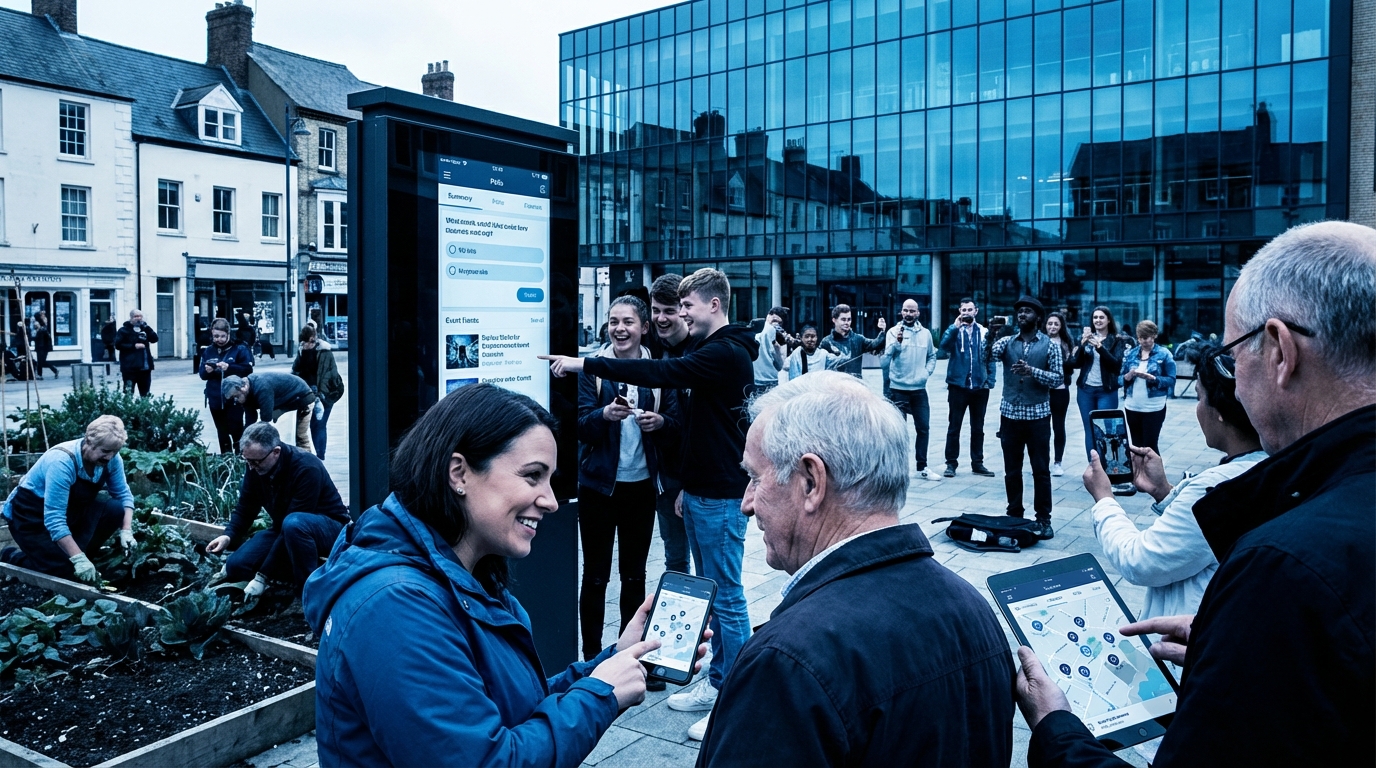

Most people think “If I just launch a mobile app, my community will explode with engagement.” I learned the hard way that most apps do the exact opposite: they add friction, fragment conversations, and quietly kill the core of a community while vanity metrics look fine.
The short version: mobile apps increase raw activity (notifications, taps, quick reactions), but they often weaken depth of participation. Real community participation improves only when the app is tightly focused on fast loading, clear threads, sane notifications, and low-friction posting. The moment the app starts chasing “engagement features” instead of clear communication and discovery, participation quality drops, moderation workload rises, and your best members burn out.
How Mobile Apps Change Community Behavior
Mobile apps do not just shrink a website onto a smaller screen. They change:
- When people participate (context and time of day)
- How they participate (short posts vs long threads)
- Who participates (lurkers vs core contributors)
- What kind of conversations survive (fast chats vs long-form discussions)
From running and auditing communities that moved from web-only to mobile-heavy, the patterns are fairly consistent.
From sessions to micro-moments
On desktop, people tend to have “sessions.” They sit down, open several tabs, and read or write in longer stretches. That supports:
- Long-form guides and tutorials
- Detailed bug reports and case studies
- Structured debates and multi-quote replies
On mobile, interaction becomes a series of 5 to 60 second micro-moments:
- On the train
- In a queue
- During ad breaks
- Late at night in bed
This leads to:
- Short replies (“same”, “+1”, “thanks”)
- Reaction use instead of written replies
- Skimming titles and images instead of reading
- Abandoning long compose screens midway
Mobile apps increase “touches” with your community but often lower the average depth of each contribution.
If your community thrives on long, thoughtful posts (complex tech, niche hobbies, open-source, professional learning), forcing participants through a tiny keyboard and cramped editor will change the content culture, not just the format.
The attention tax of notifications
Push notifications are the main reason people demand mobile apps. They are also the main reason many mature communities feel noisier but weaker.
Notifications:
- Drag people back into shallow loops (“Someone replied”, “You have a new badge”)
- Reward speed over thought (reply-first, think-later)
- Train members to expect instant responses
- Shift norms from “I will check the community when I have time” to “The community will interrupt me”
If you allow every like, reaction, tag, and DM to ping a phone, you set the community on a trajectory toward impulsive posts and higher moderation load.
Push notifications do not create community; they create reflexes. Whether those reflexes help or harm the community depends on what triggers them.
Asymmetry between readers and writers
Reading on mobile is often fine. Writing is not.
A community that moves to mobile apps usually sees:
| Metric | Before app (web-heavy) | After app (mobile-heavy) |
|---|---|---|
| Daily active users | Lower | Higher |
| Posts per active user | Higher | Lower |
| Average post length | Higher | Lower |
| Reaction / like usage | Lower | Much higher |
| Long-form topics / guides | Stable | Drop over time |
“Participation” increases if you count taps. Genuine contributions may stagnate or decline unless the app is carefully designed for composition and threading.
The UX Mechanics That Shape Participation
The impact of mobile apps on community participation is mostly a UX and product design story, not a marketing one. The details of input, navigation, and visibility strongly influence behavior.
Input friction: composing on a phone
Posting from a phone has built-in friction:
- Small keyboard and more typos
- Autocorrect errors, especially in technical communities
- Limited ability to reference multiple posts or tabs while writing
- Harder to quote, format code, or embed media cleanly
Poorly designed mobile editors make this worse:
- Markdown or BBCode tools hidden behind obscure icons
- No proper code blocks or monospaced font
- No draft autosave when switching apps
- Clumsy image upload and preview
If composing a thoughtful, well-formatted post on mobile feels fragile or annoying, your community will gravitate toward low-effort replies and reaction spam.
For technical and hobbyist communities, support for:
- Code blocks and syntax highlighting
- Inline images and attachments
- Quote replies from multiple posts
- Autosave drafts across devices
is not a luxury; it directly affects who is willing to write more than two sentences.
Threading and context
Long threads on desktop are already hard to follow. On mobile, without careful design, they become a maze.
Typical problems:
- Deep reply chains hidden under tiny “View more replies” buttons
- Lack of “jump to parent” or “jump to first unread” features
- Confusing mix of chronological and “most relevant” sorting
- Lost context when quoting or replying across subthreads
This directly affects participation:
- New users find it hard to figure out where to jump in
- Ongoing debates fragment into parallel mini-threads
- Moderators struggle to move, merge, or split threads from mobile
A mobile app that treats threading as an afterthought will favor fleeting chatter over durable knowledge sharing.
Navigation and discovery
A community is not just a chatroom. The structure matters:
- Categories or channels
- Tags
- Pinned posts or knowledge base
- Search and filtering
Poor mobile navigation flattens this into a simple feed, which rewards:
- Recent and loud content
- Clickbait titles
- Hot takes instead of reference material
At the same time, good search on mobile is rare. Many apps bury advanced filters, date ranges, and category selection under several taps. That discourages research and encourages repeated questions.
If search and discovery are bad on mobile, your senior members end up answering the same questions repeatedly, and they are the ones who leave first.
Notification Design: Participation or Harassment
Notification design is where many community apps quietly ruin participation quality.
Types of notifications and their effects
Consider the main categories of push events:
- Direct: mentions, replies, private messages
- Ambient: likes, reactions, follows
- System: announcements, new features, maintenance, rule changes
- Algorithmic: “You might like this thread”, “Top posts from today”
Their impact:
| Notification type | Short-term effect | Long-term effect |
|---|---|---|
| Direct | Higher response speed | Higher expectation of instant replies |
| Ambient | Dopamine hits, app opens | Chasing likes rather than substance |
| System | Awareness of changes, events | Can train members to mute notifications if overused |
| Algorithmic | Increased content discovery | Filter bubble, bias toward popular topics |
If you treat all four as equal and blast them by default, you nudge the culture toward superficial interactions.
Notification controls as culture settings
The granularity and defaults of notification settings are not just UX polish; they define community norms.
Best practice patterns:
- Default push only for direct interactions (mentions, replies, DMs)
- Leave likes / reactions only as in-app alerts, not push
- Provide separate toggles for:
- Direct
- Ambient
- System
- Algorithmic
- Offer digest options:
- Immediate
- Daily
- Weekly
That has direct impact on participation patterns:
- People feel safe subscribing to more threads
- Conversations can be slower but deeper
- Experienced members can stay engaged without feeling spammed
If your notification settings are crude, your most thoughtful members will either disable them entirely or uninstall the app.
Moderation and Governance from Mobile
Moderation is part of community participation. If moderators can not work from their phones, rule enforcement lags and quality of discussion decays.
Moderation tools in mobile apps
Minimum capabilities for moderators on mobile:
- Quick access to:
- Report queue
- Flagged content
- Ban / mute lists
- Actions on posts and users:
- Delete, hide, or soft-delete
- Warn, mute, ban
- Move posts between categories
- Close or pin threads
- Audit trails:
- See who moderated what
- View history of user warnings and bans
If the app lacks these, moderators must wait until they are at a desktop. Fast-moving mobile conversations then go unchecked during peak hours (which are often evenings and weekends).
Impact on rule enforcement and norms
Weak mobile moderation tools correlate with:
- Delayed removal of spam and harassment
- Users testing boundaries because consequences are slow
- Backchannel conflicts (DM wars) that staff cannot track
This changes participation:
- Targets of abuse leave silently
- Good-faith users avoid posting in busy threads
- The tone drifts toward whoever is most aggressive at mobile speed
A mobile-first community without mobile-first moderation capacity is effectively self-governing, and not in a good way.
Fragmentation: App vs Web vs Third-party Platforms
Most communities do not exist only in an official app. They exist across:
- Official mobile app
- Responsive website
- Email digests and replies
- Third-party chat (Discord, Slack, Telegram)
- Social media groups or hashtags
Mobile apps often accelerate fragmentation.
Where conversations actually happen
Typical pattern:
- Long-form guides: desktop web
- Casual chat, venting: Discord or similar
- Quick status updates or memes: mobile app feed
- Event coordination: mix of app, email, and chat
The app becomes yet another surface where people “sort-of” participate, with partial context. That produces:
- Repeated questions (“Sorry, I only saw the mobile thread”)
- Side channels where decisions are made, then announced elsewhere
- Loss of institutional knowledge because key info lives in DMs or external chats
A mobile app that does not respect and integrate the rest of your community stack does not increase participation; it scatters it.
Single sign-on, identity, and trust
If your app and web are not tightly integrated:
- Users create multiple accounts accidentally
- Reputation points or trust levels diverge
- Ban lists and permissions do not sync cleanly
Partial identity sync weakens social accountability. People who feel “less known” on mobile will behave differently there.
A community that wants healthy participation through an app needs:
- Shared user identity across all entry points
- Unified reputation / trust model
- Consistent rules and visible enforcement history
Metrics: What Mobile Apps Actually Change
When an official app launches, the numbers nearly always look good at first. That is where leaders often fool themselves.
Typical metric swings after launching an app
Based on recurring patterns:
| Metric | 0-3 months after app launch | 6-18 months after app launch |
|---|---|---|
| App downloads | Spike from promotion | Flatten, slow trickle |
| Daily opens | Significant rise | Stabilize above baseline |
| Session length | Shorter | Short and frequent |
| Posts per day | Rise slightly | Plateau or mild rise |
| Average post length | Drop quickly | Stay lower |
| Unique posters / month | Rise (onboarding effect) | Some churn, more casual users |
| Reports and moderation events | Rise | Remain higher |
If you only read the top line (“More daily active users!”), you might think participation is thriving. The qualitative shift is different:
- More “ping and scroll” behavior
- Less careful reading
- More repeated, shallow questions
- More emotional, off-the-cuff replies
Better metrics for real participation
To understand the impact of a mobile app on community participation, track:
- Percentage of members who:
- Write at least 1 post per week
- Write at least 1 post of >300 words per month
- Start threads that receive >10 replies
- Thread health:
- Average depth of discussion (replies per thread)
- Median time to first helpful reply
- Ratio of solved / unresolved help threads
- Quality proxies:
- Upvotes or “helpful” marks per post
- Bookmarks or saves per thread
- Number of posts promoted to wiki / docs
Then compare pre-app and post-app. Many communities learn that:
The app increased participation volume but lowered participation quality and shifted more of the hard work onto a smaller group of core contributors.
Use Cases Where Mobile Apps Help Participation
Despite the criticism, there are situations where a mobile app clearly improves community participation. The trick is to match app capability to community use cases.
Location-based and real-time communities
If your community revolves around:
- Local meetups, events, and schedules
- Real-time coordination (volunteering, ridesharing, on-call teams)
- Geofenced content (local alerts, local channels)
a mobile app can materially improve participation:
- Push alerts for event changes and location-specific updates
- Real-time check-ins and RSVP tracking
- Location-aware channels or groups
Here, the context (people out in the world, on their phones) aligns with the device. The app removes friction rather than adding it.
Short-form, high-frequency communities
Communities that thrive on:
- Short updates (fitness logs, daily challenges, “ship logs”)
- Casual, frequent sharing (photos, small wins, microblogging)
- Lightweight social proof (streaks, check-ins, daily prompts)
fit well with mobile. The phone is the primary tool for:
- Capturing images
- Logging quick status
- Checking in multiple times per day
In these cases, participation quality is not measured by essay length but by consistency and mutual visibility. Mobile helps here.
Task-centric or product support communities
For product support or task workflows, mobile apps can centralize:
- Ticket status and updates
- Device logs and diagnostics upload
- Product-specific push alerts (“Firmware X has issues”)
If designed correctly, this can reduce duplicate questions and speed up resolution. The key is a tight loop between product telemetry, support threads, and app notifications.
Use Cases Where Mobile Apps Harm Participation
Some communities consistently suffer when they try to force activity into an app.
Deep technical, academic, or expert communities
Communities that rely on:
- Complex code snippets
- Multi-source referencing (papers, docs, logs)
- Long, carefully structured arguments
do not map cleanly to phone input. Trying to push these communities into a mobile-first model leads to:
- Sloppy examples and missing details
- People avoiding posting from mobile altogether
- More low-value commentary drowning out actual solutions
A better pattern is to treat mobile as a read-and-respond surface for short follow-ups, while keeping the serious contribution workflows optimized for desktop.
Communities already spread across chat and forums
When you already have:
- A high-volume chat server (Discord, Slack, Matrix)
- A forum or knowledge base
introducing a heavy, full-featured app often fractures attention. Members then juggle:
- Real-time chat pings
- Forum notifications
- App-specific notifications
This triple stack encourages people to retreat into whichever surface feels “easiest” at the moment, which is usually the least structured one. The result is a slow erosion of your knowledge base.
Design Choices That Improve Participation Quality
If you decide to ship or refine a mobile app for your community, there are specific design and product choices that can tilt participation back toward quality.
Prioritize fast content access
Every extra second of loading time at mobile scale is a silent participation filter. Design priorities:
- Fast startup time:
- Local cache of last-visited threads
- Deferred loading of heavy assets
- Instant scroll to first unread
- Offline reading for saved threads
If members can quickly catch up on serious threads from their phone, they are more likely to set aside time to write substantive replies later.
Composition tools that respect real content
Offer a writing experience that does not punish people who aim for depth:
- Full-screen editor with distraction-free mode
- Markdown and code block support with:
- Syntax highlighting preview
- Monospaced font
- Reliable autosave drafts that sync between devices
- Simple image attachment and captioning
- “Continue on desktop” option via email or QR link
If someone starts a serious post on mobile, the app should help them finish it properly, not punish them with lost drafts and broken formatting.
Thread health UX
Help members understand which threads deserve attention:
- Badges or markers for:
- “Unanswered” help requests
- “High quality” or “staff recommended” threads
- Filters:
- By solved / unsolved
- By length or activity level
- By topic tags
- Clear indication of:
- Where you left off
- Changes since your last visit
This guides participation toward threads where a reply matters, rather than just those that are newest or loudest.
Restraint with engagement gimmicks
Gamification can help or poison community culture. In mobile apps, the temptation to add:
- Streak counters
- Activity rings
- XP bars for daily logins
- Badge spam
is high. These features do increase taps. They also risk turning your community into a clicker game, not a place where people help each other.
Practical rules:
- Reward:
- Accepted answers
- Well-received long posts
- Helpful moderation and flagging
- Do not reward:
- Raw time spent
- Number of posts per day
- Visits for the sake of streaks
Privacy, Trust, and Mobile Participation
Phones feel more personal than desktops, which changes user expectations around privacy and control.
Perception of surveillance
If the mobile app is:
- Requesting intrusive permissions (contacts, precise location, constant background activity)
- Embedding trackers for ad networks or analytics suites
members will feel watched. Privacy-conscious users, who are often your most technically literate, may either stop using the app or self-censor.
This hits participation in subtle ways:
- Less vulnerable sharing of problems or failures
- More lurking, fewer substantive posts
- Migration of sensitive conversations to encrypted messengers
DM culture and harassment risk
Mobile apps make direct messages instantly reachable. That can be helpful for:
- Mentorship
- Quick coordination
- Off-topic bonding
It also raises the risk of:
- Unwanted private contact and harassment
- Scams and phishing DM campaigns
- Shadow lobbying around moderation decisions
Good app design should include:
- DM privacy settings:
- Only from friends / followers
- Only from staff / mods
- Closed DMs
- Simple block / report flows directly from message threads
- Rate limits for new accounts starting DMs
These controls affect who feels safe participating from a phone that they carry everywhere.
Strategic Questions Before Building a Mobile App
Many community owners ask “Which mobile tech stack should we use?” when the real question is “Does an app meaningfully strengthen the participation we care about?”
Key questions to ask:
1. What is the core contribution you want more of?
Is it:
- Detailed how-tos and guides
- Fast replies to support questions
- Friendly daily check-ins
- Reports from the field (photos, logs, incidents)
Map each to how well phones support them. If your highest value contributions are uncomfortable on mobile, focus on responsive web and email flows, not an app icon.
2. Will the app reduce or increase fragmentation?
Consider:
- What you are already using (forum, chat, docs, Git, social)
- Where core decisions and knowledge currently live
- How a mobile app could centralize or split that further
If you cannot articulate a clear, focused role for the app in the overall stack, you will end up with “another place to check” that drains attention.
3. Do you have the resources to maintain it?
A half-maintained app with bugs, slow updates, and broken notifications quietly destroys trust. Members will not differentiate between “mobile team” and “community team.” They will just feel that the community is unreliable.
You need:
- Ongoing capacity for:
- Security updates
- OS compatibility fixes
- Performance tuning
- Bug triage
- A feedback loop between:
- Members
- Moderators
- Product / dev
If you struggle to keep the web experience polished, an app will likely dilute your efforts.
4. How will you measure success beyond installs?
Before writing code, define:
- Behavioral goals:
- More first replies on support threads within X hours
- Higher retention of newcomers after 30 days
- Number of posts promoted to docs or wiki per month
- Quality checkpoints:
- Surveyed satisfaction with conversations, not just features
- Moderators’ perception of civility and workload
- Senior members’ willingness to recommend the app
Only then does it make sense to judge whether the mobile app is helping or quietly eroding what made the community valuable in the first place.
A mobile app is not a community growth hack. It is a redistribution tool for attention, friction, and norms. The question is whether that redistribution strengthens or weakens the kind of participation you actually want.