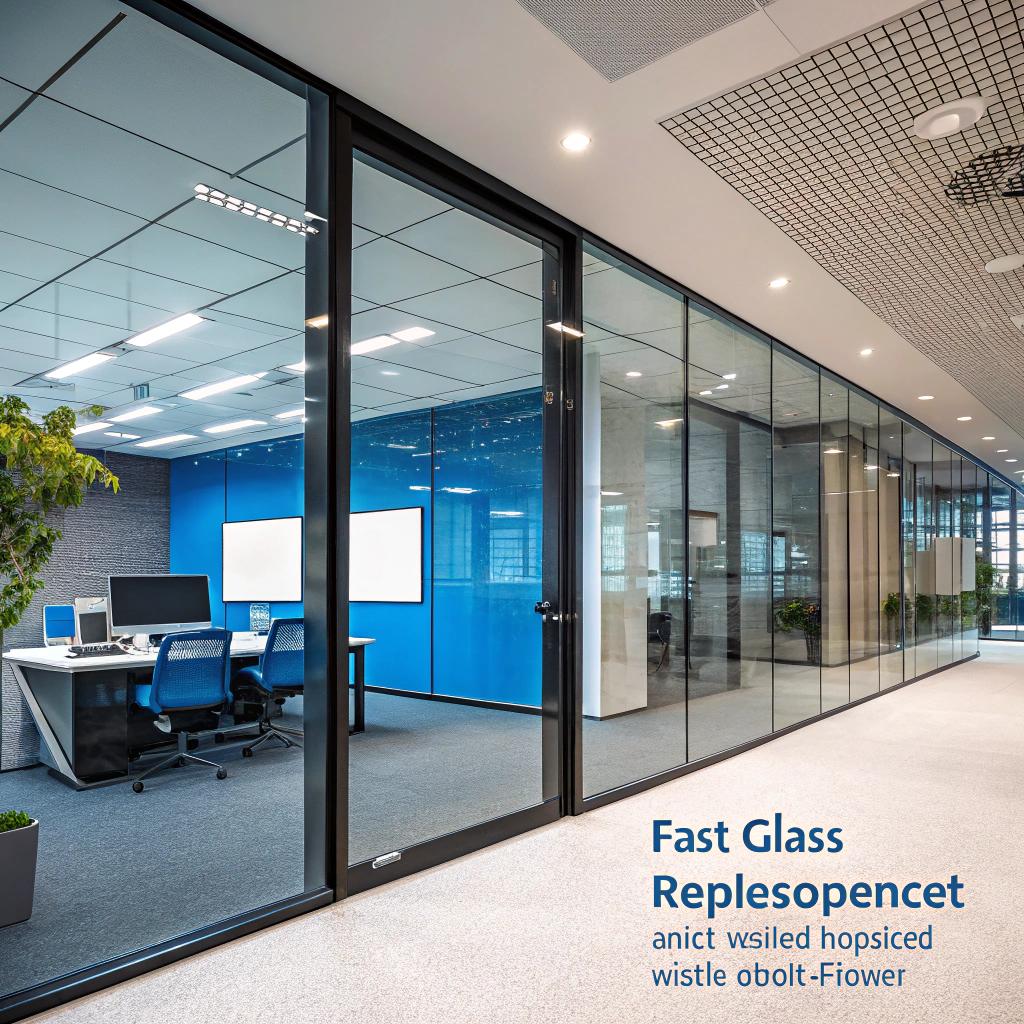

Most people think broken office glass is just a cosmetic problem your facilities team can deal with “when things slow down.” I learned the hard way that it is closer to an urgent tech incident than a decor issue, especially once you connect it to uptime, security, and all the devices that keep a modern office running.
Smart offices treat window glass repair almost like incident response. The longer a cracked window, door, partition, or server room panel stays in place, the higher your risks around security, HVAC load, sensor accuracy, acoustic control, and even network reliability. Get the glass fixed quickly and you reduce data exposure, keep climate systems stable, protect hardware from dust and moisture, and avoid interruptions that can ripple into your hosting, support, and remote work flows.
That is the short version. Now let us look at why this is not just a facilities topic, but a tech topic too.
Why broken glass is a tech problem, not only a building problem
I used to think glass was just about aesthetics and some daylight for morale. Nice to have, not something that touched the “real” tech stack.
Then I watched a cracked pane in a server-adjacent office turn into temperature swings, a noisy floor, and eventually a very expensive HVAC adjustment. The IT team was annoyed for weeks. Nothing dramatic, just this constant background friction. It felt like a slow leak in a tire.
A smart office stacks a lot of digital functions on top of very physical things: light, air, sound, and security. When glass fails, those base layers start to wobble.
Here is where fast glass work shows up in a tech-heavy space:
- Environmental sensors start to misread because temperatures and airflow change.
- Access control weakens when doors or partitions are not fully secure.
- Noise levels rise, which hurts call centers, podcasts, and hybrid meetings.
- Glare shifts, and suddenly people cannot see screens clearly.
- Dust, moisture, and even insects get into places where they should never be near hardware.
Fast glass replacement is not just about looks. It stabilizes the physical conditions your networks, servers, and people depend on every day.
If you are part of a company that runs its own servers, co-location rooms, or even just has a critical NOC wall, a damaged pane near those spaces is not a minor issue. It is technical debt in physical form.
How glass connects to uptime, hosting, and digital communities
People who care about hosting and digital communities think in terms of uptime, latency, and trust. You might not link those ideas to meeting room windows, but the connection is closer than it seems.
Environmental control around hardware
Most tech spaces watch these environment basics:
- Temperature
- Humidity
- Dust and particulates
- Light and glare
- Noise and vibration
Glass shapes all of that. When a pane is cracked or missing, you lose part of your climate envelope. The HVAC system has to work harder to keep things stable. That extra strain often creates:
| Issue | How broken glass contributes | Tech impact |
|---|---|---|
| Temperature spikes | Heat leaks in or out through gaps and thin spots | Servers and switches throttle or fail faster |
| Humidity swings | Moist air enters when seals are not tight | Higher risk of corrosion on boards and contacts |
| Dust and debris | Outside air is less filtered, cracks let dust in | Fans clog, filters fill quickly, more maintenance |
| Hot / cold spots | Air patterns change around broken panes | Sensors misread, smart systems react badly |
If you run on-prem hosting, or even small racks for staging, this matters more than most people admit. Small environmental swings do not look like a crisis. They turn into:
– Higher fan speeds
– Louder rooms
– Shorter hardware life
– Strange, hard to track bugs under load
It is not dramatic, just expensive over time.
Every cracked window nearby is a quiet attack on the stable climate that good hosting and reliable gear depend on.
Security and data exposure
Modern offices mix physical and logical security. Access control panels, badge readers, CCTV, alarm systems, and IoT locks all exist in the same spaces as glass doors and partitions.
If a glass door is damaged, you have three overlapping problems:
1. Physical entry is easier, even if only a bit.
2. Staff attention drops, because “everyone can see it is broken” and they mentally downgrade the area.
3. Attackers can test responses by probing a visible weak point.
Combine that with rooms that store:
– Backup drives
– Legacy servers
– Printed documents with credentials
– Whiteboards with sensitive notes
and the risk jumps.
I have seen offices that harden their firewalls and VPNs, then ignore a cracked glass door next to a room where network gear lives. It looks odd from the outside. From an attacker perspective, it looks like an invitation.
Smart offices treat a broken panel near sensitive rooms in the same category as a misconfigured firewall rule: it gets fixed fast, and it gets logged.
Acoustics and digital work
If you run a support team, game community moderators, or any group that lives on calls and live streams, you know how important sound control is.
Glass plays a big part:
– Full-height partitions keep noise from spreading.
– Special glass helps with echo in large rooms.
– Tight seals stop hallway chatter leaking into call rooms.
When the glass is chipped, cracked, or not aligned, you often hear it before you see it. Extra echo, strange whistling near vents, or background noise creeping into every meeting.
For remote workers listening to your team all day, the difference between controlled and uncontrolled sound is huge. It affects:
– How professional your support feels
– How clearly people understand complex topics
– How tired staff feel at the end of the day
A small crack in a call room panel can undo the work of a very careful acoustic design. That sounds a bit dramatic, but if you have produced podcasts or webinars in an office, you probably already know how sensitive audio setups can be.
Smart glass, sensors, and office automation
Once you move from a regular office to a “smart” one, glass is not just a static material. It often hosts sensors, films, and connectivity that tie directly into your automation logic.
Where glass shows up in the office tech stack
You will see tech linked to glass in places like:
- Smart tint windows that change opacity or brightness
- Embedded temperature or light sensors at window level
- Contact sensors on glass doors for access logs
- Meeting room occupancy sensors using infrared near partitions
- Digital signage attached to glass walls
When glass breaks, cracks, or shifts, those systems often misbehave:
– Smart tint gets patchy or stops working on part of the pane.
– Sensors lose calibration because the glass thickness or angle changed.
– Contact sensors on doors show “door open” when it is actually closed.
– Mounting brackets for signage loosen, creating a safety hazard.
So fast replacement is not only about fixing a crack. It is also about returning those pieces of the automation puzzle to a known, stable state.
If your building APIs feed into Grafana, Home Assistant, or some in-house dashboard, you know how annoying false positives are. A single faulty window contact can spam alerts or hide real ones.
IoT noise and data quality
IoT-heavy offices already struggle with noisy data. A damaged window makes the problem worse in a subtle way.
For example:
– A draft near a sensor causes micro temperature swings.
– Strong glare on a camera near cracked glass triggers motion more often.
– Vibration from loose frames affects sensitive accelerometers.
Your monitoring tools do not know the glass is cracked. They only see more variation, which gets interpreted as events. People then ignore alerts, or over-tune filters, and in the process real incidents can slip by.
A quick fix of the glass helps restore stable readings. It sounds simple, but it matters if you want your digital twin, or whatever monitoring stack you run, to stay trustworthy.
Energy, light, and comfort for people who run servers all day
Smart offices do not only protect hardware. They protect the people who watch that hardware, ship releases, and run communities.
Natural light and screen work
If you work on hosting or community platforms, you probably spend a lot of time staring at dashboards and logs. Bad light hurts.
Cracked or fogged glass shapes light in awkward ways:
– Hot spots on some desks, dark areas on others
– Glare that hits monitor edges at odd angles
– Contrast shifts that make small font text harder to read
Over time, that leads to:
– Eye strain
– Headaches
– More people closing blinds and boosting artificial lighting
From a pure office costs view, that means higher power use and a lower comfort baseline. From a team performance view, it makes long on-call shifts even more tiring than they already are.
A smart office that treats glass as part of its lighting system, not just a “wall that lets you see outside”, will push for fast, clean replacement when panes fail.
HVAC load, power bills, and your carbon story
Several tech companies now publish sustainability reports. They talk about green hosting, renewable power, and so on. It is a bit awkward when your office leaks energy through cracked glass.
Look at a simple comparison:
| Condition | Typical effect on HVAC | Side effects for tech operations |
|---|---|---|
| Intact, well sealed glass | Predictable load, easier to balance zones | Stable temperatures for people and hardware |
| Cracked or poorly sealed glass | Constant corrections, longer run times | Temperature noise in meeting rooms, pods, and labs |
If you are running labs with test rigs or any kind of on-prem stack, those swings can interfere with benchmarks, long test runs, or hardware experiments.
Again, fast replacement keeps the physical envelope solid, which supports every digital layer that sits on top.
Risk, liability, and perception for tech-heavy offices
Here is where things get a bit more uncomfortable. Broken glass can hurt people. That is simple.
But for a tech company, it also hurts something less obvious: trust.
Safety and insurance
There is no way around it. A cracked pane is a direct safety hazard:
- People can cut themselves brushing past it.
- Glass fragments can fall when vibration or air pressure changes.
- Emergency exits can jam if frames warp.
If you have visitors, clients, or vendors in your space, this is an obvious liability problem. Something small can turn into something expensive very quickly.
For teams that manage high value data or hosting contracts, there is another angle. Clients tend to notice these details when they visit:
– Broken glass near meeting rooms
– Taped panels near server rooms
– Drafts or noise leaking through damaged doors
They might not say anything, but it colors how they see your approach to reliability. If you cut corners on physical safety, do you also cut corners on backups, failover, or maintenance?
Brand and culture perception
Offices talk without saying a word.
If I walk into a space where:
– The glass is clean, solid, and aligned
– Cables are tidy
– Access doors close fully
I quietly assume the systems behind the scenes get similar care.
If I walk into a space with:
– Cracks taped up “until later”
– Windows that whistle in the wind
– Doors that do not quite latch
I start to wonder about your tech culture. Maybe that sounds harsh, but we all judge from small details, even when we claim we do not.
For people building digital communities, you are selling trust at scale. Members of your community trust your uptime, your moderation, and your privacy practices. A sloppy office sends the wrong signal to anyone who sees it.
Fast glass replacement might feel like a minor maintenance habit, yet it quietly supports the broader story your company tells about itself.
Practical habits: how smart offices handle glass incidents
So, what does “prioritizing fast glass replacement” look like in real life, beyond just saying “we will fix it quickly”?
1. Treat broken glass as an incident, not a ticket
You probably already have processes for incident response in your hosting or support teams. When something serious happens, you:
– Log it
– Assign a clear owner
– Set a deadline
– Communicate openly
Borrow that pattern for glass.
When a pane cracks in a key area:
- Log the event with time, location, and photos.
- Classify it by risk level (for example, near hardware, near exits, public area).
- Assign a person, not just a generic queue, to drive the fix.
- Set a target fix time based on risk, not on convenience.
This stops broken glass from becoming “background noise” that people mentally ignore.
2. Map glass to tech-critical zones
Not all glass is equal. A crack in a decorative internal pane next to a plant wall is not the same as a crack near:
– Server racks or lab equipment
– Access control gear
– Meeting rooms used for sensitive calls
– Recording studios or podcast spaces
Take a simple floor plan and mark:
– Where your key tech assets sit
– Where your critical collaboration spaces are
– Which glass surfaces border or protect those areas
Now you have a quick way to rank any future glass incident. If something breaks near a tech-critical zone, it goes straight into your “urgent” bucket.
3. Document environmental baselines
If you care about hosting stability, you probably track:
– Typical temperature ranges
– Humidity
– Noise levels
– Light levels
Capture that as a “known good” baseline. When glass breaks and is fixed, watch how those values change.
This does a few useful things:
– Helps you prove why fast replacement matters when someone argues it is “just cosmetic”
– Lets you catch bad installs when replacement does not return you to previous values
– Feeds your broader efforts to keep the office comfortable for long screen-heavy work
It does not need to be perfect. Even simple “before / after” numbers from cheap sensors are better than nothing.
Balancing remote work with physical office care
You might be thinking: “We are mostly remote now. Does glass really matter this much?” I do not fully agree with the idea that a remote-heavy team can ignore office care.
Here is why.
The office is still your physical anchor
Even if most work happens online:
– Hardware lives somewhere.
– Legal entities need real addresses.
– Some clients still want physical meetings.
– Some team members prefer office space.
The office becomes a production studio and secure hub more than a day-to-day desk farm. Glass is part of that studio.
Imagine a hybrid office used for:
– Live webinars
– Customer training sessions
– Internal hackathons
– Investor meetings
Cracked windows, noisy drafts, and poor light do not help. They make remote attendees feel like they are watching something improvised instead of professional.
So, remote work does not remove the need for glass care. It concentrates the value of the remaining office space, which makes each physical flaw stand out more.
Psychology for the people who do come in
The people who still use the office are often:
– IT and infra staff
– Security and compliance people
– Media and content teams
– Leadership
These are not low-impact roles. When they walk into a space that looks and feels cared for, they take their own work more seriously as well.
Broken glass sends a quiet signal of delay and neglect. Fast replacement sends a signal of closure and follow-through. That might sound a bit soft, but if you manage teams you know how small environmental cues stack up.
Cost, budgeting, and how to sell fast glass work to non-technical managers
Sometimes the hardest part is not knowing what to do, but getting approval to do it quickly. If a manager sees glass repair as a “nice to have”, you will keep fighting the same battle.
Standard vs rushed work
You might hear: “If we wait and batch repairs, we get a better price.” That is true in some building contexts, but not always smart for tech-heavy spaces.
You can frame the trade-off like this:
| Approach | Short term cost | Hidden costs |
|---|---|---|
| Slow, batched fixes | Lower call-out fees | More HVAC use, more hardware risk, more noise, weaker security |
| Fast, prioritized fixes | Sometimes higher per-visit costs | Lower risk of outages, better comfort, cleaner data from sensors |
If your company understands TCO (total cost of ownership) for servers, you can use the same logic. Saving a bit now often costs more later.
Talking in language non-tech managers hear
When you argue for fast glass work, do not only say “it helps the servers.” Translate the idea.
For example:
– “This repair reduces the chance of temperature spikes near hardware by X percent.”
– “Our support recordings will have less background noise if we fix this partition.”
– “Clients will see a safer, more stable space on their next visit.”
That kind of framing feels more concrete than “we just want the office to look nice.”
Common questions about glass in smart, tech-focused offices
Q: We rarely have visitors. Is cracked glass still a big deal if only staff see it?
Yes, it still matters. Visitors are only one part of the equation.
Staff safety and comfort come first. That by itself is enough reason to avoid delays.
On top of that, even if nobody from outside sees the crack, all the hidden effects still happen:
– Environmental drift near hardware
– Noise leaking into calls
– Drafts that bother people on long shifts
– Slight security weakening
If you care about uptime and staff performance, you should care about those things, visitor or not.
Q: We are fully cloud hosted. No server rooms. Can we treat glass as low priority?
You can probably relax a bit compared to a company with racks of their own, but I would not treat it as “low”. Here is why:
– People still work with gear that can overheat and collect dust, like laptops and docking stations.
– Acoustic and light quality still matter for remote meetings and recording.
– Physical security still protects devices with access to cloud dashboards and keys.
So the risk profile changes, but the logic stays. Broken glass still attacks comfort, focus, and safety. Those are not minor.
Q: How fast is “fast” for glass replacement in a smart office context?
The honest answer is that it depends on risk and location, but I can offer a rough mental model:
– High risk zone near hardware, exits, or sensitive rooms: aim for same day or next day.
– Medium risk zone in regular work areas: within a few days.
– Low risk decorative zones far from people and tech: within a week or two, but still scheduled, not vague.
The main thing is to treat each crack as a dated event with a real deadline, not a timeless mess that sits forever in a backlog.
If you treat glass this way, your smart office will feel more stable, your tech gear will live under better conditions, and your teams will quietly thank you, even if they never say the words.