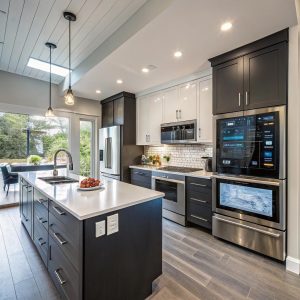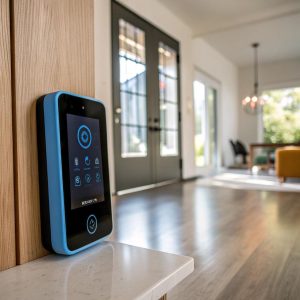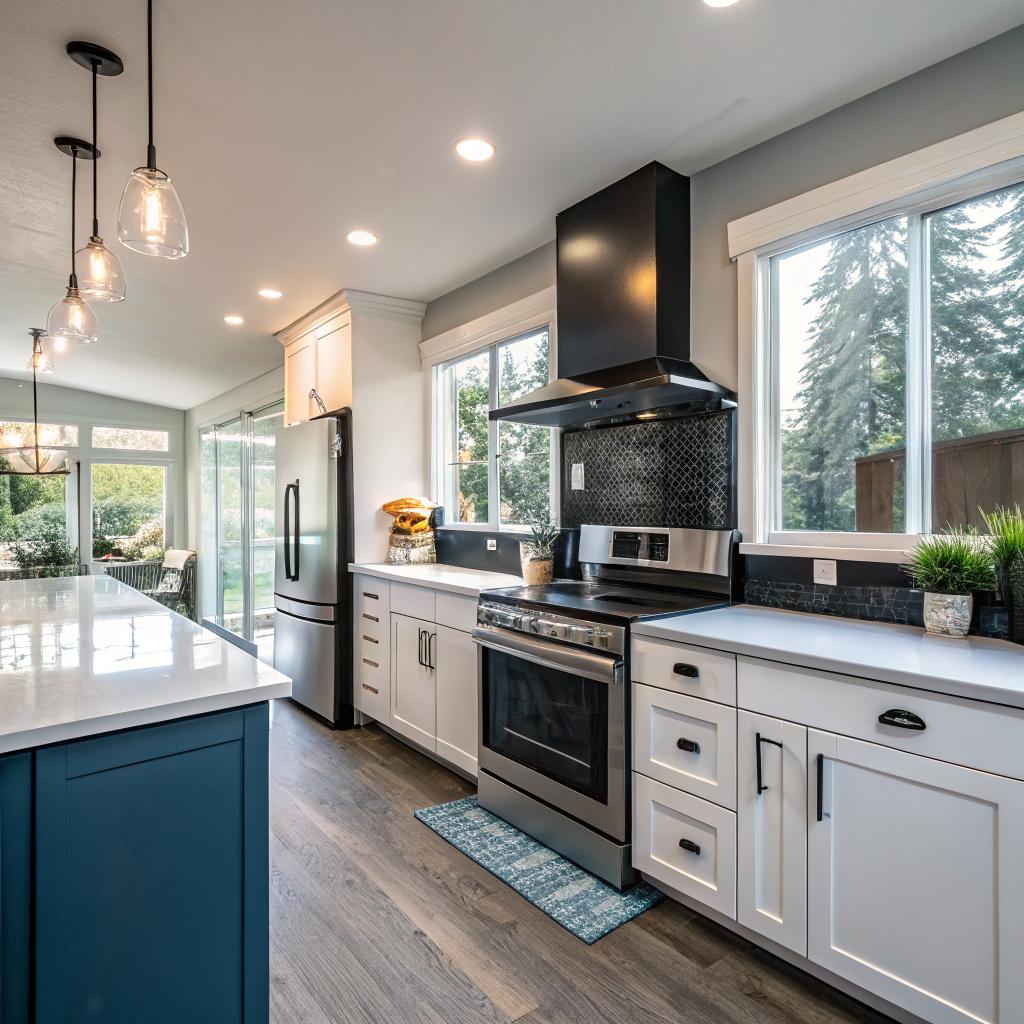

Most people think a kitchen remodel is all about cabinets and countertops, but if you are a tech person in Kirkland, the real upgrade lives in the wiring, sensors, networking, and how everything talks to each other. The short answer: a smart kitchen remodel for a tech lover means planning strong Wi‑Fi and power, choosing open, well-supported platforms, running enough low-voltage cabling for the future, and treating your appliances like nodes in a home network rather than just boxes that cook food. If you take that mindset into your kitchen remodel Kirkland project, you end up with a room that feels closer to a well-designed server rack than an old-school kitchen.
You could stop there, honestly. Good network, good power planning, and gear that keeps your options open. But if you are reading a tech-focused site, you probably want more than a TL;DR. You want to know what to ask your contractor, what to prewire, which devices play nice, and how not to end up with a kitchen that feels obsolete in three years.
Let us walk through it like we would a small home lab upgrade, just with more food and less fan noise.
Think of your kitchen like a mini data center
You would not build a serious web project on terrible hosting and hope it works out later. The same logic applies here. Hardware matters, but the hidden layer matters more.
If you get the network, wiring, and power layout right during the remodel, you can change gadgets and platforms later without tearing your walls open.
Here are the core layers to think about first:
- Network coverage and reliability
- Power planning and dedicated circuits
- Low-voltage and sensor wiring
- Central control, automations, and privacy
You can treat everything else as modules that sit on top of this base.
Wi‑Fi and networking that can handle a “smart” kitchen
Smart kitchens are noisy digitally. Between smart speakers, displays, a fridge that wants Wi‑Fi, cameras, maybe a hub, maybe a tablet on the wall, and random guests on your network, things add up.
If your router sits in a closet behind a water heater, your kitchen will feel slow and flaky.
A few practical ideas:
- Add Ethernet drops to the kitchen. One near where you plan to put a hub or smart display, and one near a media nook or desk area if you have one.
- Plan for at least one access point close by. Ceiling mounts look clean. If you are already a UniFi, TP-Link Omada, or similar user, just treat the kitchen as another high-demand zone.
- Use a separate VLAN or SSID for IoT. If you care about security, segment all your “smart” gear from your main devices. Same idea as separating staging and production.
- Keep power near your networking gear. A small recessed box behind a wall-mounted tablet or display with both power and Ethernet is worth it.
You do not need an insane enterprise setup. You just want it to feel boring and reliable, like a good hosting provider that you mostly forget about.
Power circuits and outlets that do not trip under load
Many people skip this part and regret it later. Smart kitchens often have more always-on devices, plus chargers, induction cooktops, and more lighting.
Think through:
- Dedicated circuits for induction, ovens, and maybe the microwave, depending on load.
- Extra outlets along the backsplash. Plan for appliances you might not have yet.
- USB-C or USB PD outlets in at least one or two key spots, but do not overdo it. These change fast. You can also use plug-in chargers.
- Under-cabinet outlet strips so countertops stay cleaner and you avoid cluttered wall plates.
Tell your electrician you expect more devices over time, not fewer. Your kitchen will not get simpler in the future.
An easy mistake is to focus on the “smart” part and ignore the boring electrical part. The boring layer is what keeps everything else usable.
Choosing your smart kitchen “stack”
When developers pick hosting or frameworks, they care about support, updates, and lock-in. A smart kitchen is not much different.
You have a few main platform paths:
- Apple Home (HomeKit)
- Google Home
- Amazon Alexa
- Local-first systems like Home Assistant (or similar)
- Vendor apps only, which I do not really recommend as a long-term plan
Think about control, not just “smart” branding
Every device wants you to install its app and agree to its cloud. That is fine for some things, but it can get messy.
If you are comfortable running your own stuff, Home Assistant on a small box or VM can tie everything together. If you are not, Apple/Google/Alexa can still work, just with more cloud.
Here is a simple comparison for how this can feel in a kitchen:
| Approach | Pros | Cons | Good fit for |
|---|---|---|---|
| Vendor apps only | Easy setup, minimal decisions | Many separate apps, less automation, cloud lock-in | People who do not care about automation depth |
| Apple / Google / Alexa as hub | One main app, voice control, broad device support | Cloud reliance, some devices still feel siloed | Most people who want convenience first |
| Home Assistant + others | Local control, rich automations, privacy | More setup, more tinkering, more things to maintain | Tech lovers comfortable with YAML, Docker, or similar |
I lean toward a hybrid approach: a local-first system at the core, with HomeKit or Google Home exposed for convenience. That way your automations still work if some cloud service gets weird one day.
Appliance choices that do not lock you into a dead-end
Smart appliances are a mixed bag. Some are great. Some feel like someone bolted an Android tablet to a fridge and called it a day.
A few things to check before you buy:
- Does it support Matter, HomeKit, or at least Google/Alexa?
- Is there a local integration for Home Assistant or similar?
- Does it still work fully if the internet drops?
- Is the “smart” feature something you will actually use?
If the smart feature feels like a gimmick during research, you will probably ignore it after a week of use.
An example: a stove that lets you see current temperature and set timers from your phone can actually be useful. A fridge that streams music while tracking your grocery list is… debatable. Some people like it, some do not. It is personal, but be honest with yourself.
Lighting: the part you notice every single day
Lighting is one of the easiest and most noticeable upgrades, and it blends nicely with the “tech” side of things.
Think in layers:
- Ambient lighting: main ceiling lights.
- Task lighting: under-cabinet strips, spots over islands, over the sink.
- Accent lighting: toe-kick lighting, cabinet interior lighting, maybe shelf lights.
You do not need everything smart. It is fine if some circuits are just normal switches. But for key zones, smart control helps:
- Voice control when your hands are messy.
- Scenes like “Cooking”, “Late night”, “Cleaning”.
- Motion for low-level night lighting.
Smart lighting infrastructure during a remodel
During a remodel, hardwiring is your friend.
Some practical choices:
- Neutral wires in all switch boxes. This keeps your options open for many smart switches.
- Use dimmable fixtures where you can. Then you can decide later if you want smart bulbs or smart switches.
- Run low-voltage wiring for LED strips so drivers and power supplies can live out of sight.
You can run everything through:
- Smart switches (Lutron, Z-Wave, Zigbee, etc.)
- Smart bulbs (Hue, Wiz, etc.)
- Or a mix of both
For most kitchens, smart switches plus basic LED fixtures is enough. Smart bulbs can be great for accent zones or color lighting where you really want that level of control.
Smart storage, sensors, and small automations that actually help
A tech-heavy kitchen does not have to feel like a gadget catalog. The best stuff tends to be small and almost boring. It just quietly does its job.
Sensors you will actually use
Think about what you wish your kitchen could tell you without you going over to check.
Common, actually useful sensors:
- Water leak sensors under the sink, fridge, and dishwasher.
- Temperature and humidity sensors in pantry or wine storage zones.
- Contact sensors on pantry doors or rarely used cabinets, if you want automations like “turn on strip lights when pantry opens”.
- Motion sensors for low-level night lights or auto-on task lighting.
You do not need a sensor everywhere. Start with a few key spots and see where you actually like the data.
Automation ideas that are simple and reliable
The goal is not to script your whole life. It is to remove small friction points.
Some examples that usually work well:
- Turn on under-cabinet lights when motion is detected and it is dark, then fade them out after a few minutes.
- Notify your phone if a leak sensor trips while you are away, and maybe flash certain lights.
- Auto-set the hood fan speed based on a temperature or air quality sensor near the cooktop.
- Set “Dinner scene” to lower nonessential lights, raise task lighting, and start a playlist on a smart speaker.
You can tie these together with Home Assistant, Apple Shortcuts, Google Home routines, or whatever system you like. The trick is to keep rules understandable. If you find yourself debugging your own kitchen at midnight, it is too much.
Smart displays, speakers, and “control surfaces”
A smart kitchen needs a way to interact with all this stuff. Not only through your phone.
Where to put your main control device
Common options:
- Wall-mounted tablet that runs a dashboard (Home Assistant, vendor app, etc.).
- Smart speaker with display like Nest Hub or Echo Show.
- Small side-desk or charging corner with a laptop or tablet stand.
Some people love a tablet by the fridge; others hate screens on walls. You have to picture your actual habits.
If you go the tablet route:
- Prewire power and Ethernet or at least power plus solid Wi‑Fi.
- Use a mount that lets you remove the tablet for maintenance.
- Set up a simple dashboard: lights, scenes, timers, maybe quick access to recipes or grocery list.
Smart speakers are handy for:
- Setting timers while cooking.
- Controlling lights and scenes with your voice.
- Playing podcast or music while you cook.
Again, avoid overcomplicating. One main voice assistant, one main dashboard, and a few fallbacks like manual switches is usually enough.
Tech-friendly layout choices in a Kirkland kitchen
Kirkland has a lot of mid-size homes, condos, and some larger waterfront places. Layouts vary a lot. The tech choices that work in a downtown condo might feel small in a larger home above Market Street, for example.
Here are some layout ideas that matter if you like gadgets and screens.
Charging and work zones for your devices
Many tech people use the kitchen as a second workspace. Not for deep focus, but for quick laptop checks, tablet browsing, or calls.
You might want:
- A small counter desk area with outlets on both sides.
- Under-cabinet or pop-up outlets in an island where people sit with laptops.
- A drawer with built-in charging for phones and tablets, so cables do not clutter counters.
Think about where you usually drop your phone today. That is probably where you want charging tomorrow.
Screen visibility and glare
If you plan to use tablets or smart displays for recipes, video calls, or monitoring smart home dashboards, plan your lighting and layout so screens are readable.
Common mistakes:
- Spotlights right above screens that create glare.
- Screens facing a window so they are unreadable during the day.
- No nearby outlet, so you end up with awkward charging cables.
Try to position screens:
- At eye level or slightly below when standing at the main prep area.
- Out of direct splash zones near sink or cooktop.
- Near strong Wi‑Fi zones, not in a corner where signal drops.
Privacy, security, and long-term support
People in web hosting and tech are usually a little more cautious about always-on microphones and cameras. That is reasonable.
Network and device security basics
You do not need a full security audit, but you should:
- Run smart gear on a separate network segment if possible.
- Disable features you do not want, like remote access, if you never use them.
- Set up periodic reminders to check firmware updates for key devices.
- Avoid random no-name brands that might never see a security patch.
It is the same mindset you use when picking plugins or themes for a production site: support, updates, and a path forward matter.
Balancing privacy and convenience
Smart cameras inside kitchens are touchy. They can be useful in some cases, like checking on pets while away, or watching a baby in a high chair. They can also feel intrusive.
Maybe you are fine with:
- Sensors that do not capture audio or video.
- A smart speaker that mutes when you tap it.
- Short retention for any video that does exist.
Or maybe you want no cameras inside at all. That is fine. A kitchen can still be “smart” with lighting, sensors, appliances, and displays, without a single camera watching everything.
You are allowed to say no to certain smart features, even if the marketing makes them sound like the future.
Budgeting for a smart kitchen remodel in Kirkland
Costs vary a lot, and I am not going to throw fake numbers around. Still, you can think of it in layers and phases, like you would an infrastructure upgrade.
Here is a simplified way to think about it:
| Layer | Examples | When to do it |
|---|---|---|
| Core infrastructure | Wiring, circuits, networking, lighting circuits | During main remodel, walls open |
| Fixed smart hardware | Smart switches, built-in LED strips, speakers in ceiling | During remodel or right after |
| Appliances | Smart oven, fridge, dishwasher, hood | Remodel install or later stage if budget tight |
| Nice-to-have gadgets | Tablets, extra sensors, smart faucet, fancy scales | After move-in, as you see what you actually use |
The main advice: spend most of your “tech” budget on the first two rows. You can always upgrade gadgets later, but you will not want to open walls again.
Questions to ask your remodel contractor or designer
Some remodel pros are great with tech. Some are not. They might say “sure, that is no problem” without really understanding what you want. You can avoid confusion by asking blunt questions.
Consider these during early talks:
- Have you installed smart lighting or smart switches before? Which brands?
- Are you comfortable adding Ethernet runs and low-voltage wiring in the kitchen?
- Can you coordinate with my network person, or do you prefer I handle the network side?
- How do you handle changes if I decide to add more outlets or wiring while walls are open?
- Who plans the lighting scenes and switch locations, you or me, or both?
If the answers feel vague, it might be worth bringing in someone else for just the tech planning, even if your main contractor handles build-out. Similar to how front-end and back-end devs sometimes need to talk to each other, not just toss tickets over a wall.
Practical smart kitchen ideas that suit tech lovers
To give you some concrete scenarios, here are a few setups that tend to work well for people who like tech but still want a normal life, not a science lab.
Scenario 1: The “hands-off” but smart enough kitchen
You want a remodel that feels modern and connected, but you do not want to tinker every weekend.
Possible setup:
- Solid Wi‑Fi with one access point near the kitchen.
- Smart switches on main lighting circuits.
- Under-cabinet LED strips with motion-activated night mode.
- One smart speaker for timers, lights, and music.
- Leak sensors under sink and fridge.
- One smart oven or range with simple app control for preheating.
This does not feel overboard. It just feels like a new kitchen that happens to be connected.
Scenario 2: The “dashboard and data” kitchen
You like stats. You host your own stuff. You are the person who actually reads energy graphs.
Possible setup:
- Home Assistant on a small box or server in a closet.
- Wall-mounted tablet with a kitchen dashboard: temps, scenes, timers, grocery list, calendar.
- Power monitoring on main circuits so you can view appliance usage.
- Multi-zone smart lighting with scenes for cooking, work, evening, late night.
- Temp and humidity sensors in pantry and near fridge.
- Smart blinds or shades that tie into time of day and sun position.
This feels closer to how you think about servers and monitoring. The kitchen just becomes another “service” in your home network.
Common mistakes tech lovers make with smart kitchens
I have seen a few patterns that tend to cause regret.
Overbuying gadgets and underplanning basics
People grab every new device they see, then realize they forgot extras like enough outlets, decent ventilation, or good work surfaces. Then the kitchen feels cramped and fragile.
The basic flow of cooking still matters more than any gadget. Work triangle, prep zones, landing space near appliances. No amount of smart features will fix a bad layout.
Relying on one vendor for everything
Some brands want to be your entire smart home. That is risky. They change pricing, drop products, or switch to subscriptions.
Try to favor open standards where you can: Matter, Wi‑Fi, Zigbee, Z-Wave, or at least documented APIs through systems like Home Assistant.
Ignoring manual fallbacks
If the smart part fails, can you still turn the lights on? Can you still operate the oven? Most of the time the answer is yes, but some setups go too far with no physical controls.
It is fine to love tech and still want a plain switch that always works.
Last few thoughts and a quick Q&A
If you think about your kitchen remodel like a network project or an infrastructure rebuild, a lot of decisions get easier. You design around:
- A strong, simple base that will last years.
- Devices that speak common “languages”.
- Clear separation between critical stuff and fun experiments.
You would not build a serious site on random plugins with no backups. Try not to build your kitchen that way either.
To wrap up, let me answer a few questions you might be asking yourself right now.
Q: I am into tech, but my partner is not. Is a smart kitchen still worth it?
A: Yes, if you focus on comfort, not just features. Smart lighting that “just works”, a reliable stove with simple controls, clear manual switches, and maybe a few automated routines can make life easier for both of you. Avoid setups where one person has to “admin” the kitchen for everyone else.
Q: Should I wait for the smart home space to mature more?
A: No, but you should invest mostly in the infrastructure layer: wiring, lighting circuits, outlets, network. That part ages slowly. You can swap appliances and gadgets later. Think of it like building a good server with room for future upgrades rather than buying the flashiest single component.
Q: Do I really need all this if I just cook simple meals?
A: Need, no. But some parts can still help. Leak sensors, better lighting, logical outlets, and a good layout matter even if you never connect a single automation. The tech layer is optional on top of that, but if you already live in a connected world, it can make your daily cooking feel smoother and a bit more fun.