
Most people think smart homes are only about apps, Wi‑Fi, and clever gadgets, but the real foundation is boring: clean, stable power and safe wiring. If your panels, circuits, and grounding are not up to the job, your smart gear will lag, drop offline, or fail early. The short version is simple: if you want a reliable smart home in Des Moines, you need a modern electrical panel sized for current loads, properly separated circuits for networking and high‑draw devices, quality surge protection at both panel and device level, and a qualified pro, such as a residential electrician Des Moines, to design and maintain the whole system.
That is the TL;DR. Smart home tech is just another type of networked system, and every system relies on power quality. Web servers crash under bad power. So do smart fridges.
Once I realized that, a lot of weird tech issues in my own house suddenly made sense. The random reboots, the router that died during a storm, the weird flicker when my gaming PC and the dryer ran together. At first I blamed the hardware, the brand, even the ISP. It turned out the real problem sat quietly in the basement: an old panel and messy circuits that did not match how I actually use power now.
So let us walk through how smarter power makes your smart home more stable, more secure, and, frankly, much less annoying.
Smart homes behave like small data centers
If you are into hosting, self‑hosting, or digital communities, your house is probably closer to a mini data center than a normal home.
You might have:
- A rack with a NAS, maybe a Proxmox box, or a small homelab cluster
- A mesh Wi‑Fi system with 3 or more nodes
- Poe switches for cameras and access points
- Smart lighting across several rooms
- Smart plugs, thermostats, door locks, and sensors
- EV charger, gaming PC, large TV, and a few monitors
All of this stacks up on the electrical side. Not just total watts, but where those watts live on the panel and how often they spike.
Smart homes are less about more devices and more about more sensitive devices that hate unstable power.
Your router, APs, and controllers do not draw much, but they really dislike voltage dips or quick outages. Your EV charger or electric dryer, on the other hand, uses a lot of power in short bursts and can pull voltage down on weak circuits.
If you hosted a community forum on your own hardware, you would not plug your server into a random surge strip on a 30 year old circuit and call it a day. Yet many people do exactly that with their entire smart home stack.
Why power quality matters more than raw capacity
Most people focus on whether they “have enough amps.” That is only part of the story.
What breaks smart gear faster is poor power quality:
- Small, frequent voltage drops when big appliances start
- Electrical noise from cheap LED drivers or bad dimmers
- Brief outages or brownouts during storms
- Improper grounding and bonding that confuse sensitive electronics
Think of it like network quality. You can have a 1 Gbit link, but if packet loss and jitter are bad, the experience is still awful.
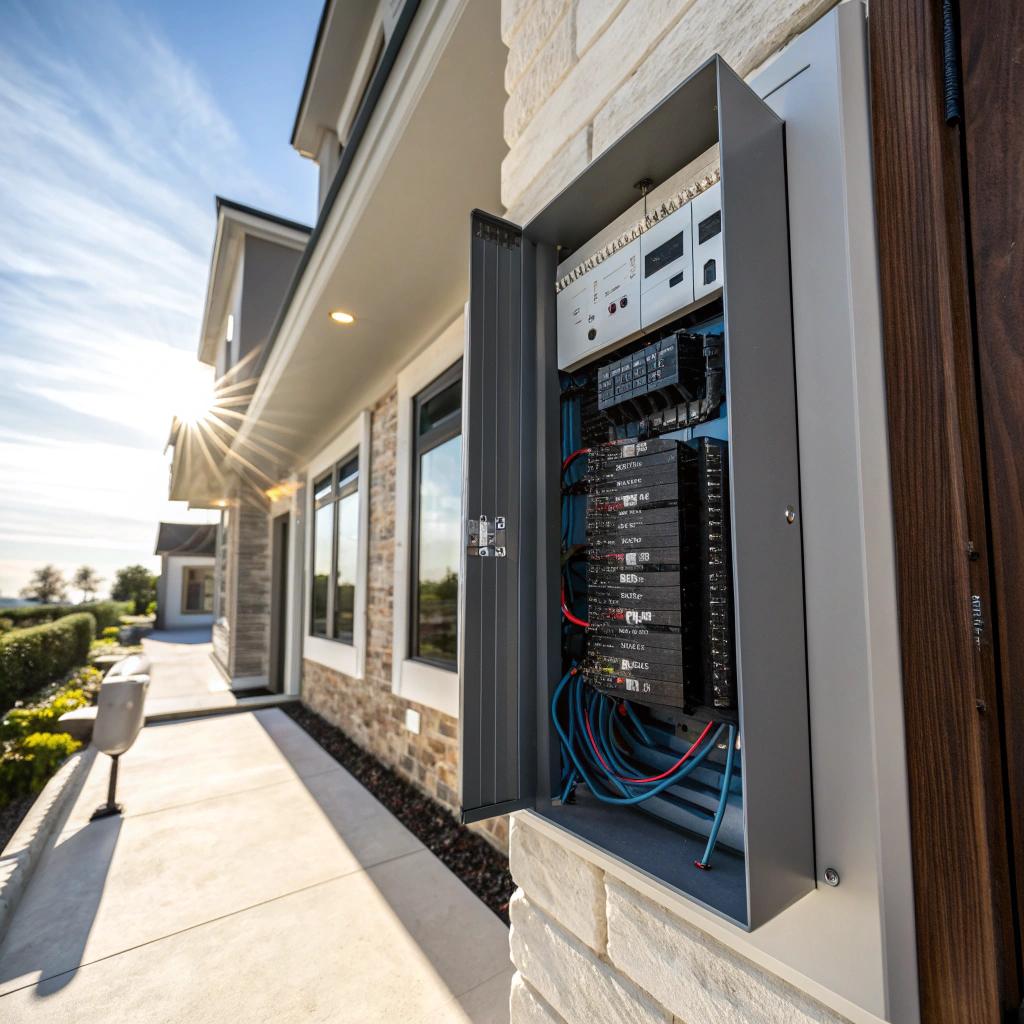
How a modern panel supports a modern smart home
Old panels simply were not designed for a house full of electronics, chargers, and always‑on networking gear. You might get away with it for years. Or you might not.
Here are the main pieces of panel design that affect smart homes in real life.
Dedicated circuits for “critical digital infrastructure”
I know that phrase sounds a bit dramatic for a home, but it is not far off if you self‑host or depend on remote work.
You want certain devices on their own or carefully grouped circuits:
- Network core: modem, router, main switch, controller
- Server / NAS rack
- Home office with PC, monitors, and audio gear
When these share circuits with high‑draw or noisy loads, you tend to see:
- Router reboots when a vacuum or microwave starts
- Unexplained packet loss when a space heater cycles
- Audio hum or screen flicker tied to certain outlets
A pro can rework circuits so that:
- Network gear lives on a stable, lightly loaded circuit
- Server rack is separate from lighting circuits and large appliances
- Critical loads are grouped where adding a UPS is easy
If your router and server share a circuit with your microwave, your smart home is one burrito away from an outage.
Is that an exaggeration? Slightly. But if you have tripped a breaker during a video call, you know it feels true.
Panel capacity and realistic load planning
Smart devices are low power, individually. The problem is that they add up on top of everything else.
Common new loads in Des Moines homes:
| Device / System | Typical Load | Notes for smart homes |
|---|---|---|
| EV charger | 7 to 11 kW | Large, sustained load, often at night |
| Electric range / oven | 5 to 12 kW | Can overlap with evening streaming and gaming |
| Electric dryer | 4 to 6 kW | Shorter bursts, but heavy impact on older panels |
| Server rack (home lab) | 300 to 1000 W | Always on, sensitive to power dips |
| Whole home smart lighting | Varies | Drivers and dimmers can add noise if cheap or miswired |
Many older homes still have 100 amp service. Once you add an EV charger or large electric appliance, it can get tight.
A panel review is not just about “Can I fit another breaker.” It is about:
- Does the main service support my peak use
- Are high‑draw loads spread reasonably
- Where do I place the sensitive electronics on this map
That last part is often skipped, but it affects your smart home more than you think.
Grounding, bonding, and why your smart gear cares
Grounding sounds like a boring code detail. Routers and smart bulbs do not use huge amounts of power, so why would they care?
Because good grounding:
- Gives surge protectors a real path to send spikes away from devices
- Stabilizes reference voltages in sensitive electronics
- Reduces strange behavior like phantom touch, noise, or random resets
If your grounding is weak or broken, surge protectors and many “smart” protections work much worse than advertised.
This is one of those areas where DIY guessing is risky. You cannot see bad bonding or a poor connection at the ground rod by looking from across the room.
Surge protection is not just a power strip
Smart homes mix cheap plug‑in devices with more expensive built‑ins. A single power event can kill both. Storms in Iowa are not rare, and the grid is not perfect.
You need to think of surge protection in layers, not as a single gadget.
Panel level surge protection
A panel level surge protector sits inside or next to your main panel. It eats big spikes coming from outside, such as:
- Nearby lightning strikes
- Utility switching events
- Major faults on the grid
It does not catch everything, but it cuts the top off many dangerous surges before they hit individual circuits.
This reduces the stress on:
- Smart switches and dimmers in the walls
- Appliances with logic boards
- LED drivers across the home
Think of it like your router firewall. It does not stop every possible threat, but life without it is painful.
UPS and point‑of‑use protection for critical gear
For your network and server hardware, a good UPS is non‑negotiable if you care about uptime.
Place on UPS:
- Modem
- Main router and core switch
- Single small server or NAS, or at least the boot drives
If you want to keep some smart devices alive during brief outages, you might also cover:
- Smart home hub or controller
- PoE switch that powers cameras and APs
This way, a short outage does not kill your internet or recording mid event, and you avoid corrupting data on your drives.
Be careful with cheap surge strips. Some are fine, others are little more than an outlet multiplier with a light. I would not plug my core server stack into the cheapest bar from a random marketplace.
Smart loads, smart circuits
Smart homes love automation. “If motion in hallway, turn on light.” “If door opens, record clip.” Pretty normal.
But there is a deeper level where electrical design plays into smart behavior.
Segmenting loads like you segment networks
If you host sites or services, you probably think in terms of networks:
- WAN vs LAN
- IoT VLAN vs work devices
- Guest Wi‑Fi vs internal
The same mindset helps on the power side.
You can think in rough groups:
| Group | Examples | Electrical goal |
|---|---|---|
| Core digital | Router, switches, servers, hubs | Stable power, UPS, low noise |
| Comfort | HVAC, smart thermostats, air handlers | Proper capacity, reliable starts |
| Lighting | Smart switches, LED drivers | Clean dimming, avoid overloading |
| High draw | EV charger, dryer, oven, space heaters | Dedicated circuits, balanced phases |
If everything random lands on whatever circuit was handy when the house was built, some automations will act oddly under load.
For example:
- You ask a voice assistant to start the dryer and lower the AC, and the AC compressor fails to start cleanly.
- Your rack reboots when the EV charger kicks in.
- Lighting flickers when the microwave runs, even though all devices are “smart.”
Careful circuit planning reduces these cross effects.
Smart breakers and load monitoring
Some newer panels support smart breakers or add‑on sensors that can:
- Track usage per circuit
- Alert on unusual loads
- Shut off circuits remotely in emergencies
Is this overkill for a small home? Sometimes, yes. But for someone who cares about data, graphs, and control, it can be appealing.
You can:
- See exactly how much power your rack uses over time
- Measure the impact of new smart gear
- Detect a failing device that draws more and more power
For readers used to Prometheus graphs and server metrics, circuit‑level data feels very natural.
Why DIY smart homes often run into “ghost” issues
Most smart home guides focus on apps, brands, and platforms. They skip the electrical side almost entirely. That is where the ghost problems creep in.
Common symptoms that hint at electrical issues
If you see one or more of these, the problem might be deeper than a buggy app:
- Devices drop off the network at random, then reappear
- Smart switches feel laggy only when large appliances run
- Wi‑Fi coverage maps look fine, but performance swings wildly
- You lose cheap smart bulbs after storms, one by one
- Some chargers or adapters get hotter than seems normal
These can come from:
- Voltage drops on overloaded circuits
- Power noise from dimmers or cheap LED supplies
- Poor grounding that weakens surge protection
- Loose connections in the panel or junction boxes
Not every smart home glitch is a cloud issue or a bad vendor. Sometimes the power feeding that device is just not as clean or stable as you assume.
I know some people will say “My house is fine, I have had no problems.” And maybe that is true today. The problem is, as you add more devices, small weaknesses in the electrical system show up more clearly.
The hidden risk of half‑upgrades
One trap I see often in tech circles is the half‑upgrade:
- Add EV charger, but keep old 100 amp service
- Add rack server and UPS, but keep them on a daisy‑chained outlet
- Add smart switches everywhere, but ignore panel capacity or grounding
Individually, each upgrade seems fine. Taken together, they push the system against limits that are not obvious until something fails.
If you are building a serious smart home and homelab, getting a full electrical review once is not overkill. It is just honest planning.
How a local electrician fits into a tech‑heavy home
I know you asked for real talk, so here it is: not every electrician cares about your network gear. Some just care about “does it pass inspection today.”
You probably want someone who is at least interested in how tech users live. That might mean:
- They ask about your homelab, server rack, or remote work setup
- They think about UPS placement and dedicated outlets
- They plan circuit layout with stable networking in mind
Questions to ask before you hire anyone
You do not need to give them a 20 page network diagram, but you can ask straightforward questions like:
- “I run home servers and a smart home hub. How would you lay out circuits to keep that stable”
- “Can you provide whole‑home surge protection at the panel and suggest UPS placement”
- “My panel is from the 1990s. Do you see any issues with newer smart devices and EV chargers on this”
- “Can you measure and show me my actual load during peak use”
Their answers do not need to be fancy. They just should take the questions seriously and not hand‑wave them away.
Budgeting: hosting costs vs power costs
If you host services at home, you already pay:
- Extra power for always‑on gear
- Better internet plans
- More hardware than a typical household
Compared to that, a one‑time panel upgrade, surge protection, and a few dedicated circuits are often not that extreme over the lifetime of the system.
Some people will still try to avoid it and keep patching, and sometimes that works. But if you are reading this on a site about hosting and tech, you probably know the long‑term cost of building on weak foundations.
Planning a smart power roadmap for your home
Instead of doing everything at once, you can think in stages. Not a rigid framework, just a rough path.
Stage 1: Audit and measurement
Before any hardware:
- List your always‑on devices: servers, NAS, network, smart hubs
- List your big loads: EV, HVAC, dryer, oven, space heaters
- Note where your gear actually plugs in today
Ask yourself:
- What breaks my workday if it drops power
- What can I shut off for a while if needed
Then, with help from a pro, measure:
- Panel capacity vs actual peaks
- Voltage behavior under load
- Grounding and bonding quality
This is like doing a load test on a web app before launch. Not flashy, but sane.
Stage 2: Stabilize the core
Before fancy automations:
- Give your network and servers a stable circuit and a solid UPS
- Add whole‑home surge protection at the panel
- Fix any obvious grounding issues
At this point, many annoying glitches already drop off.
Stage 3: Smarter circuits and future loads
Once the base is stable, plan for the next 5 to 10 years, not just the next device:
- Is an EV or second EV realistic
- Will you add more servers or move more work to your homelab
- Are you moving toward electric heating or more AC capacity
Then adjust:
- Panel size, if needed
- Dedicated circuits for high‑draw or sensitive loads
- Placement of outlets for gear racks, chargers, and smart hubs
This is the part most people skip. They just add devices until something fails.
Connecting the dots between web hosting and smart power
If you care enough about web hosting or digital communities to read content on that topic, you already understand some core ideas:
- Uptime matters more than feature lists
- Good infrastructure is quieter than bad infrastructure
- You usually regret ignoring basic capacity planning
Your home is just another environment that hosts services. They just happen to be services for humans in the building instead of remote users.
When your power design is off, you pay not only with outages, but with:
- Shorter device life
- More random bugs that are hard to trace
- Extra time troubleshooting the wrong layer of the stack
You would not blame your DNS for a failing power supply in your server. Yet people blame the app for problems that start in their panel all the time.
Q&A: Common smart power questions from tech‑minded homeowners
Q: If my smart home mostly works now, why should I touch the electrical side at all
A: You might not need huge changes today. But as you add more devices, an EV, or more servers, small weaknesses become real problems. A quick review now often costs less than emergency fixes later. It is similar to checking disk health before building a new array on an old drive.
Q: Is a UPS enough, or do I really need panel work
A: A UPS is great protection for a limited set of devices. It does not fix overloaded circuits, weak grounding, or outdated panels. Think of it as last‑mile protection. If the “backbone” of your home’s power is shaky, the UPS is working much harder than it should and might not cover all cases.
Q: Can I just spread my smart gear across outlets to avoid overloads
A: Outlets do not equal circuits. You can have many outlets on one breaker. Without knowing how your circuits run, spreading plugs around can be guesswork. A simple circuit map from a pro turns this into a clear plan instead of trial and error.
Q: What is the single change that gives the most benefit for a tech‑heavy home
A: For many people, a combination of panel surge protection plus a dedicated, UPS‑backed circuit for network and server gear gives the biggest stability jump. It protects core services and cuts the impact of storms, brief outages, and noisy appliances.
Q: Is this overkill for a regular Des Moines house without a full homelab
A: If your “smart home” is just a few bulbs and a voice assistant, deep electrical planning is less critical. But once you rely on always‑on connectivity for work, security, or hosting, treating power as part of your tech stack is simply practical. How far you take it depends on how much downtime you are willing to accept.