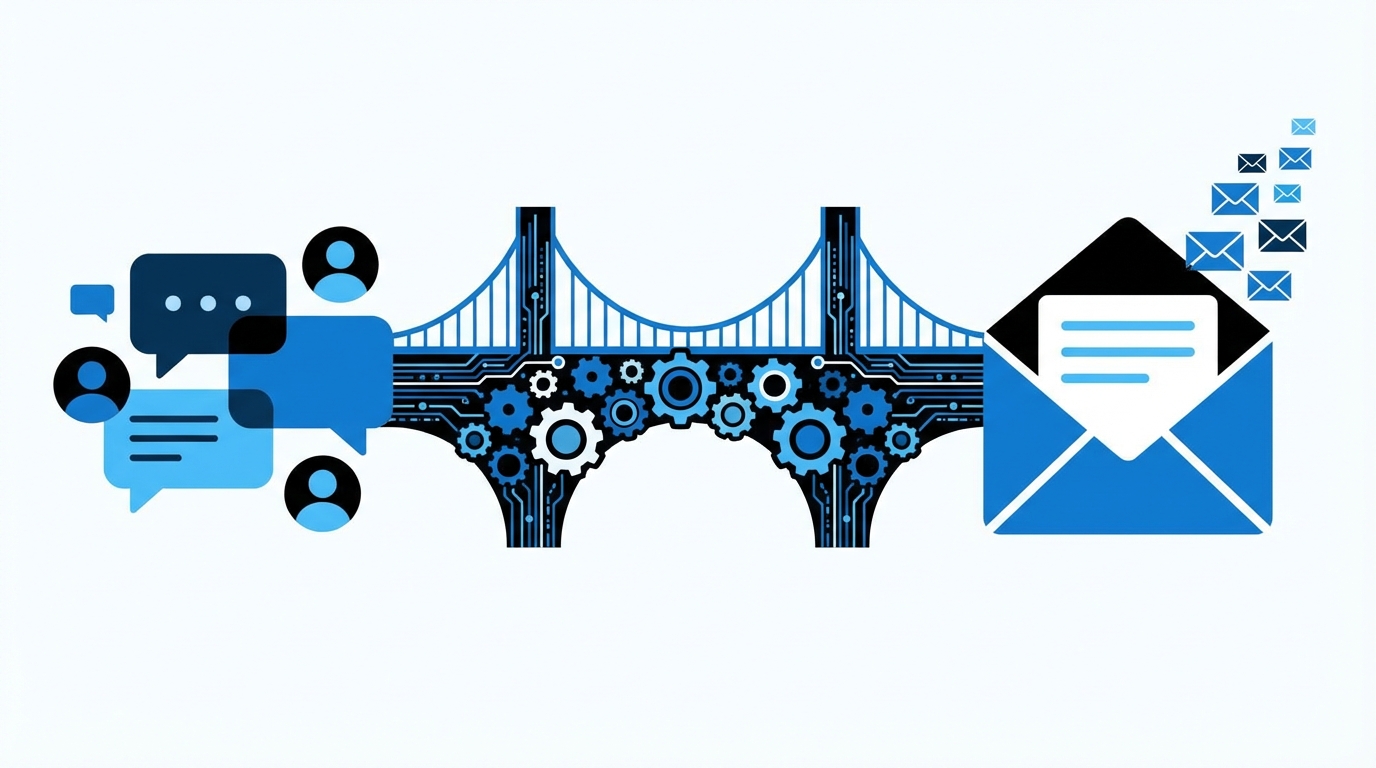

Most forum owners assume that if people care enough to register and post, they will happily subscribe to a newsletter. I learned the hard way that this is wrong. Forum users are picky, skeptical, and already drowning in email. If your “integration” is just a checkbox on the registration form, you are leaving most of your potential audience behind.
The short version: turning forum users into newsletter subscribers means treating the newsletter as a core product, not an afterthought. That means tight technical integration (SSO, profile sync, event hooks), smart timing (email capture at real intent moments, not random popups), clean permission handling (double opt-in, clear consent), and content that actually connects forum activity to email. You wire your forum and mailing system together at the data and UX level, so subscribing feels like part of participating, not a separate chore.
What “real” newsletter integration looks like
Most forums bolt on email as if it were a side quest: “stick a Mailchimp form in the sidebar and call it a day.” That is not integration. That is a banner ad.
Real integration connects:
- Identity: one account, consistent preferences, no duplicate records.
- Events: registrations, posts, likes, and visits feed into your email logic.
- UX: the user sees newsletter choices in the same flow as forum choices.
- Content: email reflects what is happening inside the forum, not generic marketing copy.
If the newsletter system does not know what users do in the forum, it is not integrated. It is just another list.
Common approaches (and where they fall short)
| Approach | How it works | Problem |
|---|---|---|
| Sidebar signup form | Static form asking for email | Low intent, invisible to regulars, no connection to behavior |
| Registration checkbox | Opt-in at signup | One-shot chance, ignored by most, no re-prompt logic |
| Digest-only emails | Forum sends its own digests | No central list, hard to mix with “editorial” or sponsor content |
| Manual exports | CSV from forum to ESP | Out of sync, messy consent, GDPR/CCPA headaches |
The fix is a tighter loop: your forum is the behavior engine, your email service is the messaging engine, and they talk to each other continuously.
Choosing the right technical path
1. Native plugin vs API integration
You have two main technical paths:
- Native plugin for your forum software (Discourse, XenForo, Flarum, phpBB, etc.) that connects to common ESPs (Mailchimp, Sendy, Sendgrid, Postmark, etc.).
- Custom API integration using webhooks, REST APIs, and job queues.
| Option | Pros | Cons |
|---|---|---|
| Native plugin | Faster setup, less custom code, community support | Limited flexibility, plugin quality varies, may lag behind ESP changes |
| Custom API | Full control, can support complex rules and multiple lists | Requires dev time, maintenance, and monitoring |
If you are running a serious community and expect to segment, automate, and grow, you will eventually need at least some custom logic. Relying only on “sync users every night” plugins caps what you can do.
2. Data points you must sync
At a minimum, your integration should keep the following fields synced between forum and ESP:
- Email address
- Display name / username
- User ID in the forum
- Created date (when they joined)
- Last seen / last active timestamp
- Primary role or trust level (member, mod, admin)
- Topic tags or categories they regularly engage with (as interests or tags)
The more context your ESP has about a user, the less generic your newsletter feels, and the less it looks like spam.
Avoid syncing sensitive data (IP addresses, exact location, private profile fields). You need just enough to segment and personalize.
3. Event triggers from forum to ESP
Your mailing system should know when key forum events happen. Common trigger events:
- User registration
- First post
- Nth post (for example, 10th, 50th)
- Nth visit (for example, 3 sessions in 7 days)
- New topic in watched category
- New badge / trust level upgrade
- Long inactivity (for example, 30 days no visit)
These events can:
- Start onboarding sequences
- Trigger “you might like this weekly digest” prompts
- Pause aggressive marketing when someone is already heavily engaged
- Wake up inactive users with a curated recap
Where and how to ask for the subscription
The timing and placement of the opt-in matter more than any clever copy. Users subscribe when the newsletter feels directly relevant to what they just did.
1. Registration flow: getting the first bite
You probably already have an “opt into newsletter” checkbox on the registration form. The usual mistakes:
- Checkbox hidden under other clutter
- Vague label like “I want to receive updates”
- No explanation of frequency or content type
That alone gives you a small bump, but not much. A better pattern:
- Place a clear, short description: “Weekly forum digest with top threads and tools. No promotions without value.”
- Separate “transactional” emails (password reset, replies) from “newsletter” subscription in your wording.
- Log consent with timestamp and IP, and store it in both the forum DB and the ESP’s custom fields.
Registration should be the first chance to ask, not the only chance.
2. Post-registration welcome screen
After account creation, most forums either drop the user on the homepage or show a bland “Welcome” message. Use this moment while attention is still high.
Possible pattern:
- Show a simple panel: “Stay in the loop beyond the forum tab” with a one-click button: “Subscribe with this email”.
- The button uses the logged-in email. No extra form fields. Less friction.
If a user just finished registering, they have already trusted you with their email. Asking to put that same email into a purpose-bound list is not a big leap.
Include a clear note on frequency: “1 email per week. Unsubscribe link in every message.”
3. High intent moments inside the forum
Some behaviors signal that the user finds real value in the forum. Those are prime moments to ask for a newsletter opt-in.
Examples:
- After the 3rd or 5th visit: the user is not a drive-by anymore.
- After posting the first topic: they have skin in the game.
- After browsing a specific category repeatedly: they have a niche interest.
UX patterns that tend to work:
- A subtle in-page banner at the top or bottom: “You check this category a lot. Want a weekly email with the best threads from here?”
- A dismissable prompt inside the “notifications” panel, not a random popup over content.
Make sure your system remembers dismissals, so you are not nagging the same people over and over.
4. Digest upgrade path
Many forums send some form of “activity summary” email by default. This is not the same as a newsletter, but it is related.
You can structure things this way:
- Default: transactional only (mentions, replies, messages).
- Optional: forum-native digests.
- Optional: editorial newsletter that includes curated threads, commentary, and external links.
Inside the default digest (for the users who opted in), insert a small call to action:
“Prefer a human-curated weekly email with the top 10 threads, tools, and experiments from the forum? Switch to the newsletter.”
This makes the newsletter feel like a premium version of something they already receive.
Content strategy: making the newsletter worth the email
You can have perfect integration and still fail if the newsletter is boring. Forum users are not impressed by generic “company news.” They want signals from the community.
1. Newsletter formats that actually work for forums
Some battle-tested patterns:
- Weekly digest with context
Not just “here are the links.” Add 1-2 lines of commentary: why each thread matters, who started it, key takeaways. - Topic-specific digests
For heavy users of specific categories (for example, “Self-hosting”, “Containers”, “Community management”), offer optional sub-newsletters that only include those threads. - Newcomer highlights
A version of the newsletter for users in their first 30 days, spotlighting starter guides, FAQ threads, and “Introduce yourself” topics. - Power user / contributor recap
A rarer email (for example, monthly) for those who post a lot, with meta-discussions, roadmap threads, and moderation calls.
2. Personalization using forum data
This is where integration pays off. Instead of sending the same newsletter to everyone:
- Filter “top threads” by categories the user has actually read or posted in.
- Highlight threads where people they interact with are active.
- Exclude threads the user already read (if you track topic views via the API).
A simple structure:
- Section A: universal content (for example, 2-3 global announcements, key debates).
- Section B: personalized threads based on categories and tags of interest.
- Section C: occasional sponsor or tool section, clearly marked.
If your newsletter routinely points users to threads they already saw last week, you teach them to ignore you.
3. Balancing editorial and automated content
Full automation looks tempting: “Just send top N topics by likes each week.” That scales, but the voice often feels robotic.
Better approach:
- Use automation to pick candidate threads (top by replies, likes, or views per category).
- Have an editor (or at least a moderator) spend 15-30 minutes pruning and writing 1-2 sentence summaries.
- Keep the tone consistent with the forum: candid, technical, not corporate.
A hybrid pattern works: core structure automated, human layer on top.
Handling consent, compliance, and deliverability
If you are pulling email addresses from a forum into a mailing platform, you are responsible for not turning that into a compliance horror show.
1. Consent types: what is safe, what is risky
You have three main buckets:
- Transaction-only users
They gave you an email to create an account. You can send critical forum messages (password reset, direct messages, security notices). - Implicit digests
Some forums treat digests as “part of the service,” enabled by default, with opt-out in preferences. This is legally sensitive in some regions. - Explicit newsletter opt-in
User clicked something clearly labeled as a newsletter signup, with clear frequency and content description.
From a risk perspective, the last one is the safest. The more you rely on “they joined the forum, so they must want a newsletter,” the more complaints and spam flags you will get.
2. Double opt-in or not
Double opt-in adds friction, but it protects you from:
- Typos and fake emails
- Spam traps
- Users claiming they did not subscribe
For technical communities, double opt-in is usually acceptable. Users are used to confirmation mails. Integration pattern:
- User checks newsletter box at registration or later.
- Forum sends event “newsletter_optin_requested” to ESP.
- ESP sends confirmation link.
- ESP fires back “newsletter_optin_confirmed” via webhook, which updates a flag in the forum profile.
That way, both systems agree on who is actually opted in.
3. Deliverability basics for forum-driven lists
Forum user lists have a tendency to rot:
- Old accounts with dead emails
- Addresses from spam-prone domains
- Users that never open anything
Technical steps that help:
- Authenticate domains with SPF, DKIM, and DMARC.
- Use a dedicated sending domain or subdomain for newsletters, but do not separate it from forum transactional traffic so far that you lose shared reputation.
- Regularly suppress users with zero opens over a long period (for example, 12 months), after a final re-engagement attempt.
A small list that opens and clicks beats a bloated list that trains Gmail to treat you as noise.
Architecting the integration: data flow and systems
Let us talk about actual wiring. Hand-waving “it connects via API” is not enough.
1. Core data flow model
A simple but solid architecture looks like this:
- Forum as source of truth for user identity and core behavior.
- ESP as source of truth for subscription status and email engagement.
- Integration service (could be a small backend app, a worker, or a plugin) that:
- Listens to webhooks from forum and ESP.
- Calls APIs to sync fields and tags.
- Logs events for debugging.
Key communication patterns:
- Forum → ESP: user created, updated, consent given / withdrawn, engagement events (could be batched).
- ESP → Forum: subscribe, unsubscribe, email bounced, complaint, open/click events if you want to show them in profile.
2. Handling identity mapping safely
You need a stable way to link a forum user to an ESP contact. The safest pattern:
- Forum user ID stored in ESP as a custom field (for example, “forum_user_id”).
- ESP contact ID stored in forum as a column in the user table (for example, “esp_contact_id”).
Never treat email as the only key, because users change addresses. When an email change occurs:
- Forum updates its user record.
- Integration updates the matching ESP record by “forum_user_id”, not by email search.
3. Dealing with unsubscribes and preference changes
Two-way sync is important. If a user:
- Unsubscribes from the newsletter via ESP link
- Changes frequency preferences in the forum settings
Each side must reflect the change. A robust setup:
- ESP unsubscribes trigger a webhook event consumed by your integration service, which:
- Updates the forum’s user preferences (“newsletter_subscribed” false).
- Stores unsubscribe reason if provided.
- Forum preference changes trigger API calls to ESP to update list membership and tags.
If your forum says “you are subscribed” while the ESP says “this address is suppressed,” you will confuse users and burn trust.
Segmentation: not every user should get the same email
Your forum audience is not homogeneous. Lumping everyone into one newsletter is simple, but you lose relevance.
1. Basic segmentation using forum roles and activity
Easy segments to build:
- New users (less than 30 days)
Send onboarding sequences, starter content, “how to use the forum” tips. - Quiet readers (many visits, few posts)
Encourage posting with threads fit for low-pressure participation (“Share your stack”, polls). - Active contributors
Focus on meta-discussions, advanced topics, and calls for feedback on community features. - Mods and power users
Optional backchannel newsletter about moderation topics, infrastructure changes, sponsor experiments.
Forum metrics that help:
- Number of posts in last 30 / 90 days
- Number of visits / sessions
- Categories where they post or read the most
- Trust level or role
2. Content interest tagging
You can automatically infer interests by tracking:
- Categories visited or posted in
- Tags used on topics they create
- Threads they bookmark or “watch”
Integration pattern:
- Forum emits events when user posts or bookmarks in a category or tag (for example, “user_interest: self-hosting”).
- Integration sets corresponding tags in ESP (for example, “interest_self_hosting”, “interest_kubernetes”).
The newsletter then includes sections based on those tags.
Practical examples with common forum platforms
1. Discourse + an ESP (for example, Mailchimp or Sendgrid)
Discourse offers:
- Webhooks for events like user_created, user_updated, user_promoted, topic_created, post_created.
- API keys to query user data and trust levels.
- Custom user fields to record things like “ESP contact ID”.
A practical setup:
- Discourse webhooks send user_created events to your integration service.
- The service calls ESP’s API to create/update contacts and set tags based on user groups or trust levels.
- When a user ticks a “Newsletter” box in their profile, Discourse calls the integration to add them to a specific list or segment.
- ESP sends regular newsletters that include Discourse links and maybe UTM parameters to track traffic back.
2. XenForo or phpBB with plugins
These older platforms often rely more heavily on plugins. Pitfalls:
- Plugins may store newsletter flags in their own tables, not in the main user profile.
- Some plugins only support one ESP, limiting flexibility.
- Updates can break integration if the plugin is poorly maintained.
Strategy:
- Pick plugins that expose hooks you can tap into for custom events.
- Inspect database schema so you know where opt-in data lives.
- Consider a small custom bridge that reads the forum DB and talks to ESP via API on a schedule, mixed with trigger-based calls for high-value events.
UX patterns that respect users while still growing the list
1. Do not hijack the forum with popups
Many marketing tools push full-screen popups and exit-intent overlays. On content sites, those are already annoying. On forums, which rely on the feeling of “this is my space,” they are worse.
Better options:
- In-context prompts aligned with user actions (after post, after login, after reading a guide).
- Compact banners that appear inside the page layout, not over it.
- Persistent, but unobtrusive: a line in the footer or user menu that says “Newsletter preferences.”
If your integration is strong, you do not need brute-force popups to grow.
2. Make newsletter settings easy to find and understand
In the user profile settings, have a dedicated section for email:
- Check boxes for:
- Security and account messages
- Forum activity digests
- Editorial newsletter
- Category-specific digests
- Dropdowns for frequency (for example, “Weekly on Monday”, “Monthly”).
- Clear text about what each option contains.
If users can see exactly what they are subscribing to, they complain less and engage more.
Connect these preferences directly to ESP fields, not just internal flags. Your integration must bridge the two worlds.
Tracking what works: metrics and feedback loops
1. Key metrics for newsletter integration success
Do not stop at “number of subscribers.” Good metrics:
- Opt-in rate by entry point (registration, profile screen, in-context prompt).
- Open and click rates by user segment (new vs veteran, category interests).
- Forum return visits after newsletter sends (for example, “sessions within 48 hours of a send”).
- Unsubscribe and complaint rates per newsletter variant.
Technical way to link email and forum:
- Add tracking params (for example, UTM) to forum links inside the newsletter.
- Have your analytics or forum logs correlate those with sessions and activity.
2. Iterating based on real behavior
Patterns you might see:
- New users ignoring or unsubscribing from heavy, advanced content newsletters.
- Veteran users finding general digests too basic.
- Topic-specific digests getting higher click-through rates despite smaller lists.
Your response:
- Split the “one size fits all” newsletter into tiers.
- Adjust frequency: some segments might respond better to bi-weekly than weekly.
- Rework subject lines and preview text to reflect actual forum discussions, not generic “Update #23”.
Common mistakes and how to avoid them
1. Treating newsletter as marketing, not community infrastructure
If every newsletter issue feels like a product pitch, forum users tune out. They are there for peer discussions, not corporate announcements.
Safer ratio:
- 70-80% community content (threads, tutorials, user showcases).
- 20-30% “house” content (product updates, sponsor messages), clearly labeled.
2. Ignoring people who prefer the forum-only model
Some users just do not want any newsletters. That is fine. For them, the forum must still stand on its own.
Make it easy to say “no” without penalty:
- Respect “no newsletter” as a permanent preference unless they explicitly change it.
- Do not try to “re-activate” them with forced email campaign imports.
These users still contribute; you just cannot reach them through this specific channel.
3. Over-segmentation without enough content
There is a common trap: someone sets up 20 topic-specific digests and then fails to produce quality content for most of them. The result is thin, low-value emails.
Better to:
- Start with a small number of segments that you can serve well.
- Grow segments only when you consistently have enough threads and commentary for each.
Example integration blueprint: from zero to solid setup
To make this concrete, here is a practical blueprint for a tech forum that wants to “turn users into subscribers” without annoying them.
Phase 1: Foundation (1-2 weeks)
- Pick an ESP that supports:
- API access
- Webhook support
- Custom fields and tags
- Basic automation / sequences
- Set up:
- SPF, DKIM, DMARC for your sending domain.
- Dedicated newsletter “from” address (for example, newsletter@yourdomain.com).
- Install a minimal integration plugin or a small service that:
- Creates or updates ESP contacts when new forum users join.
- Stores ESP contact ID in the forum DB.
Phase 2: Consent and UX (2-3 weeks)
- Update registration form:
- Add clear newsletter opt-in with description and link to email policy.
- Log consent in both systems.
- Add a post-registration welcome screen with a one-click opt-in.
- In profile settings, create a simple newsletter preferences section that syncs with ESP fields.
Phase 3: First newsletter and automation (2-4 weeks)
- Design a weekly digest structure:
- Top 5-10 threads with commentary.
- One short editorial note.
- Optional sponsor/tool section.
- Set up automation:
- New users who opt in get a 3-email onboarding sequence over 2 weeks.
- Engagement tags are applied based on categories visited or posted in.
- Send the first issues, watch opens/clicks, and gather feedback from power users.
Phase 4: Refinement and segmentation (ongoing)
- Introduce one or two topic-specific digests based on actual demand.
- Fine-tune triggers for in-context prompts based on behavior data.
- Trim inactive subscribers to maintain deliverability.
- Regularly review unsub reasons and adjust content strategy.
Integration is not a one-time project. It is a long-term wiring between how your community behaves and how you communicate with it.
When you reach this stage, your forum and your newsletter reinforce each other. The forum feeds the content and the behavioral data. The newsletter feeds traffic, engagement, and trust back into the forum. You stop guessing what users care about, because their actions are already telling you, in a form your systems can understand.