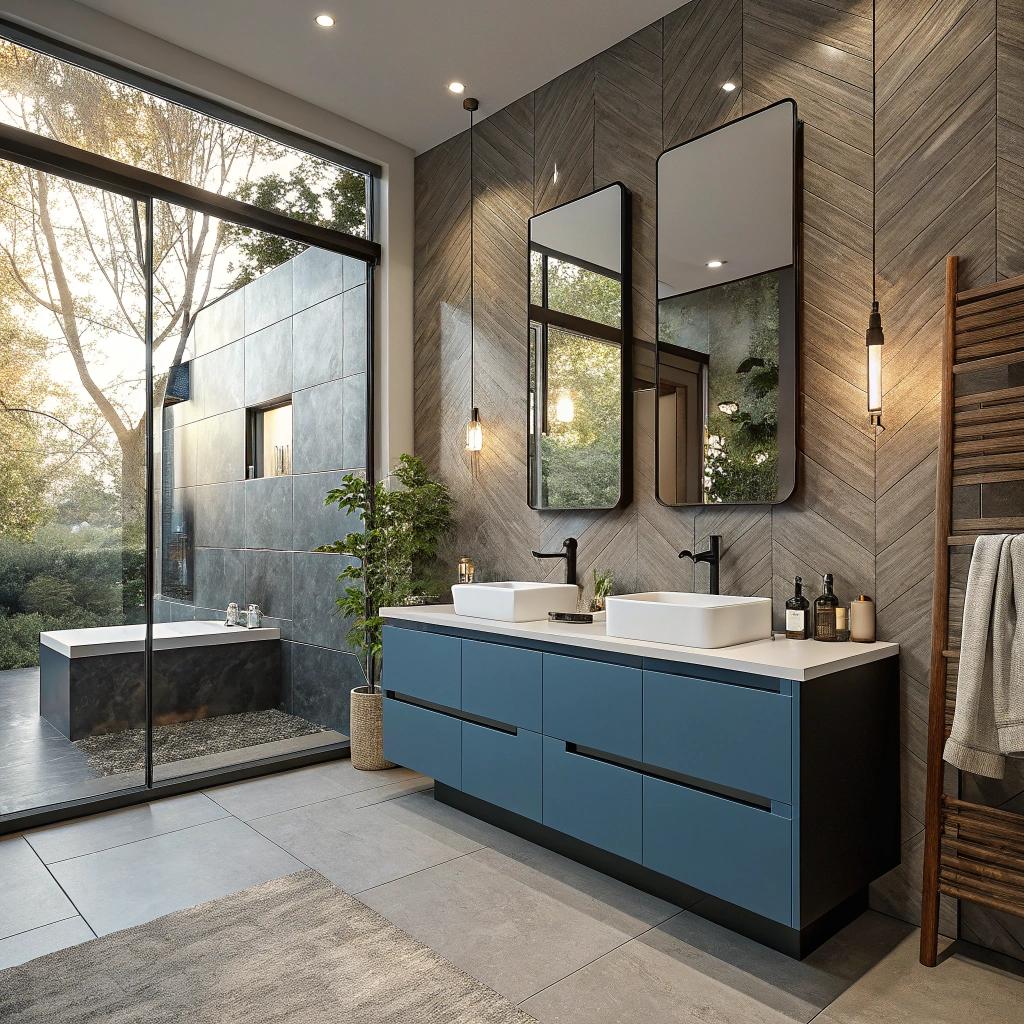

Most people think a bathroom remodel is just about tile, tubs, and fancy mirrors, but for digital creators it should work more like a mini production studio with plumbing. If you live on your laptop and camera, your bathroom can either ruin your focus with bad lighting and noise or support your work with smart controls, quiet ventilation, and a setup that looks good on video. The short answer: plan your bathroom like you would plan a desk setup. Start with power, network, and lighting, then layer in smart controls, sound, and storage. Treat the bathroom as a controlled environment for short-form video, calls, and content prep, not just a place where you brush your teeth. And if you are doing a full Bathroom remodel, plan the tech and wiring early with your contractor, not at the end.
Once you think about it that way, a lot of small details start to matter. Where do you plug in a camera battery charger without it hanging over the sink? How do you avoid that horrible yellow ceiling light on your face when you record a quick Story or reel? Can you tweak lighting from your phone before you walk in, so you do not blow out your exposure? None of this is very complex, but it does need a bit of planning.
And one more thing that many creators ignore: bathrooms are echo chambers. Hard tile, glass, and bare walls bounce sound around. If you ever record voice in your bathroom, even accidentally on a call, you can usually hear it. So part of a smart bathroom for creators is not just adding more gear, but softening the space so it does not sound like a cave.
Design your bathroom like a secondary studio, not just a pretty room
If you run a YouTube channel, Twitch stream, newsletter, or any kind of digital community, you already know how much small tech details matter. A slightly off camera angle or a strange hum in the background can make a scene feel wrong. The same logic applies to a bathroom you are rebuilding from scratch.
You probably will not film a full talking head video in the shower. That said, you might:
- Record quick skincare, hair, or grooming content
- Film product B-roll near the sink or countertop
- Hop on early-morning or late-night calls from your phone
- Capture behind-the-scenes clips for your community or members-only group
So it makes sense to design your bathroom as a “B studio” that quietly supports your main work. Think of it like a backup shooting space that always looks clean, well lit, and reasonably quiet without you hauling around tripods and softboxes every time.
A smart creator bathroom does two jobs at once: it works for real life, and it doubles as a repeatable filming environment without much setup.
If you build around that idea from day one, a lot of choices become easier. You pick tile that does not reflect light like a mirror. You avoid noisy fans. You choose light fixtures that can be color controlled so your shots match your office lighting.
Plan power, charging, and outlets like a gear-obsessed nerd
Most bathroom designs treat outlets as an afterthought: one next to the sink, maybe one more near a vanity. For someone who records or edits video, that rarely covers it.
Ask yourself what you actually plug in on a busy day:
- Electric toothbrush, hair dryer, shaver
- Camera battery chargers
- Phone and tablet
- Maybe a small LED panel or clip-on light
- Smart speaker or smart display
Suddenly, that single double outlet looks weak.
A simple way to think about outlet planning:
| Location | Tech use case | Practical tip |
|---|---|---|
| By the vanity mirror | Everyday grooming, phone charging during calls | Add at least 2 double outlets with USB-C if possible |
| Inside vanity cabinet | Hidden chargers for camera batteries and power banks | Put them on a surge-protected circuit |
| Near toilet or shower area | Bidet, smart toilet, potential smart speaker shelf | Confirm the outlet is rated and protected for wet zones |
| Higher on the wall | Mountable tablet or small display | Plan height around eye level when standing |
If you often reach for an extension cord in your current bathroom, double the outlet count in your new plan.
It might feel like too much on paper. In real life, it just means less clutter and fewer loose cables crossing the room.
Think about network, not only power
Bathrooms are usually Wi-Fi dead spots. Lots of tile, pipes, and walls between your router and that back corner of the house. As a creator, this matters more than you might expect.
You might be:
- Taking a client call from your phone while getting ready
- Streaming music or a podcast on a smart display while you shower
- Backing up content to the cloud while you brush your teeth
If your bathroom is part of a bigger renovation, consider:
- Running Ethernet into a hallway or closet near the bathroom, so you can put a mesh node close by
- At least testing your Wi-Fi before you lock in tile and fixtures, so you know where the dead spots are
You likely do not need a dedicated ethernet port in the bathroom itself. That can get weird from a safety and moisture standpoint. A nearby mesh node or AP is usually enough.
Lighting that works both for living and video
Bad bathroom lighting can wreck video faster than almost anything. Yellow overheads, shadows under your eyes, harsh reflections on tile. The good news is that smart lighting is relatively cheap compared to stone counters or custom showers. So for a digital creator, this is one of the highest impact areas to spend time on.
Use layered lighting, not a single ceiling fixture
Many bathrooms still rely on one big light in the center of the ceiling. That often looks flat on camera and feels harsh in person.
You get much better results if you think in layers:
- Ceiling lighting for general brightness
- Mirror or vanity lighting at face level for videos and photos
- Accent lighting, like LED strips, for mood and depth on camera
For creators, the mirror lighting is the real star. Try to get light on both sides of your face and from above, but not directly above where it creates heavy shadows.
A simple layout that works well:
- Vertical sconces on both sides of the mirror, eye level or slightly higher
- A dimmable ceiling light, preferably diffused, not a bare bulb
- Optional strip lighting under the vanity or around a backlit mirror
Pick the right color temperature and brightness
If you edit video or photos, you already care about color. Your bathroom lighting should match your usual recording temperature as closely as you can.
Here is a simple rule set that keeps things consistent:
| Use case | Color temperature | Why it helps |
|---|---|---|
| Everyday use and video | 4000K to 4500K | Looks neutral on camera, close to daylight indoors |
| Relaxed night lighting | 2700K to 3000K | Softer, easier on the eyes, less blue light |
| Product shots & B-roll | Match your studio setup | Helps your footage cut together cleanly |
If you can, go for smart bulbs or smart fixtures that let you change both brightness and color temperature. That way, on days where you are shooting in your office at 5000K, you can bump the bathroom up to match with a few taps on your phone.
Try to match your bathroom lighting profile to your main filming setup so your skin tone and colors look consistent from room to room.
Control lighting like you control your stream layout
For people who host communities or live streams, lighting presets are normal. You hit a button and get a known, repeatable look. You can do the same thing for your bathroom.
A typical smart control setup might include:
- Wall switches that work manually and via app or voice
- Scenes like “Bright get-ready”, “Soft night”, and “Video mode”
- Integration with your existing smart home platform, if you use one
One tip: test your lighting while your phone camera is open in video mode. Do not rely only on how it looks with your eyes. Your camera may blow out highlights or make colors look strange in ways that are not obvious in person.
Sound, privacy, and echo control for calls and content
Most people only worry about soundproofing in offices or studios. Bathrooms are often ignored, even though they are full of hard, reflective surfaces. This matters when you are on a call with a client, hosting a workshop, or recording quick clips for your audience.
Reduce echo with small design choices
You probably will not stick acoustic foam on your bathroom walls. That would look odd and not hold up well. But you can still soften the room with some choices that do not scream “studio”.
A few simple moves that help a lot:
- Choose at least one wall finish that is not tile, such as painted drywall with semi-matte paint
- Use fabric elements where you can: a shower curtain, a bath mat, even a simple fabric blind
- Pick vanities with wood or textured fronts, not just flat glossy panels
- Aim for softer towels and keep a couple hanging, which also absorb sound
If you regularly record voice in the bathroom, you might even keep a small, dense robe hanging near where you stand to speak. It sounds silly, but that extra fabric really does help kill reflections.
Choose a quiet fan and plumbing layout
No amount of EQ will fix a loud, rattling fan in the background of your content. Since you are remodeling, it is worth paying attention here.
Look for:
- Fans rated for low noise, usually listed as sone rating on the box
- Fans with a humidity sensor that can ramp up or down automatically, so you do not forget to turn them off
- Placement away from where you stand when you talk to the camera, if possible
Also, if your bathroom sits near your workspace, talk with your contractor about how pipes are routed. A badly placed drain line can send flushing sounds right through the wall behind your desk. People do not always catch this in drawings, but for creators on calls every day, this can get annoying.
Smart mirrors, displays, and useful gadgets
This is where things can get a bit gimmicky. There are plenty of “smart bathroom” products that look fancy and then gather dust. As a digital creator, it helps to be honest about what you will actually use.
Smart mirrors that are more than a party trick
Smart mirrors or backlit mirrors can be helpful if they do a few very practical things:
- Let you control brightness and color temperature
- Remember presets that you actually use
- Do not flicker on video
The ability to tweak lighting at the mirror is often more valuable than any built-in Bluetooth speaker or display. A stable, flicker-free LED around the mirror is also much friendlier for video than traditional bulbs.
Some smart mirrors also show widgets like weather or calendar events. That can be pleasant, but it only really matters if you know it will keep you on schedule for streams, releases, or meetings. If it just pulls you into doom-scrolling, it is probably not helping your creative work.
Smart speakers and displays, with some restraint
A small smart display or speaker in the bathroom can:
- Play music, podcasts, or live streams
- Read your calendar or reminders while you get ready
- Control lights and other devices with your voice
That can be useful if you run a digital community or manage a content schedule. You can check your upcoming recording sessions, reply to quick messages, or keep an eye on live stats while brushing your teeth. Just be careful that it does not kill your only quiet time of the day. There is a point where always-on connectivity becomes noise.
From a practical angle, make sure:
- The device is placed away from direct water contact
- Cables run cleanly and do not hang over wet surfaces
- Wi-Fi is strong enough where it sits, as mentioned earlier
Storage that respects your gear and your products
Digital creators tend to collect gear and products. Camera bodies, lenses, mics, skincare products for sponsored content, hair tools, grooming items for brand shoots. Without a plan, it all ends up piled around the sink or on top of the toilet tank.
Separate “life stuff” from “content stuff”
Mixing your daily toothbrush with your PR mail is messy and stressful. A simple structure helps:
- Everyday essentials: toothbrush, toothpaste, contact lens stuff, daily skincare
- Content props: products to review, display items, packaging for flat lays
- Gear: chargers, extra batteries, small LED panels, tripods or phone mounts
In the remodel, ask for:
- At least one drawer or cabinet section dedicated only to content props
- A closed, vented cabinet for gear that should not sit in humid air all day
- Dividers in vanity drawers so bottles and cameras do not slam into each other
Humidity is not friendly to lenses or certain electronics. If the bathroom gets very steamy, a nearby hallway closet with better airflow might be safer for real camera gear. The bathroom can still hold chargers and accessories, but maybe not your most expensive lens.
Think top-down and side-to-side
Vertical space often goes unused. For a creator, upper cabinets or shelves can be perfect for items you only need when recording.
A simple pattern that works:
- Eye-level shelves: Items you touch weekly, like backup skincare for content shots
- High shelves: Rarely used props or overflow product stock
- Vanity drawers: Daily items and core gear chargers
If your bathroom is small, mirrored medicine cabinets can do double duty. Just avoid clutter in the mirror area, since it often shows up in your video background.
Backgrounds that look good on camera
We talk a lot about backgrounds for office studios. The same thinking applies when a bathroom shows up on your stories or quick clips.
Think in “frames” instead of one big room
View your bathroom as multiple possible camera angles:
- Facing the mirror with your back to the door
- Facing the shower or tub wall
- Side angle from the doorway
For each angle, ask:
- Is anything distracting or messy in that frame?
- Are there harsh reflections or strange color casts?
- Does anything private show up that you would rather keep off camera?
This helps guide choices on tile patterns, wall art, and where you place storage. Neutral tones with one or two visual points of interest usually work better on video than wild patterns everywhere.
Use simple, repeatable color schemes
If your brand colors are part of your online presence, you can echo them gently in the bathroom. A towel color, a soap dispenser, a small piece of art. You do not need to plaster your logo everywhere. Just enough that when people see a quick bathroom clip, it still feels like your world.
Avoid very glossy tiles on the most visible wall behind you. They catch reflections that can distract your audience and can make exposure harder to control. Matte or satin finishes are usually calmer on camera.
Health, comfort, and energy for people who sit at screens all day
There is the content side of a smart bathroom, and there is the human side. Digital creators often spend long hours at computers. A better bathroom can actually help your body and mind, even if that sounds dramatic.
Lighting that does not wreck your sleep
If you edit late into the night, strong blue light before bed can push your sleep back further. You probably know this already from your screens. The bathroom often gets ignored here.
With smart lighting, you can set:
- Brighter, cooler light in the morning that wakes you up a bit
- Softer, warmer light at night that keeps your body calmer
Paired with app control, you can even trigger a “wind down” scene as part of a daily routine. It sounds minor, but if you run a demanding content schedule, extra sleep is not a small thing.
Better ventilation for long editing days
Warm, humid bathrooms can grow mold more quickly, which affects air quality. If your work life already keeps you indoors most of the time, having one more corner of stale air in your home does not help.
A decent vent fan with a humidity sensor or timer can lower moisture more consistently. That keeps the space usable, cleaner, and less likely to smell stale on those nights where you walk in from your desk at 2 am after a long stream.
Workflow ideas: how digital creators actually use a smart bathroom
It is easy to list features. It is more helpful to picture a real day in the life. Here are a few examples that I think are realistic for many creators.
Morning content and planning
You wake up, hit your bathroom “Morning” scene:
- Lights go to a cooler white, medium brightness
- Smart speaker starts a news brief or a podcast about platform changes
- You check your calendar on a nearby display or your phone while brushing
If you record short clips as part of a daily routine, you can prop your phone in a small mount near the mirror, hit your “Video” lighting preset, and record. No moving lights from the office, no guessing exposure. The background looks clean because you planned storage from the start.
Midday product B-roll
You receive new skincare or grooming products from a brand. Instead of carrying them into your office and faking a scene at your desk, you shoot near the sink where people actually use these things.
You can:
- Set your bathroom lighting to match your studio
- Pull gear from a dedicated cabinet shelf
- Use a quiet fan so the audio is clean if you speak a line or two
After shooting, chargers and props go back into their labeled drawers instead of sitting around on the counter for a week.
Late-night calls and recordings
If you work with people in other time zones, calls sometimes land at odd hours. The bathroom can be a quiet, isolated place to jump on video without waking up the whole house.
A good setup helps here:
- Warm, dim light that still makes your face look natural
- Good Wi-Fi coverage and enough outlets nearby to keep your phone charged
- Reduced echo so your voice does not sound like you are in a tunnel
You can step out of your main office, settle in, and take the call without wrestling with brightness or noise.
Budget and priority choices for tech minded people
If you host your own site, run servers, or manage digital communities, you are probably used to thinking in terms of tradeoffs. You cannot buy every plugin or every top-tier plan at once. Bathrooms are the same. You pick where to put your money and attention.
High impact upgrades if your budget is tight
If you are trying not to overspend, focus on:
- Good lighting: smart, dimmable, color controllable if possible
- Better sound: quiet fan and some softer surfaces
- Smart outlet and storage placement: enough power and space for your gear
These affect daily life and content use more than niche IoT gadgets.
Nice-to-have additions for bigger remodels
If you have more room in your budget, consider:
- Smart mirror with adjustable LEDs and anti-fog
- Heated floors that take the chill off during late night or early morning sessions
- In-wall speakers tied into your broader home audio setup
These are less critical but can make the room feel more like a carefully thought through part of your home, rather than an afterthought.
How this ties back to your online work
You might wonder how all of this connects to web hosting, digital communities, or tech, apart from the obvious smart gadgets. For many creators, the bathroom is just one more node in a bigger, always-on system.
Your home is basically your physical “server rack”. Your office, bedroom, kitchen, and bathroom all touch your content flow. When one of those spaces works poorly, you feel friction. That can be a daily fight with bad lighting, or hearing pipe noise on your best mic during a paid webinar.
A smart bathroom remodel for a digital creator is about reducing friction in a place you use every day. You do not need to turn it into a sci-fi set. Just make it:
- Predictable: lighting, sound, and connectivity act in a known way
- Comfortable: your body gets a slight break from all the screen time
- Clean on camera: no clutter or surprise reflections
If your bathroom works smoothly with your content workflow, you get one less excuse to skip making something when you have an idea.
Quick Q&A to wrap things up
Do I really need smart lighting in the bathroom if I already have good lights in my studio?
If you never record or call from your bathroom, you can probably skip it. But most people grab their phones there sometimes. Smart lighting lets you avoid harsh shadows and yellow tones in quick content. It also helps with sleep if you use warm light at night.
Is it safe to keep camera gear in the bathroom?
For short periods, it is usually fine, but constant humidity is rough on electronics and lenses. Better to keep expensive gear in a nearby closet or office and only store chargers and cheaper items in the bathroom.
How much should I spend on smart gadgets compared to “normal” fixtures?
Spending on water tightness, good ventilation, and solid tile work usually comes before gadgets. Once the core build is solid, add tech where it clearly supports your daily routine and content, not just because it looks cool in a catalog.
What part of your own bathroom setup annoys you the most right now, and how could you shift it one step closer to something that quietly supports your work instead of distracting you from it?