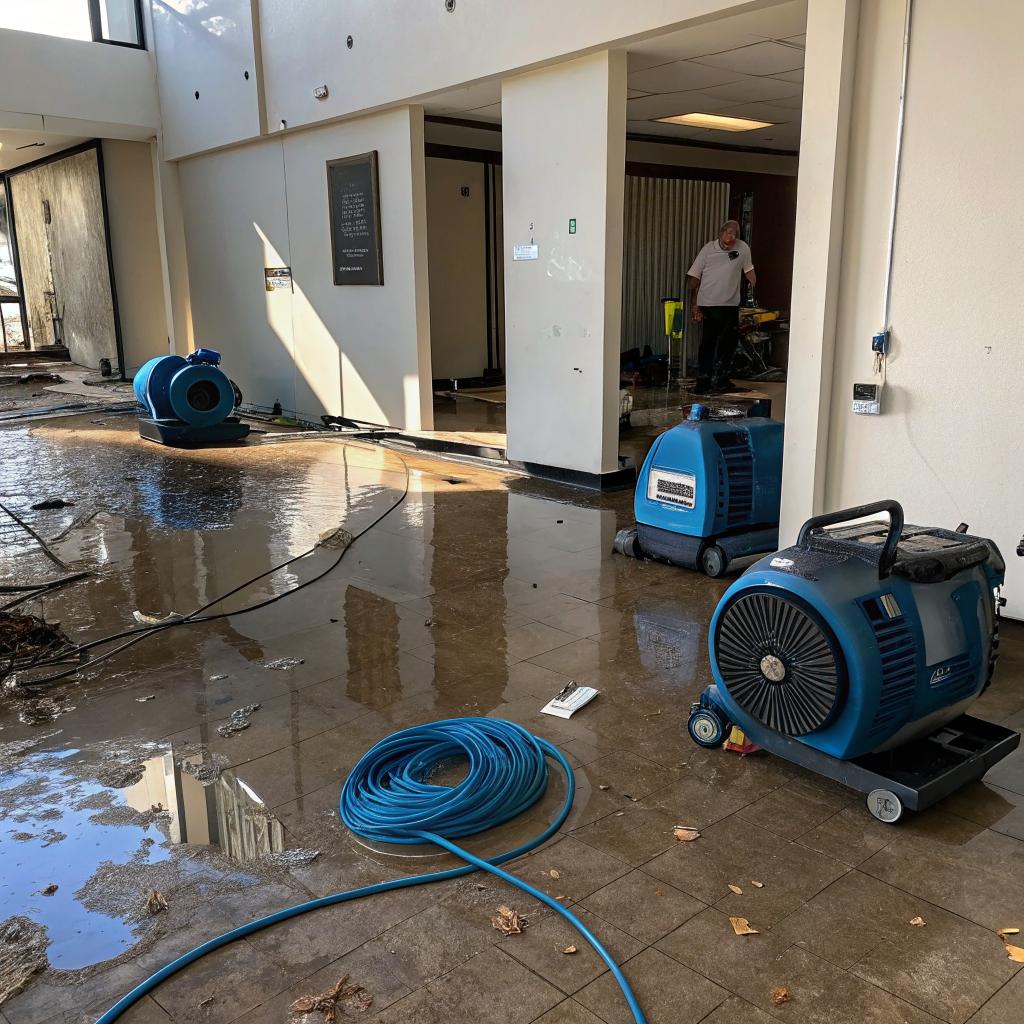

Most people think water damage is a simple mop-and-dehumidifier job. In practice, especially in Salt Lake City with its odd mix of dry climate, winter freezes, and older housing stock, it behaves more like a production outage. You have a short window to contain it, you need clean logs (photos and documentation), and you often need a trusted external provider. If you want the short, direct answer: shut off the water, kill power in affected zones, start extraction and drying within hours, treat the building like a compromised system, document everything for insurance, and for most serious incidents hand off the heavy work to a local team that does this full time, such as a professional water damage cleanup Salt Lake City crew.
That is the TL;DR. If you are a tech person, think of water damage as hardware failure with a security incident on top. It spreads, it hides, and it causes long term problems if you miss a path. The rest of this guide goes into what to do, how aggressive you actually need to be, and how to keep your data, gear, and sanity intact when your living room turns into a test environment for gravity.
Seeing water damage like a tech outage
I will admit this up front: the first time a pipe burst above my small home office, I treated it like a minor bug. A bit of water dripping through the ceiling, a few towels, a fan, and I went back to debugging something irrelevant.
Twelve hours later, the ceiling sagged, the drywall seams opened, and the smell kicked in. That was my production crash.
For tech pros, it helps to map water damage to concepts you already know:
- Water entry is your incident trigger.
- Horizontal spread is like lateral movement in a network.
- Moisture trapped in walls and floors is your hidden technical debt.
- Mold is the long tail cost that hits months later.
If you treat it as a one-time cleanup, you will probably underreact. If you treat it like incident response with a clear runbook, your odds are much better.
Think in timelines: minutes to stop the source, hours to remove standing water, days to dry structural materials, weeks to resolve insurance and repairs.
Why tech people are both good and bad at this
You are probably good at:
- Following checklists
- Documenting with photos and notes
- Prioritizing high value assets like servers, drives, and networking gear
You are probably bad at:
- Accepting when DIY is not enough
- Seeing hidden damage behind walls or under floors
- Estimating how fast mold grows in moist drywall or OSB
So part of this guide is not only the steps, but also where a rational person should just pick up the phone and treat it like calling in specialized support.
Immediate steps when water hits your space
When water comes in, you do not start with towels. You start with safety and source control. That sounds obvious, but people skip steps when they panic.
Step 1: Kill the risk to you and your gear
If there is active water near outlets, power strips, or your rack:
- Turn off power to the affected area at the breaker, not just the switch.
- Unplug electronics only if you can do it safely and without touching water.
- Move laptops, external drives, networking gear, and any loose hardware to a dry room.
I know the instinct is to protect the gear quickly. Still, stepping into pooled water with live power is not worth it. You can replace a server more easily than you can fix an electric shock.
If you are unsure whether it is safe to touch something, assume it is not safe until power is fully off at the breaker panel.
Step 2: Stop the source
For most residential or small office setups in Salt Lake City, water comes from one of these:
- Frozen or burst pipe
- Leaky roof, especially around vents or old shingles
- Overflow from a sink, bathtub, or toilet
- Water heater or appliance failure
Standard quick actions:
- Shut off the main water supply to the building if you cannot find the local valve.
- Turn off individual appliance valves if that is easier and you know the source.
- In storms, try to direct roof or window leaks into buckets with plastic or tarps until weather passes.
Think of this like isolating a compromised host. Limiting the spread early is always cheaper than cleaning everything later.
Step 3: Log everything like you would for a postmortem
Insurance is much less painful when you have data. Treat your phone like your logging agent.
Things to record:
- Wide shots of each affected room from multiple angles
- Close-ups of water lines on walls, soaked materials, and damaged items
- Photos of the source: broken pipe, faulty valve, roof leak, etc.
- Short video walkthroughs explaining what you see and what you think happened
You do not need to be perfect. You just need enough to show the “before and during” state, so adjusters and cleanup teams can understand what they are walking into.
Think: evidence first, cleanup second. You cannot recreate the initial state once you start tearing out soaked carpet or cutting drywall.
Water, materials, and why drying is not enough
Once the obvious water is gone, the real question is how far it went inside your structure. This is the part most people guess at and often get wrong.
How different materials behave
A quick, practical table helps here.
| Material | How it reacts to water | Realistic outcome after a serious leak |
|---|---|---|
| Drywall | Absorbs water, loses strength, can grow mold fast | Often needs cut out 12 to 24 inches above water line |
| Insulation (fiberglass) | Holds moisture, dries slowly inside walls | Usually removed and replaced in wet sections |
| Carpet | Soaks water, backing can delaminate, holds odors | May be saved if clean water and rapid drying, otherwise trash |
| Carpet pad | Acts like a sponge | Often discarded, replaced with new pad |
| Solid wood | Swells, can warp if drying is uneven | Sometimes saved with careful drying, sometimes buckles |
| Laminate flooring | Swells and separates once water gets into seams | Frequently not salvageable |
| Concrete slab | Does not get destroyed, but holds moisture in pores | Needs extended drying, can cause humidity issues |
For a tech audience: imagine that some parts of your system are stateless containers, others are long lived stateful services that hold on to data forever. Water is the data here. Some materials naturally “forget” the moisture, others hold it until it causes trouble.
Clean, gray, and black water
Not all water is the same. Cleanup strategy changes with the source.
- Clean water: supply lines, burst pipes, rain entering quickly. Lower health risk if handled within 24 to 48 hours.
- Gray water: washing machine, dishwasher, some sump issues. Contains detergents and mild contaminants.
- Black water: sewage backups, flood water from streets, long standing stagnation. Treated as hazardous.
You might think, “My case is not that bad, it is just a bit of water.” But the age and source of the water matter more than how it looks at first glance.
Salt Lake City has storm events where ground water and runoff mix with street debris. If that reaches your basement, it is in the black water category even if it does not look terrible.
Why simple fans often fail
A few small fans can help surface drying, like wet carpets or surfaces. They do not resolve:
- Moisture trapped inside wall cavities
- Water that seeped under baseboards and into subfloor layers
- Humidity inside closed rooms with poor airflow
Professional crews use air movers and dehumidifiers that can pull many pints of water from the air each day. For larger incidents, that volume matters.
If you have access to humidity sensors or smart home sensors, use them. Monitor relative humidity levels in affected rooms over days. If they stay high even when surfaces “feel” dry, there is still moisture hiding somewhere.
Making decisions: DIY vs calling local pros
You do not need help for every spill. But tech people sometimes go too far in the direction of “I can script my way out of this.”
Here is a simple table that compares when DIY is reasonable and when outside help in Salt Lake City is usually the smarter path.
| Situation | DIY possible? | Professional help strongly advised? |
|---|---|---|
| Small leak caught within 1 hour on hard floor | Yes, towels, shop vac, simple fans | No, unless you see damage in walls |
| Soaked carpet in one room from clean water for less than 24 hours | Maybe, with strong wet vac and rental fans | Advised if padding is saturated or you lack dehumidifiers |
| Multiple rooms, walls affected, or ceiling collapse | Difficult to handle thoroughly on your own | Yes, call pros for extraction and structural drying |
| Any sewage backup or outside flood water | No, risk is too high | Yes, treat as health hazard incident |
| Water around electrical panels or server racks | Risky without proper safety knowledge | Yes, need both electrical and water specialists |
Think of it like self hosting vs managed hosting. You can self host a small personal site. Once you are running something critical, on hardware in a questionable environment, with strict uptime needs, managed hosting suddenly looks cheap.
Why location matters for response in Salt Lake City
Salt Lake City is a bit strange in how water damage plays out:
- Winters bring frozen pipes and ice dams.
- Older neighborhoods have aging plumbing and roofs.
- Basements are common and often become storage for gear, records, and sometimes small labs.
The dry climate can trick you. You might think, “This will dry fast.” Surface drying is quick, but cavities and shaded areas still hold moisture. That is where professional moisture meters, thermal cameras, and local experience come in.
People in tech are used to remote everything, but for water damage, local response time matters. A team that can show up with pumps, extractors, and dehumidifiers the same day is basically your “on-site support” when the server room is your living room.
Protecting hardware, data, and your working setup
So far, this sounds a lot like any homeowner guide. The tech part becomes very real when your gear is at risk.
Priority list for gear in a water event
If water is spreading fast and you only have a short window, this order usually makes the most sense:
- Remove unplugged laptops and external drives.
- Shut down and then relocate NAS units, desktop towers, and small servers.
- Grab any portable backup media that is not already offsite or in the cloud.
- Move networking gear like routers, switches, and access points if water may reach them.
- After that, worry about low value peripherals.
If equipment is in a rack and water is above floor level, try to unplug and power down from a dry area. Do not reach into water to hit power buttons.
When hardware gets wet
Not every water contact is instant death for electronics, but the risk of corrosion is real.
Some basic rules:
- If a device was submerged or visibly soaked, do not power it up to “see if it still works.”
- Let professionals clean and dry devices that store critical data.
- Expect that some gear will be written off and replaced.
In that sense, proper backups are still your best friend. If you have been putting off proper cloud backups, water damage is a harsh reminder.
Business continuity for home labs and remote work setups
If you work remote full time or you run side projects from home, a serious water event is not just about the building. It hits your income or your community.
Some practical planning ideas:
- Keep a minimal backup workstation that you can use from a different room or location.
- Use cloud based source hosting and backups so no single room failure kills your codebase.
- Document your home network layout so you can rebuild or relocate it faster if equipment must be removed.
You probably do some of this already, but tying it to physical risk, not just cyber risk, makes the plan more complete.
Working with cleanup and restoration teams as a tech person
When you do bring in a local crew, your background gives you an advantage. You are used to asking about process, monitoring, and success criteria.
Questions that matter more than marketing claims
Try questions along these lines:
- How do you check for moisture inside walls and floors?
- How do you decide what materials can stay and what must be removed?
- What is your plan for preventing mold growth?
- How often do you check humidity and moisture readings?
- Can you explain, in simple terms, your drying timeline for this size of job?
You do not need fancy jargon. You just want to know they have a systematic process, not a guess and hope tactic.
Mapping their work to your expectations
Cleanup and restoration usually happen in phases:
- Emergency response: extraction, removing standing water, stabilizing the site
- Drying: running air movers and dehumidifiers, monitoring moisture
- Demolition: removing unsalvageable materials
- Rebuild: replacing drywall, flooring, trim, and paint
From a tech perspective, emergency response and drying are like incident containment. Demolition and rebuild are like refactoring and redeploy.
You probably care about timeframe, noise level, access to your workspace, and where your gear can safely sit while all of this is going on. Communicate that early.
Insurance, documentation, and not getting lost in paperwork
Insurance is not fun. It is also where your attention to detail helps more than you might expect.
Building your water damage “incident report”
Start a simple log with timestamps. It does not need to be fancy.
Store:
- Time you discovered the water
- Actions you took and when (shutting off water, calling pros, etc.)
- Names of any people you spoke with, including claim numbers
- Photos and videos with basic captions or notes
Tech people are used to ticket systems and logs. Treat this the same way. Adjusters appreciate clear data, even if they do not say it.
Handling damaged tech gear with insurance
List:
- Device name, model, and rough age
- Purchase cost if you have it, or a reasonable estimate
- Condition before the incident (used daily, backup only, etc.)
Some policies cover replacement cost, others cover current value. Be honest but clear. Overstating value can hurt your credibility, understating it can cost you.
You may need a written statement from the cleanup crew or an electronics specialist that a soaked device is unsafe or impractical to repair. Ask early rather than arguing about it later.
Preventing future water “incidents” in a tech heavy home
Water damage cleanup is stressful. Using that stress to drive a few upgrades is not a bad trade.
Practical preventive steps, especially for Salt Lake City
Here are some steps that connect nicely with a tech mindset:
- Install smart leak sensors near water heaters, under sinks, by washing machines, and near server racks or gear shelves.
- Use smart shutoff valves or systems that can cut water when a leak is detected.
- Keep gear at least a few inches off the floor in basements, on shelves or racks.
- Know where your main water shutoff is and label it clearly.
- Have a seasonal check for outdoor spigots and pipes before winter to reduce freeze risk.
Salt Lake City’s freeze and thaw cycles are rough on older pipes. A bit of insulation and regular checks go a long way, especially in basements and crawl spaces that host both plumbing and your networking or lab setups.
Rethinking where your most critical gear lives
Basements feel safe and quiet, but they are also the first place to flood from ground water or pipe issues. If you must keep hardware there:
- Use racks with clear height above the floor.
- Position servers away from known plumbing paths, not under bathrooms or kitchens if you can help it.
- Keep irreplaceable data backed up offsite or in the cloud so a single physical event is not catastrophic.
There is a mild contradiction here. Many people like to centralize all gear for neatness, but the risk profile is better when you separate some functions or at least separate data from the most exposed storage.
Where a local cleanup team actually earns its fee
Some tech pros see restoration services as expensive for “just drying things.” That view is incomplete.
The real value is in:
- Fast extraction so materials do not stay soaked longer than necessary
- Accurate measurement of moisture so you are not guessing about hidden pockets
- Clear documentation that helps your insurance claim move faster
- Reducing the risk of mold and structural issues months later
You can rent basic fans. You cannot easily rent experience with which walls to open up, when to pull trim, and how to balance heat, airflow, and humidity in a specific Salt Lake City home with real weather outside.
Common mistakes tech people make with water damage
I will list a few patterns I have seen, and honestly I have made some of these myself.
1. Treating it as a background task
Water damage is not like running tests in another terminal while you keep coding. It is the main thread now.
Leaving water soaked materials unattended for even an extra day, especially in warmer months, can change a salvageable situation into a mold problem.
2. Overtrusting gadgets, underestimating building science
Moisture sensors and smart tools are helpful. They do not replace understanding that:
- Airflow paths are weird inside wall cavities
- Insulation and framing hold moisture differently
- Cold exterior walls dry more slowly than interior walls
It is similar to relying only on a monitoring dashboard without understanding how the system works under the hood.
3. Ignoring small warning signs after the cleanup
Months later, watch for:
- Persistent musty smells in certain rooms
- Discoloration or bubbling in paint
- Flooring that feels slightly uneven or soft underfoot
These might be normal settling, or they might be leftover moisture issues. It is not paranoia to ask a pro to inspect if something keeps nagging at you.
Connecting it back to your work and community
You might wonder how this ties into web hosting, digital communities, and tech. The link is more direct than it seems.
Your ability to run your projects, maintain your communities, and meet your uptime promises depends on stable infrastructure. That used to mean just data centers and cloud providers. For many of us now, it also includes our homes and small offices where we work, build, and collaborate.
A bad water incident in Salt Lake City can take you offline in a very literal sense. No power, no safe workspace, no access to your home lab. Treating water risk with the same seriousness as you treat a data breach or a major outage is not overkill, it is consistent.
And if you end up needing professional help, approach the process like you would any technical partnership: clear communication, curiosity about the process, realistic expectations, and good documentation on your side.
Quick Q&A for tech pros dealing with water damage
How fast do I need to act after finding water?
Within minutes, stop the source and secure power and gear. Within a few hours, remove standing water and start drying. Within 24 hours, you should have a clear plan for deeper drying or professional help.
Can I keep working in the affected room while it dries?
Sometimes, but often it is noisy, humid, and distracting with air movers and dehumidifiers running. If any materials are being removed or there is a risk of mold, it is better to relocate work temporarily.
Is my NAS or server safe if it was near but not in the water?
If the device stayed dry and you had no splashes or mist near intake fans, it is probably fine. Check for condensation if humidity was high. Always verify power strips and outlets are dry and safe before plugging things back in.
Should I force my cloud backups to run right after an incident?
Do a sanity check first. Confirm devices are stable and power is reliable. Then, yes, trigger a fresh backup once you are sure the hardware is in a safe, dry environment.
What is the best long term change I can make after going through water damage once?
Pick one structural improvement and one tech improvement. For example, move critical gear higher off the floor and add leak sensors with alerts. That combination alone can turn the next incident into a much smaller story.