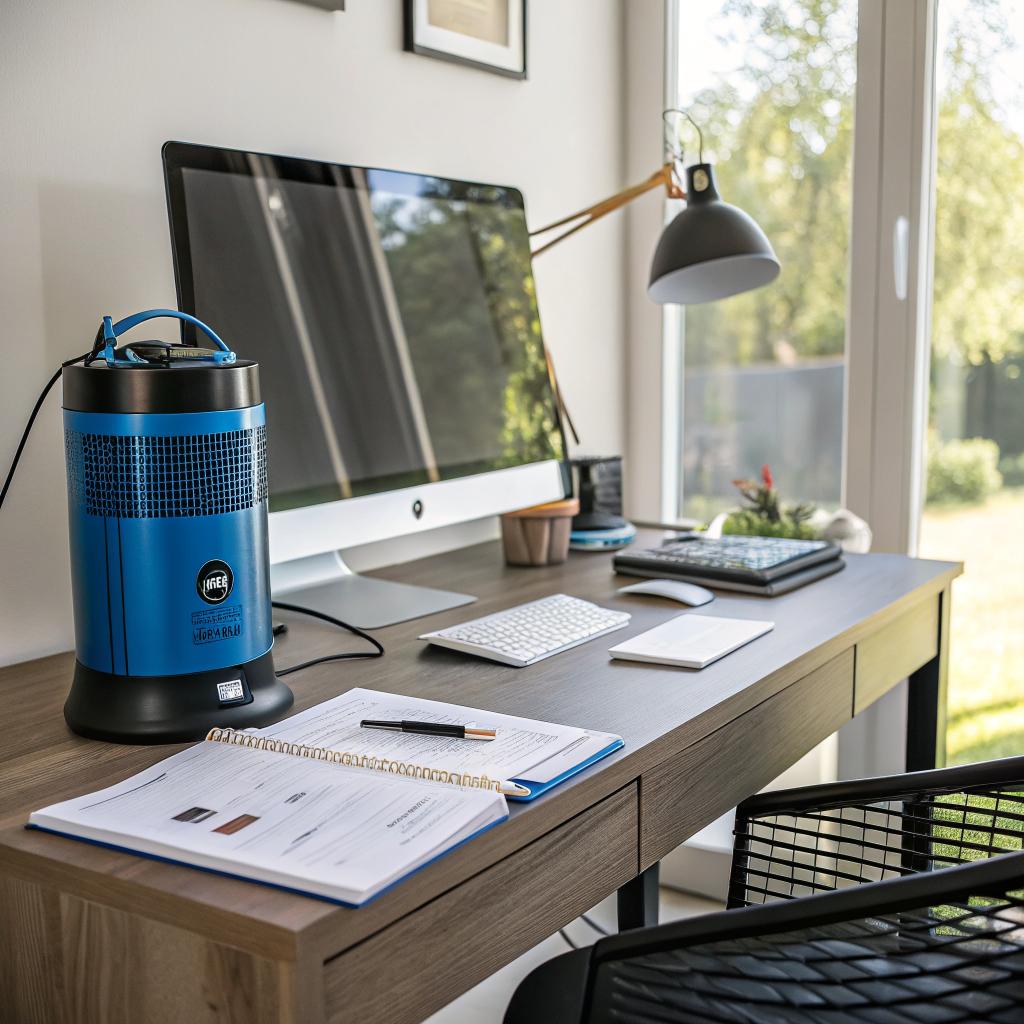

Most people treat home office pests like a side problem, but if ants, spiders, or the odd mouse keep distracting you from client calls, your focus and gear both take a hit. The short version is this: keep food and trash out of your work zone, seal gaps around cables and baseboards, control moisture, store gear and paper in sealed containers, and bring in local support like Flower Mound pest control when you see repeating activity or droppings. If you treat your home office with the same care you give your servers and backups, you can cut most infestations before they start.
I learned that the hard way when I found ants marching behind my monitor one afternoon. I had moved my coffee and snacks closer to my desk to “save time.” It did save time, for a while. It also turned my workspace into an all-you-can-eat buffet. Since then, I have taken a more systematic approach, and it feels a lot like good hosting hygiene: prevent the obvious holes, monitor, and fix issues early instead of waiting for full-blown disasters.
Why tech people should care about home office pest control
If you work with hosting, online communities, or any sort of tech, your home office is probably crammed with:
- Computers, routers, switches, and NAS boxes
- Cable runs along walls and through closets
- Stacks of paper notes, invoices, and shipping boxes
- Snacks and coffee for late nights and on-call shifts
That mix is almost perfect for pests. You give them:
- Warm spots from electronics
- Hidden tunnels behind and under equipment
- Cardboard and paper for nesting
- Food crumbs and sugary drinks
You would never leave your production server wide open with default passwords. Yet a lot of people leave literal holes in walls and cabinets that insects and rodents can walk through.
Think of your office like a mini data center: pests are just another threat vector that can damage hardware, cause downtime, and cost money.
So if you care about uptime for your sites, it makes sense to care about uptime for your workspace too.
Common home office pests in Flower Mound and what they actually do
Flower Mound has the usual Texas mix. It is not only about one type of insect. It is a cluster of small problems that slowly add up.
Ants
Ants are probably the first visitors once food shows up near your desk. They are small, fast, and usually go unnoticed until there is a clear trail.
What they target:
- Crumbs in your keyboard
- Open candy, cookies, or chips
- Sugar in coffee mugs and energy drinks
Why they matter:
- They are distracting when they crawl over your hands or cables.
- You can get them inside laptops and desktop towers, which is not fun to clean.
- Some people react to bites or stings.
Spiders
Spiders like quiet corners and gaps behind furniture. Closets with cable runs and storage shelves are perfect.
Why they matter:
- Webs gather dust around routers and fans, which can slow airflow.
- Some spiders in North Texas have painful bites.
- They signal other insect activity, since spiders feed on those.
Silverfish and cockroaches
These do not get much attention until you open a box and something moves.
What they like:
- Paper, cardboard, and glue binding from books
- Warm, dark areas near power strips
- Moisture from leaky windows or air conditioners
Why they matter:
- They chew documents, labels, and sometimes cable jackets.
- They leave droppings that are not great for air quality.
- They spread fast when conditions are right.
Rodents
Mice and rats are rare in a clean office, but once they get in, they are a serious problem.
Why they matter:
- They chew cables, which can cause network failures or even shorts.
- They leave droppings near equipment and along walls.
- They carry parasites and can trigger allergies.
If your internet randomly dies and your cables look scraped or frayed, do not only blame your ISP. Rodents love cable insulation more than you think.
Termites and carpenter ants
These are more of a building issue than a “desk” issue, but your office is inside a structure. Ignoring them is like ignoring disk errors on a server.
Why they matter:
- They weaken wooden framing, window sills, and baseboards.
- They can cause sagging floors or warped door frames.
- They are hard to spot until damage is significant.
How pests hurt your gear, data, and focus
It is easy to think “It is only a few ants” and move on. The trouble is that over months, those “small” issues eat away at your gear and attention.
Cable damage
Rodents and sometimes insects chew on:
- Ethernet cables
- Power cords
- Peripheral cables behind desks
This can lead to:
- Random disconnects during client calls
- Sparks or shorts near overloaded power strips
- Intermittent bugs that are hard to track
You might waste hours testing routers and modems while the real issue is hidden behind a filing cabinet.
Dust, webs, and overheating
Spider webs and dust attract each other, and fans pull that mixture into your machines.
Over time:
- Thermal paste dries faster
- Fans work harder and fail sooner
- CPUs and GPUs throttle under load
So a spider web in the wrong spot can slowly knock performance down just enough to be annoying.
Productivity and mental load
There is also the simple attention cost. If you are on a support call and a roach climbs the wall behind your monitor, your brain will not stay on the ticket.
You start to:
- Check corners and floors instead of logs
- Delay tasks because the room feels dirty
- Work elsewhere and break your routine
Clean, pest controlled offices are not about perfection. They are about removing one more thing that drags your focus away from the work that actually pays the bills.
Smart habits that keep pests out of your Flower Mound home office
You do not need a complete remodel. Small, regular habits go a long way.
1. Treat food like you treat production access
The fastest way to attract pests is to eat at your desk, leave wrappers in a drawer, and forget half a drink under your monitor stand.
Try this:
- Keep all meals in the kitchen or dining area.
- If you snack at your desk, use sealed containers, not open bags.
- Take your mug and cups out of the office at the end of the day.
- Empty your office trash can daily if it ever has food waste.
It sounds strict. It is. But after a week or two, you get used to walking out for snacks. You also stand up more, which is a small health win.
2. Close physical “ports” that insects and rodents use
Your walls and floors might have:
- Gaps where cables enter rooms
- Cracks along baseboards
- Spaces under doors that lead to garages or outside
That is a direct path for pests from outside or from other rooms.
Fixes that help:
- Use simple caulk around baseboards and cable holes.
- Add weather stripping to doors that open to the outside or garage.
- Put cable grommets on desk holes and wall cutouts where you can.
You do not need to seal a room like a server rack, but anything visible that a pencil can fit through should be closed.
3. Control humidity and temperature
Flower Mound has warm months and plenty of humidity. Pests love that.
Watch for:
- Condensation on windows
- Damp carpets near exterior walls
- Musty smells in closets with cables or storage
Simple steps:
- Run a dehumidifier if humidity stays high.
- Fix window leaks and use proper seals.
- Keep airflow behind racks and bookcases.
Pests are less active in dry, cool spaces. Your electronics also last longer, so this pays off in two ways.
4. Set cleaning to a schedule, not to motivation
If you clean when you “feel like it,” months pass. A better approach is to set recurring tasks, like you would for backups or patch cycles.
You can set up a realistic routine like this:
| Task | How often | Why it matters for pests |
|---|---|---|
| Empty office trash | Daily | Removes food and paper scraps that attract insects. |
| Wipe desk and keyboard | 2 times per week | Clears crumbs and sticky spots. |
| Vacuum floor and baseboards | Weekly | Picks up eggs, dead insects, and debris. |
| Check corners and cable runs | Monthly | Helps you spot droppings, webs, or trails early. |
| Inspect window and door seals | Every 3 months | Stops new entry points from forming. |
Treat this like maintenance, not deep cleaning. Quick passes are enough.
5. Store paper and gear in a way that does not invite nesting
Cardboard boxes on the floor, filled with old invoices or gear, are like apartments for pests.
Better ways to store:
- Use plastic bins with lids for cables and hardware.
- Keep important documents in closed drawers or cabinets.
- Limit how many cardboard boxes stay in the office long term.
If you have to use cardboard, keep it off the floor on shelves. That single change makes nests less likely.
Software mindset applied to physical pest control
If you are used to managing infrastructure, you already think in steps: prevent, monitor, respond, improve. You can apply that to your office.
Prevention: harden the environment
This is what we already covered:
- No food on or in the desk, as much as possible.
- Seal cracks, cable openings, and door gaps.
- Control humidity and temperature.
- Keep storage clean and off the floor.
Think of this as “patching” and “hardening” your physical space.
Monitoring: catch issues before they spread
You do not need cameras or weird gadgets. Just a bit of attention.
Ways to monitor without overcomplicating:
- Glance at corners and behind the monitor when you start your day.
- Look at walls near windows and doors every few days.
- Check behind the desk and power strip monthly.
You look for:
- Droppings that were not there before
- Unexplained dust piles or wood shavings
- Ant trails along walls or under the window
- Spider webs in the same spot again and again
Response: what to do when you spot activity
If you see early signs, do not ignore them. Treat them like error logs.
Basic steps:
- Identify what pest you are seeing: ant, roach, spider, rodent, etc.
- Clean the area thoroughly: vacuum, wipe, remove clutter.
- Use targeted traps or bait, not random sprays all over the place.
For example:
- For ants: bait stations near trails, plus cleaning any food or sugar sources.
- For spiders: vacuum webs, reduce clutter, and close gaps near windows.
- For rodents: snap traps in safe, hidden spots, combined with closing entry holes.
If this is more than a rare visitor, that is when local pros can help.
When you need professional pest control for a home office
There is a point where sprays from the store and DIY tricks are not worth it. Tech workers already have enough problems to debug.
Here are some signs that you should hand this off:
- You see droppings more than once in the same week.
- You find chewed cables or insulation.
- Flying insects appear near your windows often.
- You smell a persistent musty or foul odor from walls or vents.
- You see live rodents, not only single insects.
In Flower Mound, local services understand the climate and building styles. They know where pests usually enter and nest in this area, which is hard to copy with a generic approach.
You do not want monthly visits that spray chemicals without thought. A good company will:
- Inspect your office and nearby rooms.
- Identify the specific pests active in your house.
- Seal or suggest repairs for entry points.
- Set targeted traps or treatments, not only “spray everywhere.”
It is a bit like working with a good hosting provider instead of a random bargain service. You pay for expertise, not only tools.
Digital habits that quietly invite pests
Some tech habits accidentally make things worse. Not obvious at first, but they stack up.
All-nighters with food and open cans
On-call nights, maintenance windows, or big launches often involve late snacks at the desk. That is when many people break their “no food in the office” rule.
If you cannot avoid that, at least:
- Throw out all wrappers before sleeping.
- Rinse cans and bottles and take them out of the room.
- Do a quick wipe of the desk before you crash.
Those crumbs sit for hours when pests are most active.
Piles of gear “to sort later”
Old routers, drives, and boxes often sit in corners for months. They create dark, undisturbed pockets.
Try a simple rule:
- If gear has not moved in 3 months, either store it in a closed bin or remove it from the office.
This is not only about pests. It also makes the room feel more workable and less like a storage closet.
Ignoring baseboards and behind-the-desk areas
People will clean monitors and keyboards, but ignore baseboards behind their desk. That is where insects like to travel.
Once a month, move the chair out, pull the desk a bit if you can, and vacuum or sweep that strip. It takes a few minutes and cuts off a major pathway.
Flower Mound specific quirks to watch for
Local climate and housing styles around Flower Mound bring some patterns.
Windows and patio doors near the office
Many home offices use a spare bedroom or a small room with large windows. These are common entry points.
Watch for:
- Gaps in window sills or around frames
- Torn window screens
- Ant trails leading to the outside wall
Simple fixes:
- Patch or replace damaged screens.
- Use clear silicone around window edges with visible gaps.
- Keep blinds and curtains clean so webs are easy to see.
Garages below or next to the office
If your office shares a wall with the garage, pests can move through that boundary. Garages often have cardboard, tools, and stored food or pet supplies.
Steps that help:
- Seal the door between garage and office or hallway.
- Store bulk food and pet food in sealed bins, not open bags.
- Keep garage floor as clear as possible along the walls.
Yard and exterior conditions
You might not want to think about outside plants when you run hosting or code for a living, but the yard affects what enters the house.
Pay attention to:
- Tree branches touching the house or roof
- Mulch or soil piled up against the foundation
- Standing water near windows or low spots
Cutting branches back and managing mulch depth helps reduce pathways for ants and rodents. It is not glamorous work, but it supports what you do inside.
Light tech to help with monitoring, without going overboard
You do not need smart everything, but a few tools can make pest control easier to track.
1. Calendar reminders
Use whatever calendar you already rely on to schedule:
- Monthly “office inspection” events
- Quarterly “seal and check” sessions for windows and doors
- Trash reminders if you tend to forget
This is boring but effective. Anything on your calendar is more likely to happen.
2. Simple photos or notes
If you see droppings or a trail, take a quick photo with your phone and note the date. Over time, you can see patterns:
- Same corner every month
- Same wall after heavy rain
- Activity tied to a certain season
This helps you or a professional focus on where to act, instead of guessing.
3. Smart plugs or temperature sensors
If you already use smart plugs or sensors in your office, you can:
- Watch for unusual temperature spikes inside cabinets, which might mean airflow is blocked by dust and webs.
- Confirm that dehumidifiers and fans are running as planned.
It is a small detail, but extra data never hurts.
Making pest control part of your “ops” routine
The main shift is mental. Reframe pest control from a one-time chore to an ongoing practice, like security updates.
You can think about it as three simple layers:
| Layer | What you do | Example habit |
|---|---|---|
| Daily | Stop new food and trash from building up. | Clear mugs, bottles, and food before leaving the room. |
| Weekly | Clean surfaces and floors that collect crumbs and dust. | Vacuum around desk and baseboards. |
| Quarterly | Inspect for entry points and early signs. | Check windows, doors, and cable openings for gaps and trails. |
If you already run regular backups, patches, and monitoring for your digital life, you have the discipline you need. You are just turning it toward your physical work environment.
Frequently asked questions about smart pest control for home offices
Can a small home office really attract serious pests?
Yes. Pests do not care how many monitors you have. They care about three things: food, water, and shelter. A small room with crumbs, a plant you overwater, and a warm router in the corner gives them all three. Once they settle, they spread to other rooms.
Is it safe to use sprays and foggers near my tech gear?
Usually not a good idea. Sprays can leave residue on fans, heatsinks, and plastic. Foggers can push particles into vents. Targeted bait stations, traps, and sealing entry points are safer for your hardware. If you are considering strong chemicals, talk to a pro and ask how to protect equipment.
How fast should I act when I see the first signs?
Pretty fast. If you see one ant or a random spider, clean and watch. If you see a trail, droppings, or more than a couple of insects in the same place, act within days, not weeks. The earlier you respond, the less you spend, and the less you disrupt your work.
What if I rent and cannot do major changes to the room?
You can still do a lot:
- Use removable weather stripping and draft stoppers.
- Seal around temporary cable holes with products that peel off later.
- Focus on cleaning, food rules, and storage habits.
If a serious issue affects your wiring or structure, document it and talk to your landlord. Pests are a maintenance concern, not only your personal problem.
How clean is “clean enough” to keep pests away?
You do not need a sterile lab. You need a space where:
- Food does not stay out for more than a few hours.
- Trash is emptied regularly.
- Paper and boxes are not piled on the floor long term.
- Gaps and cracks are not obvious.
If you can sit at your desk without seeing visible crumbs, webs, or random debris on the floor, you are probably in a good range.
Why does this matter for people in hosting and digital work, really?
Because your ability to respond to outages, support tickets, and projects depends on the space you work in. A chewed cable or infested corner can cause more downtime than a minor server issue, especially if it happens in the middle of a critical shift. Protecting your home office is another way to protect your uptime and focus.
So, the next time you harden a server or clean up old code, ask yourself: is my workspace as stable and secure as my stack, or are pests getting an easier route in than my users?