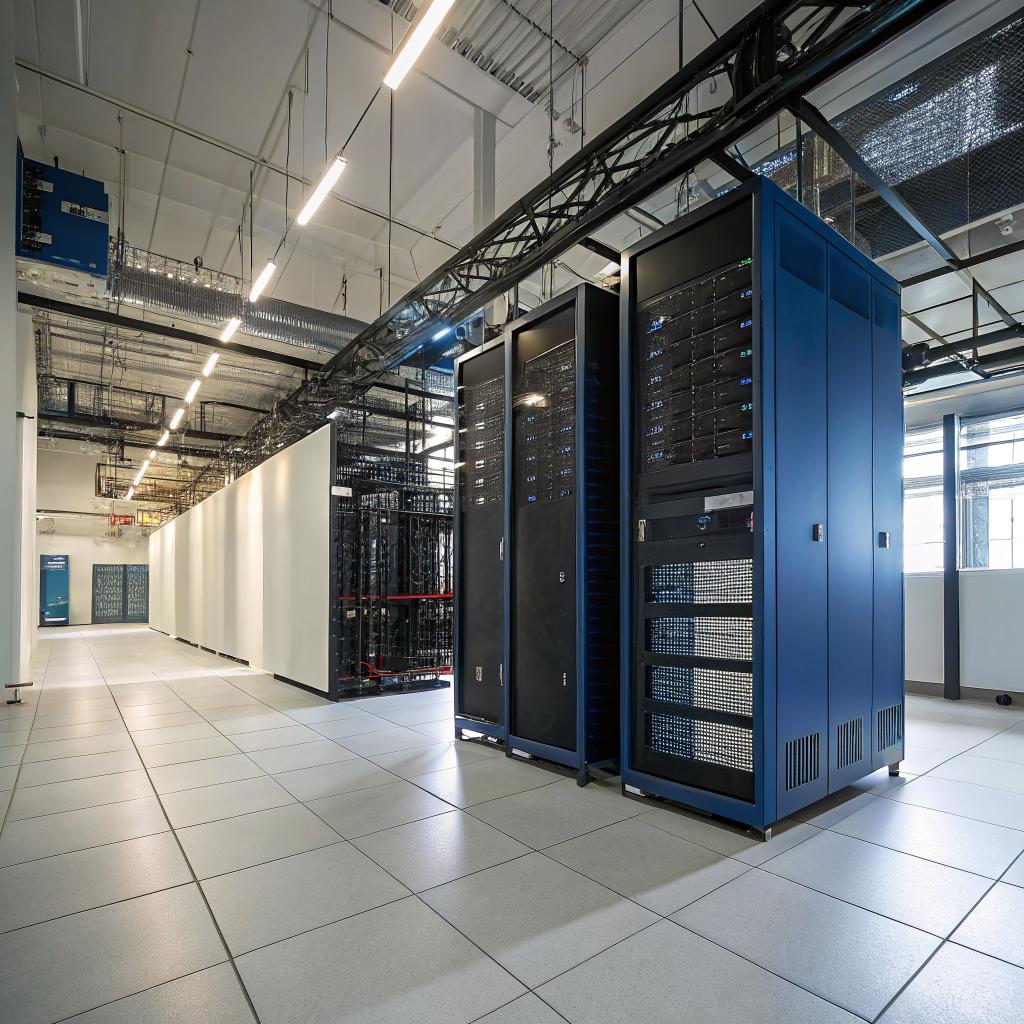

Most people think water disasters are mostly about drywall and carpet, but for a data center in Salt Lake City, water is more about downtime, corrupted storage, and very awkward calls with angry customers. So the short answer is this: if water hits your data floor, you kill power safely, protect staff first, isolate affected racks, start controlled humidity and temperature management, document everything for insurance, and bring in a professional crew that knows both water damage restoration Utah and basic data center requirements. You focus on preserving drives, configs, logs, and continuity, while they pull water, dry the space, and handle structural work.
From there, everything is about speed, order, and not panicking. You cannot treat it like a normal office flood. A data center has different priorities: power paths, airflow, contamination, and business continuity for clients who frankly do not care that a pipe broke above your UPS room.
I will walk through how to think about water events in Salt Lake City from a data center point of view, not a homeowner point of view. I am going to assume you care about uptime, SLAs, and community reputation more than the condition of a server room wall.
Why Salt Lake City Data Centers Have A Special Water Problem
Salt Lake City sounds dry, and a lot of the year it is. That gives some operators a false sense of safety. But you get:
- Snow and freeze/thaw cycles that stress plumbing and roofs
- Summer storms with intense rain in short bursts
- Old commercial buildings with updated power but very old pipes
- Sprinkler systems that do not always play nice with hot racks
Combine that with colocation or hosting clients who assume you have everything under control, and a leak above your server row can turn into a serious incident.
In a data center, water is not just a building problem. It is a business and reputation problem that starts counting in seconds, not days.
If you run web hosting, gaming communities, or any kind of digital platform, people remember outages more than they remember years of stable service. Water damage is often the root cause you do not talk about publicly, but it shapes trust.
Types Of Water Incidents That Hit Data Centers
It helps to group the events you are planning for. The exact response is different if a condenser drips than if the fire system dumps water on 20 racks.
1. Slow leaks and condensation
This is the sneaky one. Common sources:
- HVAC condensate lines
- Roof leaks after snow or heavy rain
- Minor plumbing leaks in adjacent offices or bathrooms
- Dripping chilled water pipes near cable trays
You often find this as staining on ceiling tiles, slight rust on rails, or raised humidity readings while everything looks “fine” to the naked eye.
Risk: corrosion, unseen electrical shorts, mold, and long term reliability hits that show up as “random” hardware failures.
2. Sudden internal building failures
These are the fun ones you hear at 2 a.m.:
- Burst pipes from winter freeze
- Failed hot water heaters above or adjacent to the data center
- Backed up drains that overflow into cable pits or battery rooms
These usually release a lot of water in a short time. Your priority becomes isolation, power safety, and protecting critical gear.
3. Fire suppression and sprinkler discharge
Sometimes the fire itself is smaller than the water. Wrong nozzle type, accidental discharge, or an actual fire event can give you a soaked data floor with residue and fine particles.
This is bad for two reasons:
- Water where it should never be
- Contaminants that cling to circuit boards and fan assemblies
4. Weather and external water
Even in a “dry” metro area, you can still see:
- Flash flooding from intense storms
- Roof drainage failures that send water into conduit paths
- Groundwater intrusion into basements and pits
If your data center is in a retrofitted building, or a multi use facility, external water can reach places the original designers never expected to defend.
First 60 Minutes: What You Actually Do, Step By Step
This is the part that matters during an incident. Policies look nice on paper, but action in the first hour has more impact on long term damage than almost anything else.
1. Protect people, then power
If you see standing water and live power, that is a potential electrical hazard, not just a mess.
Never walk into standing water near live electrical gear, PDUs, or UPS equipment. You secure the area, not the servers.
Basic flow:
- Clear staff from the affected zone
- Have a defined escalation path to facilities and electrical staff
- If required, cut power to the affected area in a controlled way
- Lock or mark doors so nobody steps into unsafe water
If you are in colocation, you also need to stop well meaning clients from rushing in to “rescue” their own hardware.
2. Contain and stop the source
It sounds obvious, but I have seen teams focus only on gear while water continues to pour in.
Tasks here:
- Identify source: pipe, roof, AC unit, drain, sprinkler
- Shut off valves if plumbing is involved
- Get maintenance or building management on an emergency call
- Use temporary barriers, plastic sheeting, or absorbent materials to redirect flow away from racks
If you have raised floors, pay attention to where the water is actually going under the tiles, not just on top.
3. Protect critical racks and storage
You cannot save everything. You can usually protect the most critical gear if you move fast.
Typical actions:
- Cover racks with plastic or waterproof covers if possible
- Power down obviously soaked gear to avoid shorts and arcs
- Prioritize data heavy systems: storage arrays, backup systems, control planes
- Isolate affected PDUs and circuits
This is where your rack layout and documentation pay off. If you know where your core switches, hypervisor clusters, and storage heads sit, you can act in the right order.
4. Start environmental control
Water in a data center is not just about wet floors. It changes humidity and temperature fast.
Things you want to stabilize:
- Humidity within safe range for electronics
- Temperature that avoids condensation on cold surfaces
- Airflow paths that do not blow contaminants deeper into racks
You may need to disable some CRAC units that are pulling in wet air, or change how air moves while the remediation crew works.
Working With Water Remediation Pros Without Losing Your Mind
Normal restoration crews know drywall, carpet, and cabinets. Many do not understand why blowing hot, humid air at your expensive gear is a bad idea.
So you want a local team that is familiar with commercial work, and then you manage the relationship carefully.
Questions to ask before anyone touches your data floor
- Have you worked in live server rooms or data centers before
- Do you understand the need to control dust, moisture, and airflow around racks
- Can you section off equipment areas while you dry the structure
- What type of dehumidification and air movers will you use
- How do you handle documentation for insurance and for our auditors
You are not trying to be difficult. You are trying to avoid secondary damage.
Treat your remediation crew like you treat your upstream provider: useful partners, but not people you hand the keys to without clear boundaries.
What they handle vs what you handle
Here is a simple way to split work. It is not perfect, but it gives you a starting point.
| Remediation Crew | Data Center / IT Team |
|---|---|
| Pump out standing water | Shut down and isolate affected equipment |
| Dry and clean walls, floors, and ceilings | Preserve storage media and configs |
| Remove damaged building materials | Coordinate failover, DR, and client communication |
| Set up dehumidifiers and air movers | Control airflow across racks and intake paths |
| Mold and odor treatment | Racking, re cabling, and validation after repairs |
If a contractor wants to start unplugging your gear and moving racks, that is a red flag. Moving live or recently soaked equipment needs hardware aware people, not just strong backs.
Special Concerns For Data Centers, Not Regular Offices
Some parts of remediation feel the same as any other commercial space. Some do not.
1. Contamination of electronics and media
Water can carry:
- Dirt and dust from roofs and ceilings
- Chemicals from fire suppression or building materials
- Minerals from plumbing
On a server board, this residue can cause shorts, corrosion, and random failures. Drying alone does not guarantee safety.
You might have to:
- Send some components to specialized cleaning labs
- Replace affected power supplies, fans, and boards instead of reusing them
- Retire gear that got soaked in dirty water, even if it boots for now
The hard part is that on day one, most of it will still power on. The failures appear weeks later.
2. Raised floors and cable paths
Water under the floor is tricky. It hides, it wicks along cable sheaths, and it can sit there for a long time.
You need a plan for:
- Lifting appropriate tiles to check for moisture
- Inspecting cable trays and fiber paths
- Drying out or replacing saturated insulation under the floor
Raised floors also collect fine dust when fans push air. Mix that dust with water and you get mud that dries into a film on everything.
3. UPS rooms, batteries, and generators
If water reaches your UPS room or battery banks, treat it as a serious event, even if nothing exploded.
Concerns:
- Shorts across battery terminals or bus bars
- Corrosion that weakens future performance
- Water in conduit and raceways that affects later maintenance
You may need an electrical engineer to sign off on the system before you trust it again.
4. SLAs, incident reports, and trust
You are not just drying a room. You are managing a story.
For hosting providers, outages from water events trigger:
- SLA credits
- Support ticket spikes
- Questions from big clients about redundancy and DR
So during remediation, you also need:
- Clear incident timeline and logs
- Root cause analysis that makes sense to non technical clients
- Action plan so they believe you will handle the next event better
If you run community platforms, forums, or game servers, your users may just see “the servers were down again”. They rarely care that it was a broken sprinkler head.
Drying, Dehumidification, And Why Going Fast Can Still Be Wrong
Most water damage companies like fast drying. For a data center, speed is good, but control is better.
Basic drying approach that fits a data center
- Remove standing water quickly with pumps and vacuums
- Set dehumidifiers to a target that keeps moisture low but not extreme
- Place air movers so they dry floors and walls without blasting directly into rack intakes
- Use barriers or curtains around sensitive areas
Too much hot air pointed at equipment can cause thermal stress and drive contaminants deeper into hardware.
Monitoring while you dry
You should treat the space like you treat performance metrics in production.
Simple tracking:
- Humidity at multiple points in the room and under raised floors
- Temperature trends over the drying period
- Moisture readings in walls and floors
You can track these in a basic sheet or using your existing DCIM tools if they support environmental history. It sounds tedious, but this record helps with insurance and with your own review later.
Data Protection, Backups, And The Reality Of Bad Days
All the physical remediation in the world will not bring back data that never left the flooded room.
For people who run web hosting or digital communities, the real nightmare is not the wet floor. It is the missing database.
Check how “real” your backups are
Water events have a nasty habit of exposing fantasy backups. Things like:
- Backups stored on another array in the same rack
- Offsite backups that have not been tested in over a year
- Config backups that miss new services or nodes
The question to ask yourself is simple: if one entire row of racks became unreachable or destroyed, what exactly would you restore from, and how long would it take.
Offsite and cross region thinking
For a Salt Lake City based DC, many operators pair with other regions:
- Another DC in Utah with separate water risk profile
- Sites in nearby states on different weather paths
- Cloud backup services for key platforms and databases
It is not about copying everything. It is about deciding what data and services your users cannot live without for more than a few hours.
If a single water pipe above your racks can erase a community that took years to build, the problem is not the pipe. It is your backup and redundancy plan.
Salt Lake City Specific Planning Tips
Salt Lake has its own quirks. Not extreme, but worth planning around if you host important workloads.
1. Seasonal checks
Before winter:
- Inspect roof and drainage near the data center footprint
- Check insulation around pipes in cold zones above or near your space
- Verify heating in mechanical spaces that affect your plumbing
Before spring and summer storms:
- Test roof drains and scuppers for blockages
- Review seals around conduits and cable entries
- Look at previous leak history from maintenance logs
These are not glamorous tasks, but they are cheaper than downtime.
2. Older buildings and retrofits
A lot of tech spaces in Salt Lake City live inside buildings that were not designed as data centers. That creates mixed risk:
- Shared plumbing with offices above you
- Old fire sprinklers that do not match modern DC design
- Ceiling voids with a mix of pipes, cabling, and random surprises
If you are in that kind of space, invest real time in mapping what is above and around your data floor. A simple drawing that shows “this bathroom stack is here, this mechanical room is there” helps you understand where water will come from.
3. Coordination with landlords and neighboring tenants
Your landlord may care about the building, but not about your uptime targets. You need clear agreements about:
- Emergency access to shutoff valves and mechanical rooms
- Notification when other tenants do plumbing or construction work above or near the data center
- Who pays for what if water damage comes from neighbor spaces
For someone running a hosting business, that kind of clarity is almost as valuable as a stronger UPS.
Documenting The Incident For Insurance And Audits
This part is boring during the crisis and very useful later. You probably know the feeling from debugging production outages: logs are annoying until you really need them.
What to capture while things are still messy
- Time water was discovered
- Who responded and when
- Photos and short videos of affected areas before major cleanup
- Serial numbers or asset tags of affected hardware
- Environmental readings if available (temp, humidity)
Your remediation company should also log their work. Ask them to provide:
- Moisture readings by area and day
- List of materials removed or replaced
- Drying equipment used and runtime
You will use this data for:
- Insurance claims
- Internal postmortems
- Convincing clients and auditors that the space is safe again
Bringing Systems Back Online Carefully
The building may be dry before your risk is gone. Powering up too soon can cause as much trouble as the original water.
Stepwise return strategy
A simple order that works for many setups:
- Confirm environmental stability on the floor and under raised floors
- Verify electrical inspections for UPS, PDUs, and panels
- Power up core infrastructure hardware first without production load
- Run hardware diagnostics and monitor logs for anomalies
- Gradually restore services in layers: storage, compute, then front end
If you host customers, tell them in plain language what you are doing. “We are doing staged power and load checks so you do not see more outages later” is usually better received than silence.
When to retire gear instead of reusing it
This part is painful on the budget, but necessary sometimes.
Things to factor:
- Depth and type of water contact (clean pipe water vs dirty ceiling water)
- Duration of exposure
- Visible corrosion or residue on boards, connectors, and chassis
- Age and cost of the hardware
It is tempting to keep any server that boots, but hidden moisture or residue in connectors can become intermittent faults that destroy your uptime later.
Turning A Flood Into Better Design
Nobody wants a water incident, but it tends to expose weak spots in both physical and logical design.
Physical changes worth thinking about
- Rerouting vulnerable pipes away from the data floor, if the landlord allows it
- Installing leak detection under raised floors and in ceiling voids
- Using drip pans and secondary containment under critical AC units
- Moving extremely critical racks out from under known risk zones
Some of this will cost real money. Some is just smart placement and better monitoring.
Logical and service design changes
On the digital side, you might:
- Re evaluate which services are single homed in one DC
- Set clear RPO and RTO targets for hosting clients or communities
- Practice restore drills, not just backup jobs
Many operators underestimate how painful a single region event can be, even if it is “just water” in one building.
Frequently Asked Questions About Water Damage And Data Centers
Can wet servers be saved if they are powered off quickly
Sometimes, but it is risky. If power was off before water contact, and the water was relatively clean, specialized cleaning and drying can rescue some components. Still, for high value production services, many teams prefer replacement over long term uncertainty.
Is water damage really that big a threat compared to fire
Yes. Fire is dramatic and rare. Water from pipes, sprinklers, or HVAC is more common and can reach more of your equipment without anyone noticing for a while. It also affects more than hardware: it hits trust, contracts, and long term reliability.
What is the most practical step I can take this month
Walk your space and identify every water and plumbing source above or next to your data center. Map them. Then check your backups and restore process as if you lost the racks directly under the worst of those risk zones. If that scenario scares you, fix that first.